Add Row
Add Element
cropper
update

[Company Name]

update
Add Element
  • Homepage
  • Subscribe
  • Contact Us
  • Media
  • Blog
  • Next-Gen Marketing
  • Spa Marketing & Business Growth
  • All Posts
  • Reputation Marketing
  • Social Media Marketing
  • Website Retargeting
  • Website Design
  • Sales Funnels
  • Brand Voice
  • Market Opposition Research
  • Content Marketing
  • Digital Marketing
  • Local SEO & Search Visibility
  • Next-Gen Marketing
  • Spa Marketing & Business Growth
December 01.2025
12 Minutes Read

How to Build a High-Converting Spa Website: Layout, Design, and Copy That Sells

Are you working tirelessly at your spa but feel like your website isn’t bringing in enough new guests?

Imagine if your online presence worked just as hard as you do—greeting every visitor with warmth, guiding them effortlessly to book an appointment, and leaving them excited to experience your spa in person.

Let’s uncover how a thoughtfully crafted spa website design can be the game-changer you’ve been looking for.

Are You Missing Out on Spa Guests Because Your Spa Website Design Isn’t Working as Hard as You Are?

In today’s digital world, your spa’s online presence is every bit as important as the ambiance of your treatment rooms. If your website isn’t welcoming, clear, and easy to use, you could be missing out on guests who are eager to find relaxation and rejuvenation.

Many spa owners pour their hearts into providing the best services, but overlook the incredible potential of their spa website design to attract and retain guests.

The right design does more than look pretty—it builds trust, communicates value, and makes booking seamless.

Whether you manage a med spa, a young spa, or run a beloved local beauty and wellness haven, it’s time to ask: Is your website working as hard for your business as you are for your guests?

High-converting spa websites leverage smart layout, calming visuals, and clear copy to reduce overwhelm for both your team and your guests.

They make it effortless to learn about services, find contact information, and book appointments—something today’s busy spa guests expect.

If your website builder or site builder is delivering an experience that falls short, you might be losing potential bookings to competitors with more inviting digital fronts. Let’s explore proven strategies to turn your spa website design into your most powerful marketing—and guest experience—tool.

What You'll Learn: Spa Website Design Secrets for Revenue and Guest Experience

  • The latest trends in spa website design and what truly converts visitors into loyal guests

  • How copywriting, layout, and visual elements contribute to your spa web presence

  • Ways to reduce overwhelm for your team and guests with a thoughtful spa website

  • Key features like online booking, med spa information, and mobile-friendly design

1. First Impressions Matter: Spa Website Design That Builds Trust Fast

Key Elements of a Welcoming Spa Web Homepage
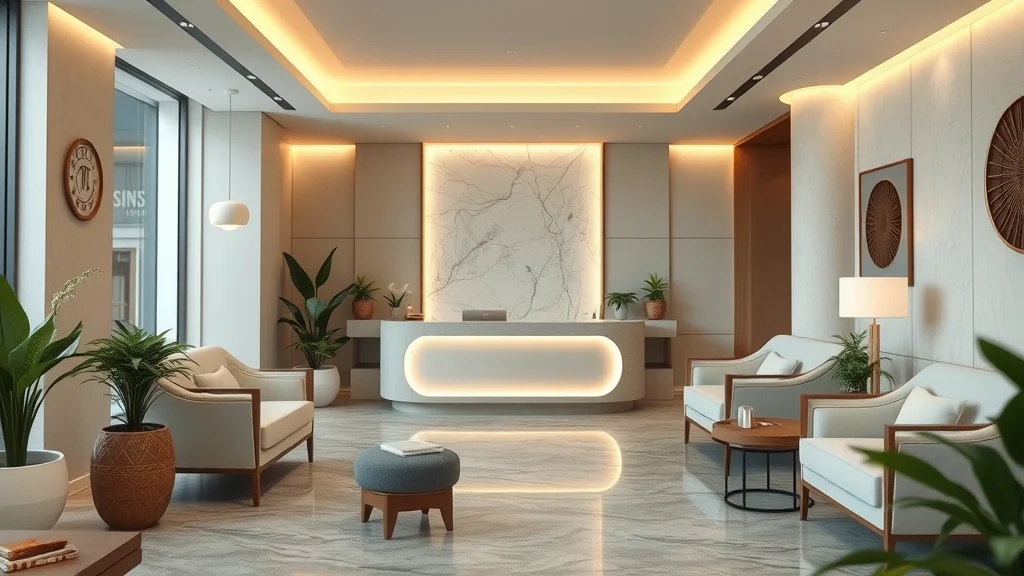
spa website design welcoming homepage with inviting modern spa reception area, relaxed guest and upscale furnishings

Your homepage is your spa’s virtual lobby—and first impressions count. Effective spa website design means crafting an above-the-fold layout that instantly calms and welcomes.

The navigation bar should be immediately visible, featuring your logo, clear menu items, and your unique value statement front and center. A hero image—showcasing soothing, high-quality spa imagery like those found on la belle or refuge spa websites—sets the mood and helps guests imagine the relaxation awaiting them.

To build emotional connection, infuse your brand’s personality; whether you channel the elegance of owl spa or the fresh energy of forever young spa, let your vibe shine through details like color, font, and language.

  • Above-the-fold layout: navigation, hero image, and value statement

  • Using high-quality spa imagery from successful spa websites like la belle and refuge spa

  • Incorporating brand personality from owl spa and forever young spa

"Your spa website is often your first chance to welcome a guest—every detail should make them want to visit in person." – Spa Industry Expert

2. Clear Spa Web Navigation: Make Every Click Count

Structuring Menus for Spa Websites

spa website design navigation menu for med spa and online booking, clear minimalist interface

A simple, user-friendly menu is crucial for every spa website. Best practices for any spa-focused site builder include clarity, simplicity, and visibility—a guest should never have to search for essential info.

Highlight your key sections: med spa services, young spa treatments, your online booking platform, and contact information.

Analyze competitor navigation strategies from sites like la belle, owl spa, and belle studio; notice how they make frequently searched topics and spa offers easy to access.

Drop-down menus, sticky headers, and clear service categories empower guests to quickly find what they need, whether on desktop or their phone.

  • Best practices for a site builder: clarity, simplicity, visibility

  • Highlighting key sections like med spa, services, and online booking

  • Analysis of competitor spa web navigation strategies

3. Conversion-Optimized Spa Website Design: Turning Visitors Into Bookings

The Anatomy of a High-Converting Spa Website

To transform website visitors into loyal guests, your spa web should guide users toward taking action—effortlessly. Start with well-placed calls-to-action (CTAs) for online booking, scheduling consultations, or purchasing gift cards.

Integrate these CTAs prominently above the fold and after service descriptions, using persuasive copy that addresses guest needs and emotions, such as “Unwind Today,” “Book Your Escape,” or “Gift Relaxation.”

This targeted messaging helps guests act quickly and confidently. Today’s spa guests, whether they love med spa innovations or classic young spa treatments, expect a mobile-first experience; your website must be responsive, visually inviting, and intuitive on every device.

  • Placing calls-to-action (CTAs) for online booking, consultations, and gift cards

  • Using persuasive copy tailored to spa guest needs and emotions

  • Mobile-first design essential for modern spa websites

4. Visuals That Soothe: Image, Color, and Spa Website Aesthetics

Leveraging Professional Spa Imagery and Color Theory
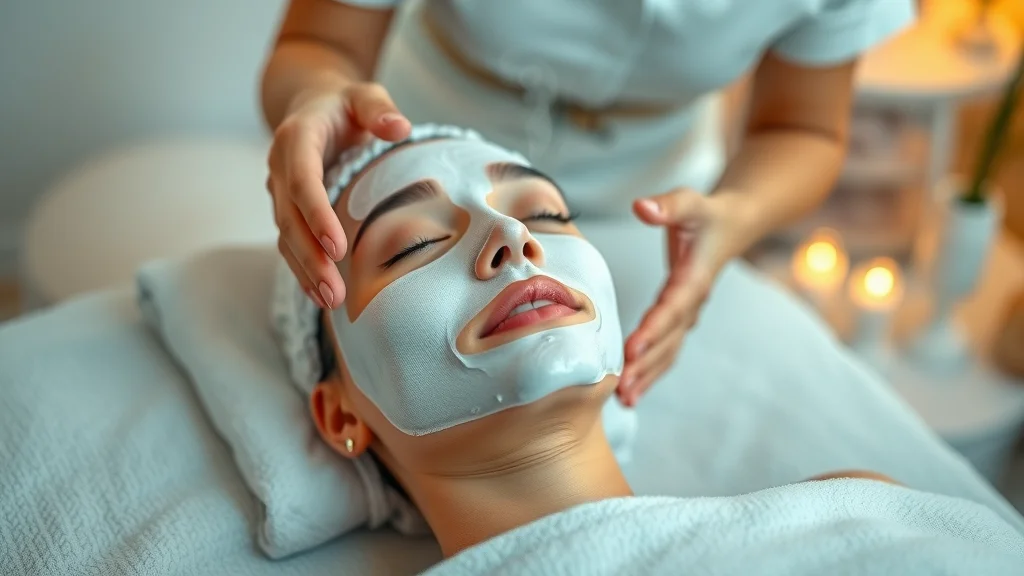
spa website design image serene spa treatment session, calming color palette, professional therapist

The best spa website design goes beyond layout—it envelops guests in a relaxing mood through every visual detail. Carefully chosen photography, like serene shots of treatments or staff in action, creates authentic connections and mirrors the in-person spa experience.

Look to belle studio or la belle studio for inspiration on selecting calming pastel palettes, subtle textures, and minimalist decor that exude tranquility.

Include real photos of your spa, services, and team, rather than generic stock art, to build trust and showcase your unique space.

Don’t forget technical performance: optimize every image for quick loading, crisp quality, and strong SEO by using descriptive alt text with keywords like “med spa treatment” or “owl spa facial.”

  • Choosing calming palettes inspired by belle studio and la belle studio

  • Incorporating authentic photos of the spa, treatments, and staff

  • Image optimization for performance and SEO

5. Spa Website Copywriting: Words That Create Calm and Build Trust

Key Phrases and Copy Blocks That Encourage Bookings

Great spa website design is as much about the words as the visuals. Use copy that clearly highlights your spa’s unique specialties—from advanced med spa procedures to signature young spa experiences and the peaceful atmosphere of a refuge spa.

Choose language that calms, reassures, and establishes credibility, such as, “Sanctuary for your mind and body,” or “Expert therapists, exceptional care.”

For search engine success, sprinkle keywords like “spa website design,” “spa web,” and your specific services naturally throughout headings and body text, while maintaining a conversational, guest-focused voice.

Well-written service pages, FAQs, and about sections turn browsers into bookers and establish your spa’s expertise and warmth.

  • Highlighting expertise in med spa, young spa, and refuge spa services

  • Copy that conveys relaxation, results, and credibility

  • SEO tips for spa website copy and using main keywords like 'spa website design'

6. Online Booking Tools: The Heart of Med Spa and Spa Website Design

Integrating Seamless, Stress-Free Booking Experiences

med spa online booking app for spa website design, guest using booking software in spa waiting area

An integrated, user-friendly online booking system is a must-have for every high-converting spa website. Compare your options: dedicated website builder and site builder solutions offer simple drag-and-drop functionality and pre-built integrations with appointment scheduling tools and payment processors.

Top platforms often include HIPAA-compliant options for med spa privacy needs. Ensure that booking flows are intuitive, require minimal steps, and accept a range of payment methods.

Features like automated appointment reminders and seamless rescheduling can save your team time and reduce friction for guests—helping everyone enjoy a smoother experience from booking to check-in.

  • Comparing site builder and website builder solutions for online booking

  • Integration tips for appointment scheduling and payment processing

  • Features that save your team time and reduce booking friction

7. Showcasing Spa Services: Layouts That Sell Without Feeling Pushy

Best Practices in Service Presentation for Spa Websites

Your service menu should be visually organized and easy to scan—think clearly defined sections for med spa treatments, young spa facials, and forever young spa packages.

Use visual hierarchy, icons, and four-to-six sentence service descriptions to convey value without clutter. Incorporate tables or grids so guests can compare popular options side by side, the way la belle style sites do for their most-booked spa offers.

Highlight special packages and promotions in a tasteful, brand-aligned way, encouraging exploration, but never overwhelming visitors.

A well-presented menu empowers guests to confidently select the spa treatments that suit their needs, making the booking process almost effortless.

  • Organizing med spa, young spa, and forever young spa treatments using clear sections

  • Using service breakdown tables for easy scanning

  • Tips for creating strong la belle style packages and promotions


Example Table: Spa Service Presentation — Feature Comparison by Spa Web Competitors

Service

Description

Best For

Booking Link

Med Spa Facial

Advanced custom facial with medical-grade products and expert assessment

Guests seeking visible rejuvenation

Book Now

Young Spa Glow Treatment

Gentle, refreshing facial for sensitive skin, featuring calming botanicals

First-time spa visitors and teens

Book Now

Forever Young Spa Escape

Signature package: massage, body wrap, and radiance facial, 2-hour relaxation

Special occasions, spa lovers

Book Now

8. Storytelling & Social Proof: Building Community With Spa Website Design

Testimonials, Team Bios, and Behind-the-Scenes Content

Joyful spa team portrait in bright interior, showcasing diverse staff in professional uniforms.

Trust is at the heart of every successful wellness business. Feature real guest testimonials front and center on your homepage and service pages—these build instant credibility and help new guests imagine their own positive experiences.

Don’t just stop at reviews: put a spotlight on your team! Detailed bios of your expert therapists, drawn from inspirations like belle studio and forever young spa, answer questions and highlight years of experience, specialties, and personal wellness philosophies.

Awards and industry recognition badges signal excellence and reassure guests they’re choosing the best. Authentic storytelling, like behind-the-scenes videos or “day in the life” photos, builds connection and boosts your spa web SEO.

  • How to highlight guest testimonials for maximum credibility

  • Spotlighting team expertise from belle studio and forever young spa

  • Adding awards/prizes for spa web SEO and trust-building

"Great spa website design is about inviting guests to trust you with their self-care journey—before they even set foot inside." – Wellness Web Designer

9. Mobile-First Spa Website Design: Winning the On-the-Go Guest

Responsive Layouts and Features for Spa Websites
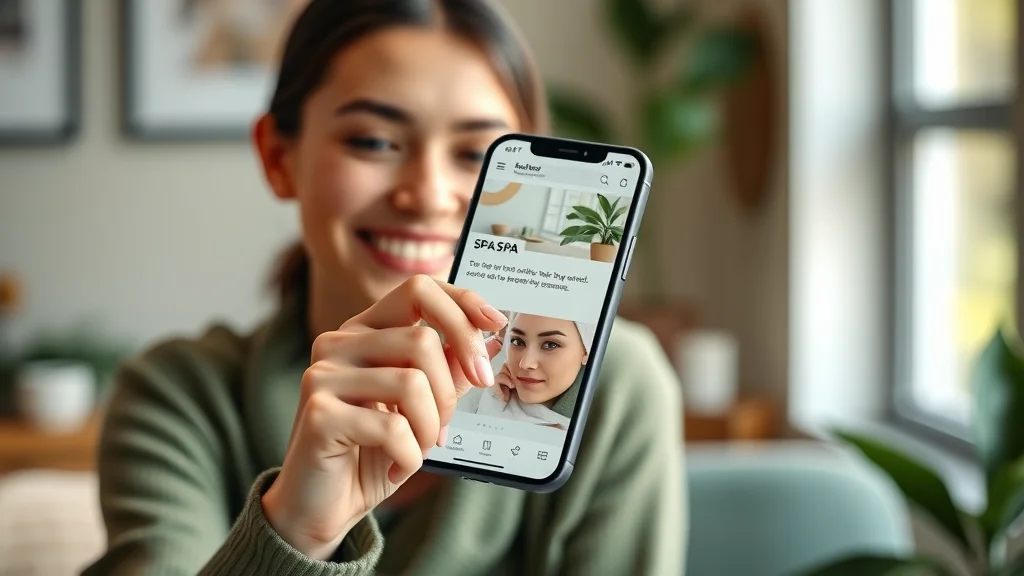
mobile-first spa website design interface, user scrolling through spa bookings on phone

With over half of spa search traffic coming from mobile devices, your site must perform flawlessly on every phone and tablet—guests expect it!

For studios like la belle studio or med spa chains, mobile usability is a dealbreaker: slow loads and tricky booking flows can mean lost business. Test every responsive layout on actual devices, ensuring navigation, CTA buttons, and booking forms display clearly and work quickly.

Design mobile-specific calls-to-action, such as “Call Now” or “Find Nearest Spa,” and make sure essential contact and location info is only a tap away. Prioritizing mobile experience will set your spa web apart and increase conversion rates.

  • Why mobile usability matters for la belle studio and med spa guests

  • Testing responsive layouts and booking flows on devices

  • Mobile-specific CTAs for spa locations and booking

10. SEO Strategies for Spa Website Design: Rank Higher & Reach More Guests

On-Page and Local SEO Tips for Spa Websites

spa website design SEO dashboard analytics, tracking med spa and young spa performance

To ensure your spa website gets discovered by new guests, integrate SEO from day one. Start with keyword-optimizing important pages, such as your home, services, and about us, using strategic terms like spa website design, med spa, and young spa.

For local rankings, claim and update your Google Business Profile; add location data, NAP (name, address, phone) consistency, and use schema markup for your service pages.

Technically, ensure your website loads fast, is secure (HTTPS), and that every image has descriptive, keyword-rich alt text. By following these best practices, your spa web will rise in local search—attracting the right guests at the right time.

  • Keyword-optimizing pages for 'spa website design'

  • How med spa and young spa locations can use local SEO

  • Technical SEO: site speed, schema, image alt text optimization

11. Building Trust With Security and Policies in Spa Website Design

Communicating Safety Measures, Privacy, and Accessibility

Trust isn’t just about ambiance—it’s about transparency and security. Prominently display your privacy policy, COVID-19 measures, and payment security badges to give guests peace of mind.

For med spa or online booking guests, trust signals are crucial; clear terms and compliance details show your commitment to their safety and well-being.

Ensure accessibility by adding alt text to images, testing screen reader compatibility, and following ADA guidelines. Inclusive spa website design means everyone feels welcome, including guests with disabilities or limited tech experience.

These measures turn first-time visitors into loyal clients who recommend your spa to friends and family.

  • Displaying privacy policy, COVID-19 protocols, and payment security

  • Why trust signals matter for med spa and online booking guests

  • Accessibility features and compliance for inclusive design

12. Analytics and Continuous Improvements: Optimizing Your Spa Website Design

Using Data to Refine the Spa Guest Experience

Continuous improvement is the secret behind every top-performing spa website. Set up Google Analytics and user behavior heatmaps to see how guests interact with your site—where do they click, where do they drop off?

Track key metrics like bounce rate, conversions, and the most popular spa services. Use these insights to tweak navigation menus, test different CTAs, or highlight popular packages.

Regular reviews help your team stay focused on guest needs, quickly address problem areas, and ensure your website is always performing at its best. Treat your spa website like your best staff member—always learning, adapting, and growing with your business.

  • Setting up Google Analytics and heatmaps for spa websites

  • Key metrics: bounce rate, conversions, and popular services

  • Strategies for ongoing testing and improvement

Video Walkthrough: Imagine a short, engaging screen recording—guests smoothly scroll through your spa’s homepage, easily view services, read glowing testimonials, and book appointments all on a beautifully responsive, mobile-friendly layout.

This kind of visual experience builds trust and gently nudges bookings with every click.

People Also Ask About Spa Website Design

What makes a good spa website design?

A good spa website design is clean, calming, easy to navigate, mobile responsive, and features strong visuals, clear service descriptions, simple online booking, and positive guest testimonials. It communicates your spa’s unique vibe and makes guests feel confident booking online.

How do I increase bookings on my spa websites?

To increase bookings on spa websites, use prominent CTAs, offer online booking, highlight special offers, use persuasive copy, showcase social proof, and ensure frictionless navigation—especially from a mobile phone.

Do I need a website builder or a site builder for a med spa?

Both website builder and site builder platforms can work for med spas, but look for options with features like HIPAA compliance, easy online booking, customizable templates, and integration with payment processors to match your spa website design needs.

What are homepage must-haves for med spa website design?

For med spa homepage design, include your USP, hero image, CTA, menu navigation, service highlights, staff profiles, and a section for reviews or testimonials. Make sure online booking is easy to find.

Modern spa website on laptop with calming elements and serene design.

Checklist: Spa Website Design Essentials

  1. Distinctive branding (logo, colors, voice inspired by owl spa and forever young spa)

  2. Professional imagery and video

  3. Simple, clear navigation and page structure

  4. Conversion-focused homepage and landing pages

  5. Mobile responsiveness and load speed

  6. Integrated online booking and payment

  7. Testimonials, team bios, and reviews

  8. SEO and accessibility best practices

  9. Compliance and security features

  10. Regular analytics review and continuous improvement

FAQs: Spa Website Design

Can I build a spa website on my own?

Yes, you can use user-friendly website builders, but investing in a professional spa website designer can save time and ensure your site looks polished.

How often should I update my spa web content?

Update your spa web content at least quarterly—new services, photos, promotions, and guest reviews keep your site fresh and relevant.

Key Takeaways for High-Converting Spa Website Design

  • Prioritize guest experience and ease at every web touchpoint

  • Use spa website design to differentiate and authentically represent your brand

  • Leverage online booking, testimonials, and mobile readiness to boost bookings

  • Continuously test and refine your spa web for best results

Wrap Up: Take Action To Level Up Your Spa Website Design

If you’re not sure where to start with improving your spa’s website, I’d be happy to help.

Every spa needs a site that feels inviting, loads quickly, and guides guests toward booking — without feeling salesy or overwhelming.

If you want a quick review of your homepage or booking flow, just reach out. I’ll gladly point you toward the improvements that make the biggest impact.

Spa Marketing & Business Growth

1 Views

0 Comments

Write A Comment

*
*
Related Posts All Posts
12.13.2025

Must-Have spa Business Website Features for Maximum Growth

Must-have spa business website features are the tools that make it easy for guests to trust your spa, understand your services, and take the next step without confusion. When your website removes friction—through clear navigation, simple booking, and reassuring details—it quietly supports steady growth instead of relying on constant promotions. The right features help your site work for you around the clock, even when you’re busy taking care of guests. Building a successful spa business starts with a website that truly connects with clients. When your site offers seamless booking, soothing design, and clear information, growth isn't just possible—it's inevitable. Discover how the right features transform visitors into loyal customers and elevate your spa’s success.Connecting with Clients: Why Spa Business Website Features Matter More Than EverIf you’ve ever questioned why spa business website features really matter, you’re not alone. For many spa owners and managers, the website is both a mystery and a headache. Here’s the true reality—your website often sets the stage for every guest experience before they ever walk in your doors.In 2026, as more guests book, browse, and decide online, your website isn’t just a calling card; it’s the heart of your business. Think of it as the “digital front desk.” It shapes trust, drives bookings, supports your staff, and reflects your brand’s promise with every click.Guests are busier, pickier, and more tech-savvy than ever. Whether you run a med spa, day spa, or salon or spa hybrid, a website with outdated or missing features loses potential clients the moment they arrive.Even small improvements—like adding real online booking, staff bios, or mobile-friendly content—can instantly set you apart from competitors.The right spa business website features make it easier to convert browsers into bookers, keep your team’s schedule full, and earn the trust that keeps guests returning.Ultimately, your site should relieve overwhelm—both for your visitors and you as the business owner.By focusing on features that match the way guests want to interact—quickly, confidently, from any device—you’ll create a smoother path from interest to loyal relationships, not just another pretty web page. What You’ll Learn About High-Impact Spa Business Website FeaturesWhich essential spa business website features directly influence guest trust and bookingsHow to evaluate your current spa website for gapsCommon pitfalls and how to avoid themReal-world examples from med spa and salon or spa leadersThe Foundation: What Makes an Effective Spa Business Website in 2024?“Your website is often your first front desk—it sets the tone before guests ever walk in your doors.” – Spa Owner, New YorkA modern spa website is much more than a digital brochure. It’s the filter through which nearly every potential client will judge your business, especially as Internet traffic becomes overwhelmingly mobile and reviews drive word-of-mouth.The non-negotiable foundation for 2026 is an easy, enjoyable, and trust-filled online experience.Start with what your guests and team actually need. First-time visitors want clear service menus, visible prices, and proof of your staff’s skills.Returning clients want fast booking and reassurance that their favorite esthetician is still with you. Owners, meanwhile, need features that cut down on phone tag, manual scheduling, and data headaches.The best spa business websites anticipate friction and smooth it out—every click, every step, every page. They’re designed not for the developer, but for your real, human guests and for spa managers juggling a dozen hats at once.In short, a high-converting spa website is like having your most capable front-desk team—polished, attentive, and always ready—24/7. FeatureWhy It MattersExampleOnline BookingIncreases convenience, reduces callsClear, simple 'Book Now' buttonMobile-Responsive DesignEnsures smooth experience on any deviceAdapts to phones and tabletsService Listings with PricingBuilds trust and sets expectationsTransparent menu formatStaff Bios & CredentialsReinforces professionalismShort, friendly introductionsEssential Spa Business Website Features Every Site NeedsTo keep your spa business strong, there are core features every website needs. These aren’t “nice-to-haves”—they’re the backbone of trust, convenience, and conversion for your clients and team.The essentials start with a seamless online booking system, clear service menus, and authentic staff profiles. Let’s dive into each one and see why they matter, using real spa and med spa website examples.When evaluating your own site, ask: Can a potential client book a facial or massage in under a minute? Can they see exactly who will be providing the treatment? Are prices and service options easy to find, without digging through layers of text?If not, you’re likely losing bookings to a competitor’s more functional website design.Seamless Online Booking System for Spa and Salon ConversionReal-time appointment visibilityAutomated confirmationsIntuitive forms (minimal required fields)A seamless online booking system is now the standard for client-focused spa websites. Guests want to view openings, select their preferred time or service, and be done—all within moments.Gone are the days where they’ll wait to call during business hours or send emails back and forth. Think of the booking system as a self-check-in kiosk: simple, inviting, and always available, day or night.Modern spa and salon websites show real-time staff and room availability. When a guest chooses an opening, confirmation emails or SMS are sent instantly, eliminating missed calls and confusion.Intuitive forms with just a few required fields—think name, phone number, and service—keep abandonment rates low. This frictionless process not only boosts bookings but frees up your front desk, letting them focus on guest care, not the phone.“Imagine a guest finishing work at 10pm—they book instantly through your website instead of waiting to call during business hours.” Clear Spa Website Service Menus and PackagesClickable categories and filtersConcise, jargon-free service descriptionsProminent 'Book Now' links per serviceGuests arrive on your site wanting to know: What do you offer? How much does it cost? Will this service fit my needs?A clear, well-organized spa website service menu answers these questions up front, reducing hesitation and making booking a logical next step.Organize offerings into clickable categories—such as facials, body treatments, med spa injectables, or salon or spa packages—so clients can browse quickly and select what fits.Descriptions should be short, friendly, and in plain English—skipping complicated jargon. This not only builds trust but also allows first-time visitors to understand what makes your approach special.Every menu item should have a prominent “Book Now” link, ensuring guests never have to backtrack or search for contact details. When your service menu is both transparent and easy to navigate, your potential customers feel respected and empowered.Showcasing Staff Credentials and Team PersonalityProfile photos with welcoming smilesBrief credentials for med spa expertsPersonal touches (favorite treatments or wellness philosophy)For spas and med spas alike, staff are the heart of your brand. Trust hinges on your team’s qualifications, warmth, and care—so let these qualities shine online.Featuring staff photos—genuine, smiling, and professional—humanizes your website instantly. Add quick bios that highlight credentials for specialists, massage therapists, or med spa providers, underlining your standards and expertise.Even one or two lines about favorite treatments or wellness philosophies can make a big difference for potential clients.It helps site visitors picture who will take care of them—and lets returning guests confirm their favorite expert is still part of your team.Staff profiles reinforce the professional website impression that separates serious businesses from casual competitors in every spa business market. Standout Visuals: Website Design, Stock Photos, and Branding for Spa WebsitesColor schemes that reflect your spa’s moodProfessional, serene imagery (avoid crowded or generic photos)Consistent fonts and design elementsFirst impressions matter—online as much as in your actual lobby. Website design that uses calming colors, consistent fonts, and high-quality stock photos signals a polished, welcoming space before a guest contacts you.Think of your site’s visuals as a virtual extension of your spa’s physical brand; every texture, shade, and image should feel like a deliberate, soothing guest experience.Avoid the trap of using generic or cluttered images that could belong to any med spa or salon or spa. Instead, choose or commission photos that reflect your treatments, team, ambiance, and unique culture.Your brand’s tone—whether it’s modern and clinical or cozy and holistic—should guide all style choices for your spa business website features.Elements like a harmonized color palette and spacious layouts make your pages inviting and easy to navigate, creating a sense of relaxation from the very first click. Mobile-First: Why Responsive Spa Business Website Features Are Now Non-NegotiableFast loading on all devicesNo pinching/zooming to read contentTap-to-call and location linksA decade ago, most bookings happened on desktop computers. Today? Over 60% of internet traffic to small business web pages—especially salons and spas—comes straight from mobile devices like phones or tablets.If your site is slow, cluttered, or hard to use on a mobile device, you’re turning away a huge portion of your potential clients. Mobile-responsive design means your site adapts seamlessly, looking sharp and functioning perfectly on screens of any size.This isn’t just a technical detail; it’s a must-have for capturing your busiest, most impulsive guests. Features like tap-to-call, faster page loading, and click-to-map links put answers a thumb’s tap away, increasing bookings and decreasing frustration.When evaluating your website, pull it up on your phone. If booking a massage or facial takes more than two taps or involves pinching the screen, it’s time for a refresh to modern spa business website features. “A mobile-friendly site isn’t a nice-to-have—it’s essential for busy guests on the go.”Trust-Building Spa Business Website Features Your Guests Notice (and Competitors Miss)Trust is your single most important asset online. Guests need to feel safe, informed, and reassured at every stage.That’s why features like real reviews, visible testimonials, and easy, friendly contact options can lift your spa or med spa website far above the competition. These digital “word-of-mouth” signals are often what sway undecided visitors to book—particularly those new to your brand or the area.Don’t overlook the power of making it easy to ask questions, get directions, or see how other guests have enjoyed their treatments.Publicly responding to negative reviews, sharing authentic stories, and showing you’re accessible foster confidence in both first-timers and loyal fans. These feature-driven moments aren’t about trend—they’re about being the kind of business that people want to trust with their well-being.Real Reviews, Testimonials, and Guest StoriesRotating testimonial carouselsClear review request prompts after appointmentsVisible response to negative feedbackDisplaying real guest feedback—authentic, unfiltered, and regularly updated—is a game-changer for spa business website features. Story-driven testimonial carousels or before/after narratives show prospective clients what your team delivers, in terms that build real-world trust.Automated requests for reviews after every appointment increase your volume of happy stories, while visible staff responses to criticism prove your commitment to continuous improvement.Potential customers often choose a new spa based on what they read from previous guests.Integrating Google, Yelp, or Facebook reviews, and making it easy for clients to share their experiences, strengthens your credibility as a professional and approachable business. Responsive displays, including brief video testimonials or “star” ratings, let your best clients advocate for you with their own words and smiles. Easy Contact Options (Chat, Call, Map Integration)Sticky 'Book Now' or 'Contact' buttonsSimple forms (name/email/phone)Google Maps embed for spa and salon locationsRemoving barriers to communication makes a huge difference in turning potential clients into actual bookings.Sticky contact buttons—visible at the top or bottom of every page—mean no one has to hunt for your phone number or booking form. Keep message forms short (think name, email, and optionally phone) so clients aren’t deterred by long fields.Google Maps integration allows guests to get instant directions without leaving your website—a small, but critical, essential feature that speaks directly to busy, on-the-go guests.Some spa business websites even offer website chat or Facebook Messenger links for instant answers. These simple touches show you respect your guests’ time and make it easier for both new and returning clients to reach out, ask questions, or book right away.Boosting Social Proof and Community: Social Media Integrations for Spa WebsitesInstagram galleries refresh automaticallyDirect links to med spa and salon or spa Facebook events/pagesShare your team’s spa business culture with real images and videoToday’s site visitors expect to see more than just static images—they want living proof of your active, thriving community.Embedding Instagram galleries or recent Facebook posts turns your website into a “living room” for your brand, where real guests and staff interactions are always on display.Potential clients want to see before/after results, staff celebrations, or behind-the-scenes looks at daily spa life—these are the trust signals that connect on a human level.Link out to active social media pages, feature stories about your business culture, and invite site visitors to engage with your team in real time.This strengthens your online presence and helps new med spa guests or salon or spa clients envision themselves a part of your loyal following. Social galleries that update automatically show new product launches, special events, and staff milestones, reinforcing both authority and approachability. Making Management Easier: Essential Features That Save Time for Spa OwnersAutomated reminders and cancellationsReal-time staff scheduling viewIntegrated payment options (Stripe, Square, etc.)Running a spa or med spa means managing staff, schedules, payments, and cancellations—often all at once. The best spa business website features don’t just serve guests; they empower spa owners and directors to work smarter, not harder.Look for integrated tools that automate appointment reminders by text or email, share a live “at a glance” schedule for your whole team, and streamline payments with platforms like Stripe or Square.By minimizing manual admin, you keep more time and energy for guest care and for your team.Outdated or piecemeal systems create confusion, friction, and errors—automated features catch missed appointments early, help guests self-manage bookings, and protect everyone’s time.A business web platform designed for clarity and ease not only reduces stress but also boosts conversion rates and business growth in measurable ways.Keeping Guest Data Safe: Privacy, Security, and Compliance for Spa WebsitesEncrypted bookings and payment formsClear data privacy statementAutomatic software updates for securityYour guests trust you not just with their well-being, but also with their most sensitive information. Secure spa business website features ensure that every transaction and appointment is encrypted—meaning their data is scrambled and protected from hackers.Visible privacy policies, up-to-date software, and secure booking/payment pages are as important to your brand reputation as your towels or treatment beds.Don’t assume your web builder or booking system is handling this for you—ask for confirmation and verification.If you or your team aren’t sure about terms like SSL (secure sockets layer) or encrypted data, think of it like a locked treatment locker—only the person with the right code ever gets in.Making your privacy standards clearly visible calms even the most security-conscious new clients, building the kind of trust that boosts loyalty and recommendations. “Guests need to feel as safe online as they do in your treatment rooms.”How Spa Business Website Features Drive More Bookings: The Conversion ConnectionExample: A mobile guest books a facial in under one minuteScenario: A new med spa client picks your business based on reviews and clear team biosReduction in admin calls saves hours weeklyLet’s connect the dots: Every essential feature of your site—smart booking, warm branding, visible staff bios, and easy mobile navigation—removes friction and boosts your conversion rate.Imagine a potential client finds your med spa while on their phone during lunch. In less than a minute, they view glowing testimonials, see your lead esthetician’s credentials, check real-time openings, and confirm a booking—all without a single call.Compare that to the old path: clunky, desktop-only pages, no staff info, hidden prices, or missed messages because forms don’t work on mobile devices.Each gap is an opportunity lost—to a competitor or to guest frustration. As your features stack up, your admin headaches shrink; fewer phone interruptions, fewer double-bookings, and less time spent on basic tasks.That’s the “conversion connection”—the invisible engine that powers both growth and peace of mind for spa owners.People Also Ask About Spa Business Website FeaturesWhat are the key features of a good website?A good spa website offers easy online booking, transparent service menus and pricing, mobile-responsive design, staff team bios, guest testimonials, clear contact options, and secure payment features.These essentials combine to create an inviting, trustworthy experience that encourages guests to book—with minimal effort or confusion.What are the 7 C's of a website?The “7 C’s” refer to: Context (site layout and design), Content (useful info like service menus), Community (guest interaction and reviews), Customization (personalization options like choosing a favorite therapist), Communication (easy chat/contact), Connection (links to social media), and Commerce (online bookings and payments). For spas, each “C” supports a smooth, guest-focused journey.What is spa website design?Spa website design focuses on creating an online space that reflects your brand’s mood and professionalism—through calming colors, clean layouts, branded images, and intuitive navigation.Great design builds trust by making info easy to find, guiding bookings, and visually welcoming guests, much like a physical spa’s ambiance.What should a professional website include?Every professional website should feature: up-to-date service and pricing menus, staff bios, online booking, guest reviews, clear location/contact info, mobile-friendly layouts, secure booking/payment pages, and a strong brand identity throughout.These features aren’t just trends—they’re the backbone of real-world guest conversion and business growth. FAQs: Spa Business Website Features for OwnersHow can I update my spa website without knowing how to code?Many platforms (like Wix, Weebly, Squarespace, Mindbody, or Booker) are built for non-technical users.You can update service menus, staff photos, and pricing using drag-and-drop editors or by following simple step-by-step guides. When in doubt, ask your web provider to walk you through these changes.What’s the difference between a med spa website and a standard spa website?A med spa website highlights licensed medical professionals, advanced services (like injectables or lasers), and compliance with health regulations.Standard spa sites focus more on relaxation and wellness. Both need trust-building features, but med spa sites should emphasize staff credentials and safety even more.Do I need all these features at launch?No—start with booking, service menus, and mobile responsiveness. Add team bios, reviews, and automation as you grow.Incremental changes matter more than pressure to “do everything” at once.How often should I update my service menu or photos?Aim to review your service menu every season or after any big change. Photos and staff bios should be updated at least once a year.Keeping content fresh signals professionalism and shows guests you’re attentive to details.From Overwhelm to Action: Key Takeaways for Spa OwnersYour spa business website features set the stage for bookings, trust, and growth.Start with booking, menus, and mobile usability—then add social proof and automation.Confident, incremental changes have a bigger impact than chasing trends.“Even if your spa website isn’t perfect now, small feature upgrades can create a huge difference in guest experience and revenue.”Feel Ready to Move Forward?If you’d like help applying this to your own spa website—or you just want clarity before making changes—you’re welcome to reach out. There’s no pressure. Just a conversation to help you move forward with confidence.Conclusion: Turn overwhelm into action. Upgrade your spa business website features to make booking easier, raise guest trust, and grow your success—one thoughtful change at a time.

12.13.2025

Master Spa Website Content Strategy to Captivate Clients

A master spa website content strategy focuses on guiding visitors with clear, calming, and purposeful content that helps them feel understood, informed, and confident from the first click. When your words answer real guest questions and mirror the care they’ll receive in person, your website becomes more than information—it becomes reassurance. This matters because content that feels human and intentional builds trust, keeps visitors engaged, and supports long-term relationships with your clients.Did you know 70% of spa clients decide their booking based on online content? Mastering your spa website content strategy means captivating visitors and turning clicks into loyal clients.If your site feels confusing or fails to convert browsers into guests, you’re not alone—it’s a common pain point.In this comprehensive guide, you’ll discover how purposeful, guest-centric content not only builds trust but also unlocks more bookings, stronger brand reputation, and a calming first impression—just like entering your lobby for a treatment.Let’s break the jargon and simplify strategy, so you can confidently make website decisions that fill your books and satisfy your guests.Why Spa Website Content Strategy Matters for Your Medical Spa’s SuccessYour website is more than a digital brochure—it’s the heart of your medical spa’s online presence, the first touchpoint for many potential clients, and the foundation of your spa marketing.In an industry built on trust, relaxation, and personal care, a clear spa website content strategy does the invisible work of welcoming, educating, and reassuring every guest before they ever step foot inside your spa.If your content is scattered, outdated, or feels impersonal, guests notice—and they move on quickly. A thoughtful strategy makes your expertise, story, and promise shine through, turning casual visitors into loyal clients and advocates who return and refer others.Imagine a guest landing on your homepage: are they greeted with calm clarity and easy navigation, or overwhelmed by too many options and confusing jargon?The difference determines whether they feel confident enough to book an appointment.Crafting user-first content ensures every page, from services to FAQs, reflects the care and professionalism your spa delivers in person.By connecting your digital presence with your physical spa experience, you consistently set yourself apart in a crowded market—driving bookings, building trust, and establishing a loyal client base for sustainable growth.“Think of your spa website content strategy as the story welcoming guests through your digital doors—warm, clear, and reassuring, just like the service at your front desk.”What you’ll learn about an effective spa website content strategyHow a purpose-driven spa website content strategy attracts your ideal clientsSimple frameworks to plan and elevate your spa content without tech overwhelmHow content strategy interlocks with spa marketing, your wider digital presence, and guest conversionRealistic, plain-language examples you can use for your own spa website todayUnderstanding the fundamentals: What is a spa website content strategy?Content strategy in plain English: No more tech jargonIf the term “content strategy” sounds technical, you’re not alone—it often gets tangled in marketing lingo. In simple terms, spa website content strategy is your plan for what you say, how you say it, and when you say it across your online content.Think of it like planning out a guest’s journey through your spa: each touchpoint, from reception to treatments, is mapped for a seamless, welcoming experience.In the digital realm, that means deciding what content your visitors need—at each step—to answer their questions, inspire trust, and make booking easy.A good strategy avoids random fixes and scattered blog posts. Instead, it’s intentional: every page, post, FAQ, and service description serves a clear purpose.For spas, this means content is always written in a warm, calming tone, free of jargon, and designed to build trust and anticipation.Just as you wouldn’t wing the guest journey in your spa, don’t leave your digital experience to chance. The better your plan, the more empowered your potential guests feel when deciding to book with you.How content strategy supports spa marketing, digital presence, and guest trustYour website content is the bridge between your brand and your clients. A well-planned spa website content strategy integrates directly with your broader spa marketing plan and strengthens your digital presence. How so?When your content answers the real needs and worries of your ideal clients—addressing common questions, sharing your unique story, and setting realistic expectations—it builds trust.In an industry where personal comfort and safety are paramount, great content reassures guests while signaling your medical spa’s expertise and ethics.Effective spa content marketing means delivering information that encourages visitors to linger longer, move through your site with confidence, and ultimately book.This trust-building process is the online equivalent of soothing a guest with your voice and service when they walk through your spa doors.When your content aligns with your values, matches your in-person experiences, and removes friction at every step, you’re not just informing—you’re converting. That’s the foundation of strong bookings and repeat visits.The core elements of a high-converting spa website content strategyKnowing your spa audience: The foundation of effective spa contentAll strong spa website content strategies start with one question: Who is my ideal guest?Take a moment to picture your best clients—the people who come back, refer friends, spend on higher-value services, and leave glowing reviews. What do they care about? What words put them at ease?Understanding your audience lets you tailor every piece of content to their needs, fears, and aspirations. For example, a medical spa’s visitors might crave clinical expertise and reassurance, while wellness retreat guests may crave tranquility and self-care routines.Start by gathering feedback from actual guests—ask what they wish they’d known before booking or what drew them to your spa over others.Next, review analytics: Which pages do visitors spend time on? Where are they dropping off?These insights inform everything, from the language on your homepage to the FAQs you answer.Guest-centric content—written in plain English—turns a generic site into a personalized, trust-building experience that attracts more loyal clients and keeps your schedule booked.Crafting your unique value: What sets your medical spa or wellness center apartTo stand out in a saturated market, your spa website content strategy should clarify what makes your spa, medical spa, or wellness center special.This goes beyond listing treatments—it’s about sharing your “why.” Maybe you offer a unique combination of medical expertise and holistic wellness. Or perhaps your team’s credentials, technology, or guest care processes are unmatched locally.Your content should highlight these differentiators in plain language—on your home page, service pages, and even social media.Real-world example: Imagine you specialize in skin treatments for sensitive skin. Use stories or showcase testimonials from guests who found relief after years of trying elsewhere. Detail your protocols, and spotlight endorsements from respected practitioners.This evidence-based, guest-centered approach builds trust and attracts the very clients who’ll value and recommend your spa the most. Remember, potential clients are searching for reassurance—give them reasons to choose you at every click.Mapping the guest journey for your spa website content strategyYour website should match the smooth flow of an in-person spa visit: entering, exploring options, asking questions, booking, then returning.That’s the essence of mapping the guest journey for your content strategy. Each step—awareness, research, booking, and retention—deserves specific content support.For example, your home and service pages welcome and inform, while FAQs and about pages build trust. Blog posts answer timely concerns, and booking info removes friction.A practical tip: Walk through your website as your ideal guest. Is it clear what you offer? How to contact you? What makes your approach special? Can guests find answers fast?This exercise surfaces confusing spots and highlights content gaps—perhaps clients can’t easily read about your team’s credentials, or they miss the value in your signature packages. Each mapped touchpoint allows you to address questions, reduce anxieties, and inspire bookings with clarity.Types of spa content that influence bookings and brand reputationHome page and service pages: Your digital front deskYour website’s home and service pages are more than digital brochures—they’re your virtual front desk, delivering that critical first impression.These pages need to do three things quickly: welcome visitors, reassure them with professional credibility, and clearly show how to take the next step.Use inviting images, direct language, and concise information about what makes your spa stand out.For medical spas, clarity around treatment methods, safety protocols, and before–after expectations is essential. For all spas, highlight your unique offerings with guest-friendly terms and an easy booking flow.Avoid filler and fluff—focus on what builds trust, answers real questions, and encourages instant action. A guest who feels seen and understood from the start is much more likely to book and keep coming back.About page: Building trust with genuine spa storiesNever underestimate the power of the “About” page. This is where building trust happens: potential clients want to know who you are, what you value, and why you do what you do.Share the real story—how your spa was founded, your team’s certifications and passions, and your commitment to guest care. Human photos, heartfelt bios, and behind-the-scenes glimpses make a world of difference.Use your About page as a digital handshake, setting the tone for everything that follows. Guests are far more likely to trust and book from a spa that feels approachable and authentic.Consider sharing short video content or testimonials to put faces and voices to your promises, turning hesitant browsers into loyal clients who feel invested in your mission. Blog and educational resources: Spa content marketing in actionBlogs, guides, and educational resources are at the heart of effective spa content marketing. Not only do they address common questions (“Which facial is right for me?”“How can I extend my results at home?”), but they also spotlight your expertise, boost search engine visibility, and keep your site lively and up to date.Every article, FAQ, and explainer gives guests a reason to explore, linger, and return—building authority with each helpful post.The best spa blogs strike a balance between educational content and subtle encouragement to book. For example, a “How to Choose the Right Massage for Stress” guide can naturally link to your massage services and team bios.Regularly updated content also signals to search engines that your site is active—improving rankings, which means more potential clients discover you first.Blog posts, images and videos, and downloadable tips are practical ways to nurture guest trust online.FAQ and booking info: Removing confusion and frictionOne of the biggest barriers to conversion on spa websites is uncertainty: guests don’t know what to expect, how to book, or what’s required. That’s why a thorough FAQ section (frequently asked questions) and prominent, friction-free booking info are vital.Address common questions up front—privacy, safety, payment policies, cancellation terms, and treatment prep—in straightforward, reassuring language.Making it easy for guests to reach out—via chat, contact form, or clear call-to-book buttons—removes frustration and builds trust. Think of this as your “virtual concierge”—always available, always helpful.When potential clients find immediate answers, they’re more likely to take the next step with confidence—and that’s how you transform casual website visitors into loyal clients over time.Optimizing your spa website content strategy for search engines and guests Balancing search engine needs and a relaxing guest experienceStrong spa websites walk a careful line: they’re found easily by search engines, but never feel robotic or cluttered to guests.This means optimizing for keywords—like “medical spa” or “spa content strategy”—but always in language real guests would use. Too much focus on what Google wants, and your site starts to read awkward or salesy; too little, and you miss out on visibility and bookings.Practical tip: Write every page for the guest, then polish it for SEO. Use key terms naturally (such as “massage therapy for relaxation” or “licensed estheticians in [City]”), but never jam them in where they don’t fit.Remember: the ultimate goal is to create a seamless user experience that feels like a warm, in-person welcome. Guest-centric content gets read, trusted, and shared—while supporting better rankings over time.Keywords, readability, and clarity: Content strategy that feels humanMany spa owners worry about picking “the right keywords” for their websites. The truth: intentional keyword use is only part of a winning spa website content strategy. You also need to focus on clarity.Aim for short sentences, gentle explanations, and clear navigation. Good readability directly influences both guest trust and search engine results. If a guest can’t quickly find what they need, or stumbles over confusing copy, they’ll leave—and search engines notice those drop-offs, too.A practical example: Instead of cramming a page with “spa marketing,” “content marketing,” and “medical spa” phrases, craft helpful content that weaves these terms into real guest scenarios.That could be a Q&A on “How our spa content marketing brings you the newest wellness trends”—or a testimonial highlighting your social media presence. Remember, every piece of content should answer questions, build trust, and move guests comfortably toward booking.Comparison of Keyword-Focused vs. Guest-Focused Spa Content StrategiesApproachKeyword-FocusedGuest-FocusedPrimary GoalImprove rankings for specific search termsAnswer real guest needs and inspire bookingsLanguageSEO-heavy, sometimes awkwardClear, conversational, empatheticGuest ExperienceOften feels generic or forcedFeels personal, inviting, and easy to navigateLong-term ResultsMay bring more traffic, but fewer bookingsBuilds trust, leads to loyal clients and referralsIntegrating your spa website content strategy with digital marketing effortsSocial media, email marketing, and influencer marketing for spasYour spa website content strategy doesn’t live in a bubble—it should align with all your major digital marketing channels.This means sharing your best content on social media platforms, nurturing guest relationships with regular email marketing updates, and collaborating with trusted voices in the wellness community (think influencer marketing).Every post, email, or feature should point back to your website, guiding guests down the same welcoming digital path.For example, use Instagram to share behind-the-scenes moments, Facebook for Q&A videos, and email newsletters for timely offers and appointment reminders. This creates a sense of community and reinforces your brand personality.Use snippets or highlights from your latest blog posts, testimonials, or spa content to drive consistent traffic and interest—boosting brand reputation and keeping your booking flow strong. Aligning your website, content calendar, and media platforms for consistencyConsistency is the secret ingredient to great spa content marketing. That’s why every high-performing spa blends its website, content calendar, and various media platforms into one predictable, guest-friendly experience.Make sure the same message and level of service are reflected everywhere—whether someone first finds you via a blog, social media, or booking form.A practical workflow: Plan your monthly content calendar around service promotions, guest education, seasonal offers, and timely FAQs—then schedule posts, emails, and stories to match.This not only saves you time, but also builds a memorable, coherent experience for every audience touchpoint. The result?Guests trust what they see, feel supported, and are more likely to become loyal clients who return again and again.Tracking success and evolving your spa website content strategyKey performance indicators: What matters most for spa content marketing?How do you know if your spa website content strategy is working?Track what matters—like website traffic, how many visitors turn into bookings (conversion rate), which content guests spend the most time on, and repeat visits.These are called key performance indicators (KPIs). Looking at the numbers helps you decide what content to double down on and where to tweak your approach.Check where guests drop off before booking, which blog posts attract the most attention, and whether your email newsletter increases bookings or follow-up visits.By measuring real guest behaviors instead of vanity statistics (like sheer page views), you make smarter decisions for your spa’s growth, marketing, and long-term reputation. Guest feedback, analytics, and ongoing improvementGuest feedback is just as valuable online as in-person. Make it easy for guests to share reviews or tell you what content they found helpful—or confusing.Pair this input with analytics from your website (see which pages get the most clicks or have visitors leaving quickly). This balanced approach helps you spot both content wins and improvement opportunities.Best practice: Set a regular review schedule—quarterly or monthly—to check analytics, survey responses, and team observations.Talk with your front desk and therapists, too—they’ll know what guests are asking most often. Every small tweak, whether it’s a clearer service description or a new blog post, moves your spa site closer to being the welcoming, conversion-driving digital space your clients—and you—deserve.Example Metrics to Evaluate Your Spa Website Content StrategyMetricWhat It Tells YouWebsite Conversion RateHow many visitors actually book or contact youAverage Time on PageIf guests are engaged or quickly leaving (bouncing)Most-Read Blog PostsWhich topics build interest and trustFAQ Page VisitsIf your content is answering real questionsEmail Click-Through RateIf your content calendar drives repeat traffic/bookings People Also Ask: spa website content strategy FAQsWhat are the 5 C's of content?The 5 C’s—Clarity, Consistency, Credibility, Creativity, and Conversation—are essentials for a strong spa website content strategy, keeping content guest-focused and trustworthy.What are the 3 C's of content strategy?The 3 C’s—Content, Context, and Channel—mean matching the right content to the spa guest’s moment and choosing the most effective platform, whether that’s your website, social media, or email.Are SPAs SEO friendly?Single Page Applications (SPAs) can be made SEO-friendly using the right technology, but for most spa business sites, traditional multi-page structures with clear spa website content strategy perform better for search and bookings.How to create a content strategy for a website?Start by understanding your spa’s audience, define unique offerings, map out the guest journey, and create a consistent content plan. Blend clear information with trust-building stories for a true spa website content strategy.Actionable steps: Start creating or refining your spa website content strategyAudit your current spa website contentIdentify gaps and opportunities (use guest feedback and analytics)Clarify your spa’s unique value and service promisePlan a content calendar—starting with services, FAQs, and storiesReview for clarity, trust, and conversion focus“Your website shouldn’t be an online brochure—it’s a living, welcoming space that reassures, educates, and inspires guests to book and return.”Key takeaways: Bringing your spa website content strategy to lifeGuest-centric content leads to more bookingsPlain-English information builds trust and confidenceA strong spa website content strategy works hand-in-hand with marketingEvery improvement is a step toward a busier, more trusted spaFAQs about spa website content strategyWhat is the most important element of spa website content strategy?The most important element is understanding your spa’s ideal guests and crafting content that speaks directly to their needs and concerns—building trust and confidence at every touchpoint.This helps transform your website into a welcoming, conversion-focused space that supports steady bookings.How often should you update your spa website content strategy?Review your strategy at least every six months, or whenever you launch a new service, receive consistent guest feedback, or notice a change in bookings.Regular updates ensure your online presence stays relevant, trustworthy, and aligned with both guest needs and modern search engine requirements.Where should I start if my website feels overwhelming?Begin with a simple audit. Walk through your website as if you were a new guest—note where things feel unclear, outdated, or too technical.Focus first on the homepage, service pages, and contact/booking info. Improving these key sections creates quick wins in both guest satisfaction and bookings.If you’d like help applying this to your own spa website—or you just want clarity before making changes—you’re welcome to reach out. There’s no pressure. Just a conversation to help you move forward with confidence.Every great spa website starts with guest-first content. Step by step, clarity and strategy will help you build trust, inspire bookings, and keep your spa thriving.

12.13.2025

Spa Website Color Schemes That Calm and Convert Visitors

A spa website color scheme that truly calms and converts uses soft, natural tones—like muted greens, warm neutrals, gentle blues, and earthy accents—to help visitors feel relaxed and safe while guiding them toward booking. These colors reduce visual stress, build trust, and quietly reinforce the feeling of care your spa offers in person. When your website feels soothing instead of overwhelming, visitors stay longer, feel more confident, and are more likely to take the next step.How can the perfect spa website color scheme enchant visitors while boosting conversions? Discover the calming hues that create a soothing experience and transform clicks into loyal customers, making your spa’s online presence both beautiful and profitable.Whether you manage a bustling city spa or a boutique wellness brand, the right colors will shape your guests’ first impression—and set the stage for trust, comfort, and bookings.If website design feels overwhelming, you’re in the right place: this guide simplifies color palettes into actionable, guest-centered steps you can use with confidence.Why Spa Website Color Schemes Matter: Calming Guests, Building Trust, and Driving BookingsOpening Hook: How the Right Spa Website Color Schemes Influence ConversionsImagine a first-time guest landing on your spa website. In just a few seconds, before reading a word of your copy, they’ve already absorbed the mood, trustworthiness, and professionalism of your business—thanks to your color palette.Choosing the right spa website color schemes isn’t just about aesthetics; it’s a strategic decision that deeply affects guest trust, brand identity, and bookings.Color psychology research repeatedly shows that palettes for wellness brands shape perceptions and decisions. Soft blues, earthy tones, and neutral colors don’t just look beautiful—they create a sense of calm, signalling to visitors, “You’re in the right place to relax.”This is especially important for busy, overwhelmed spa owners who need their website to work as hard for them as their team does in person. What You'll Learn About Spa Website Color SchemesThe connection between spa color palette choices and guest trust10 proven spa website color schemes that support relaxation and bookingsHow to choose a color palette for your wellness brand without overwhelmCommon spa color scheme mistakes to avoidSample swatches and palettes for wellness brands to inspire your next refreshHow Spa Website Color Schemes Fit Into a High-Converting Spa WebsiteThe Role of Color in Spa Website Design and Brand IdentityColor, more than almost any design element, sets the emotional tone of your website. For a wellness brand, a harmonious blend of relaxing spa hues signals that your digital presence matches the care and quality of your in-person experience.When your color palette is chosen mindfully—it aligns with your physical spa decor, your guest expectations, and even the personality of your business—it instantly strengthens your brand identity.This creates a seamless story, assuring visitors that your spa values comfort and professionalism. In the context of website design, calming color schemes do more than please the eye.They guide focus and reduce digital “noise,” minimizing stress and making it easier for guests to move from interest to booking.A thoughtful palette for your spa can boost bookings because guests feel welcomed, at-ease, and confident from the first click. Color Schemes and Guest First Impressions in the Wellness IndustryThe wellness industry is built on trust and comfort. Guests arriving at your spa, whether in person or online, seek a sense of calm and belonging.If the color scheme of your spa website clashes with those expectations—think harsh reds or overly bold neons—you risk losing credibility before you can even say “welcome.”Relaxing blues, gentle greens, and soft beiges are common choices for spa color palettes because they evoke feelings of renewal and tranquility. First impressions truly matter: a visually cohesive spa color palette communicates attention to detail and reassures even first-time visitors that your business understands their needs.The moment a guest senses a harmonious color environment, their journey toward booking feels easier—and more natural.How Spa Color Palettes Guide Booking Paths and TrustEvery color on your website serves a purpose, whether it’s a soothing background or a bolder action button. Calming colors guide visitors, subtly highlighting where to browse, how to find services, and where to book without ever feeling “pushy.”This balance is essential for wellness brands: you want a palette for your spa that lowers anxiety, keeps guests exploring, and leads them to book.Strategic color palettes for wellness brands can highlight conversion points—like “Book Now” or special offers—without breaking the relaxing mood. The result? More guests feel ready to commit, and your conversion rates reflect it.Quick Primer: What Is a Spa Website Color Palette?Understanding Spa Color, Scheme, and Palette — With Real-World Spa ExamplesLet’s keep it simple: a color palette is just the set of colors you choose for your website. Think of it like the signature scents, music playlist, or interior decor you select for your physical spa.Your spa website color scheme is a mix of main hues (backgrounds, buttons), accents (call-to-actions), and neutrals (whites, greys).When you see a calming blue spa page, a neutral earth-tone booking form, or a gentle pop of pale pink in a wellness brand’s header, that’s the color palette at work. Real spas—like Urban Retreat or Coastal Calm Sanctuary—use soft blues and gentle sage green to instantly communicate their values and make guests feel at home.Your palette should work the same way: choosing colors that evoke feelings of calm and trust, not overwhelm or confusion."Think of your color palette like your spa’s signature scent or music playlist — it sets the mood for the entire guest experience, both online and in person."How to Choose Spa Website Color Schemes That Actually Support Wellness BrandsStep 1: Consider Your Wellness Brand Identity and Spa GoalsBefore diving into specific colors, step back and clarify what your brand stands for and who you serve.Are you a high-end urban spa with sleek interiors, or a rustic wellness brand focused on nature? Your answers guide your palette for your spa.Is your goal to attract stressed office workers looking for calm, or adventure-seekers pursuing holistic wellness?Select colors that truly reflect your mission and make your ideal guests feel welcomed—soft blues for tranquility, earthy greens for connection to nature, or a touch of warmth like pale pink for comfort.Always remember: your color scheme should reinforce your spa’s unique story, not follow fleeting trends.Step 2: Common Color Palette Mistakes for Relaxing Spa WebsitesIt’s surprisingly easy to overwhelm a spa website with too many color choices. Common mistakes include using harsh, trendy colors that don’t match your physical spa or copying another brand’s palette for a quick fix.Overusing bold accent colors, poorly matching background and text for readability, or ignoring accessibility standards can all lead to fewer bookings.For a relaxing spa website, less is more—a harmonious blend of 3–5 core colors (plus a few neutral accents) is often your safest, most effective choice.By circulating colors found in your spa’s interior design, towels, and natural elements, you create a visually cohesive guest experience in person and online. Step 3: Choosing Calming vs. Energizing Color Palettes for WellnessColors can either set a soothing atmosphere or spark energy—sometimes both, depending on your service menu. For most spas, calming spa color palettes using soft blues, sage greens, and gentle neutrals create a sense of calm and trust.If your wellness brand includes invigorating treatments like fitness or hydrotherapy, you might layer in subtle energizing hues (think clear teal or a pop of coral) to keep things fresh without overwhelming.Test your palette for your spa by mixing calming background colors with brighter accent buttons for calls-to-action, creating a cohesive pathway from relaxation to booking. Always ask yourself: “Would these colors feel at home in my spa lounge, not just on my site?”Checklist: Factors to Consider Before Picking a Spa Color PaletteBrand purpose and feelingGuest demographics and expectationsAlignment with physical spa designAccessibility and readability onlineTrust, booking, and conversion goals10 Spa Website Color Schemes for Relaxing, High-Converting Wellness BrandsNameDescriptionIdeal ForColor SwatchesSerene OasisSoft blues, seafoam greens, and cloud whites instill instant calm.Luxury day spas, urban wellness studios Botanical SanctuaryEarthy greens, beige stones, and wood accents promote natural wellness.Holistic and eco spas Pale Pink RetreatPale pinks paired with soft beige and gentle sage evoke comfort and care.Women’s spas, beauty-focused brands Naturals & NeutralsWarm taupe, creamy white, touches of sand for trusted simplicity.Multi-location spas, traditional wellness brands Sage & StoneClassic sage green paired with stone grey and crisp off-white refreshes instantly.Medi-spas, modern holistic brands Tranquil TealDeep teal, pale aqua, and soft white evoke the clarity of water and fresh starts.Hydrotherapy spas, day spas by the sea Coastal CalmWashes of blue-grey, sandy beige, with driftwood accents for coastal serenity.Beach spas, coastal wellness retreats Luxury EarthRich clay, dark olive, and creamy stone for grounded sophistication.Luxury and destination spas Lavender DreamsSoft lavender, dove grey, and warm white for gentle tranquility.Massage studios, sleep-focused brands Oceanic CalmVibrant aqua, deep blue, and muted sand for an immersive water-inspired feel.High-end spas, wellness centers with aquatic themes 1. Serene Oasis Spa Color PaletteWhy It Works for Calming, Trust-Building Spa WebsitesThe Serene Oasis palette uses soft blues, seafoam greens, and cloud whites to evoke a powerful sense of calm. For spa color schemes aiming to reduce guest anxiety and build immediate trust, this combination is unbeatable.Soft blues evoke feelings of trust and health, while greens signal rest and renewal—two attributes at the heart of any successful spa experience. The cloud whites lift and brighten the site, making navigation a breeze and keeping the mood light.This type of relaxing spa color palette is especially effective for day spas and wellness brands positioned as urban retreats, where visitors seek a break from city stress in an environment that visually whispers “breathe easy.”Real Spa Example: Urban Retreat SpaUrban Retreat Spa in Chicago transformed its website by trading a generic tan background for layered soft blues and pale seafoam.Across their booking pages, gentle gradients and blues-and-greens accents mirror their plush towels and water features, giving guests a seamless, immersive spa experience from the site to the treatment bed.In just months, the spa saw online bookings jump as visitors responded to the sense of calm and trust conveyed by the palette for their spa—proof that strategic colors aren’t just “nice to have” but a core part of digital wellness branding. 6. Tranquil Teal: Relaxing Spa Website Color SchemeScience Behind Teal for RelaxationTeal is a unique, refreshing blend of blue and green—colors long associated with tranquility and rejuvenation. Color psychology studies show teal lowers heart rate and creates a serene online environment, which is why it’s appearing in more high-end spa color palettes.In web design, using teal as a core brand identity hue, especially when paired with softer aquas or off-whites, can provide a lively yet calming vibe.For wellness brands with active offerings—such as hydrotherapy, aquatic yoga, or vitality treatments—Tranquil Teal promises balance: not too sleepy, not too bright, but a supporting color scheme that gently calls guests to action (like booking or learning more).Best Practices for Using Teal in Color PalettesIf you choose teal as your spa color palette anchor, use it for main website elements—headers, booking buttons, or accent banners—while keeping backgrounds light and uncluttered.The best spa websites limit teal’s intensity with soft neutrals, like pale aquas, warm whites, and subtle wood details. Always test on mobile to ensure teal remains inviting and readable, since some teal hex codes can skew dark or cold on screens.Touches of greenery and organic props in photography help unify the digital color scheme with your real-world spa experience, so visitors feel a seamless transition from web to welcome mat. 10. Oceanic Calm Spa Color PaletteHarnessing Water-Inspired BluesThe Oceanic Calm palette features vibrant aquas, deep marine blues, and touches of muted sand—transporting visitors to a restful, refreshing seaside escape.Water-inspired colors are proven to evoke feelings of relaxation, clarity, and spaciousness, making them ideal for wellness brands and spas seeking to differentiate with a coastal, aquatic brand identity.When guests see ocean blues blended with gentle sand tones on your site, their first impression will be one of expert curation and relaxation. This palette is particularly impactful for spas with pools or aquatic programs and those looking to create an immersive online-to-onsite experience.Complementary Accent Colors for Spa WebsitesTo keep Oceanic Calm balanced (not too cold or clinical), layer in gentle accent colors like warm beige, driftwood, or subtle coral for calls-to-action.These touches help highlight booking sections and promote special offers without breaking the calming, aquatic vibe. As with all spa color schemes, make sure your hex codes render beautifully across browsers; even a slight blue-green shift can alter the guest's perception.If color selection or implementation feels overwhelming, remember: the best palettes for wellness brands are those that harmonize with your real-world decor and feel easy to sustain through season and trend changes alike. How to Implement a Spa Website Color Scheme Without the Tech HeadacheWorking With Your Web Designer or TeamYour spa color palette shouldn’t just exist in theory—it needs to be carried through by your web designer or development team.Start by sharing physical samples, photos of your spa property, or print brochures, so they understand the “real” brand identity you want matched online. Ask for plain-English explanations (not jargon) about how each color will appear in backgrounds, buttons, forms, and imagery.If technical talk feels overwhelming, use analogies: “Can these blues match our treatment rooms?” or “Does this sage green feel like our towels?”Plain-English Tips for Briefing Agencies and ContractorsIf you’re working with an agency, demand clarity: request hex codes written out, and ask to see color mockups on both desktop and mobile. Share your spa’s interior photos or even a favorite art design piece.Make sure the colors chosen evoke the exact feelings you offer guests in person. Explain your audience and booking goals—not just what looks pretty, but what needs to convert browsers into bookers.If you get confused, remember: it’s their job to make color palettes for wellness brands understandable, not to make you feel lost.Simple, Non-Technical Checklist for Launching a New PaletteConfirm your palette for your spa matches your physical space (review with real photos!)Test your main background, accent, and text colors for readabilityPreview all main pages and booking flows on desktop and mobileAsk at least one guest or staff member: “Does this site make you want to relax…or leave?”Get final hex codes and color references saved in a file for future updates Common Mistakes to Avoid With Spa Website Color SchemesOverusing Trendy Colors: Why Looking Unique Isn’t EnoughTrends change rapidly, but your spa’s visual identity should last. Overusing bright, trendy colors can make your website feel scattered or “not you.”This often leads to a mismatch between your online presence and actual spa experience, creating guest confusion or skepticism. Focus on timeless, calming spa color schemes—soft blues, sage greens, neutral tones—that endure where fleeting fads fade.It’s more important that your palette resonates with your audience and supports conversions than it is to look fashionable for a season.Ignoring Accessibility: Not All Guests Experience Color the SameColors don’t look the same to everyone. Many guests experience visual differences—like color blindness or low contrast sensitivity. A spa website color scheme must be tested for readability, with clear contrast between background and text.Otherwise, you risk losing bookings and missing ADA compliance. Use online tools to check your site for accessible color combinations, and always prioritize comfort and clarity over purely aesthetic choices.Forgetting to Test Your Spa Color Palette on MobileMost guests will browse, learn, and even book from their phones. If your color palette looks soothing on a desktop but turns garish or unreadable on mobile, conversions will suffer.Always check all major pages and booking flows using multiple devices, adjusting hex codes as needed so your relaxing spa atmosphere extends from desktop to pocket.Quotes from Real Spa Owners: How Color Scheme Changes Improved Conversions"Changing from cold blues to warm, soft neutrals gave us more calls within a month. Guests told us the site felt like our waiting room: easy and welcoming." – Maria G., Day Spa OwnerLists: Quick Tips for Spa Website Color Scheme SuccessAnchor your core color to your physical spa experience.Review your website’s palette seasonally to stay fresh but not faddish.Test for readability and accessibility on multiple devices.Prioritize guest comfort and trust above mere aesthetics.Use color-blocking strategically to guide bookings or promote offers.People Also Ask About Spa Website Color SchemesWhat are the best colors for a relaxing spa website?The best colors for a relaxing spa website include soft blues, earthy greens, gentle beiges, and subtle pinks.These hues evoke feelings of serenity and trust, which are crucial for wellness brands. Always ensure your palette matches the calming environment you offer in person, keeping bold colors for small accent details only.How do color palettes affect guest bookings online?A well-chosen spa color palette helps guests feel comfortable and safe, making them more likely to stay on your site and ultimately book.Strategic use of soothing backgrounds and clear, inviting action buttons can guide visitors through your website, making the booking process smooth and enjoyable.Color choices signal quality and care—both priorities for guests seeking premium spas.Can I use bold colors in my spa color palette?You can use bold colors as accent highlights, but they shouldn’t dominate your spa website palette. Too many bold shades can create stress, send mixed signals, or lower trust. Reserve brighter hues for calls to action and important info, while keeping the background and major design elements soft and inviting.FAQs: Practical Answers for Wellness Brands Choosing a Spa Website Color SchemeHow many colors should my spa website color palette have?Most effective spa website color schemes use 3–5 main colors: a primary base, two or three secondary hues, and supporting neutrals for balance. This creates enough variety to add interest—without overwhelming guests or diluting your brand identity.Should my spa website colors match my physical spa?Absolutely. Consistency between your online and physical spaces builds trust, reinforces your brand story, and creates a cohesive guest experience. Guests should feel the same sense of calm and recognition whether they’re booking online or walking through your doors.Key Takeaways on Spa Website Color SchemesColor influences trust, relaxation, and bookingsAlign your website palette with your real-world spa environmentBalance soothing spa color choices with accent colors for conversionRevisit your palette as your business grows — but don’t chase trends blindlyReady to Apply Spa Website Color Schemes That Calm and Convert?If you’d like help applying this to your own spa website—or you just want clarity before making changes—you’re welcome to reach out. There’s no pressure. Just a conversation to help you move forward with confidence.

Terms of Service

Privacy Policy

Core Modal Title

Sorry, no results found

You Might Find These Articles Interesting

T
Please Check Your Email
We Will Be Following Up Shortly
*
*
*