 Add Row
  Add
Add 


Responsive spa websites keep you from losing customers by making sure your site is easy to read, navigate, and book from on any phone or tablet. When guests can tap, scroll, and book without pinching screens or fighting slow pages, they’re far more likely to stay and take action. This matters because most spa clients browse and book on mobile—and if your site feels frustrating there, they’ll leave for one that feels effortless.
"Design is not just what it looks like and feels like. Design is how it works." – Steve Jobs
In today’s spa market, your guests expect to research, book, and interact with your spa from whatever device is in their hand at the moment. If your website isn’t responsive—meaning, it doesn’t adapt beautifully and simply to phones and tablets—potential customers may slip away right before booking.
A spa’s web presence isn't just its digital “front door”; it’s often the whole lobby, receptionist, and first impression.
In this article, we’ll unpack how responsive spa websites protect your brand, boost your bookings, and reduce guest frustration, all in plain-English steps and examples tailored for spa owners and leaders.
What You'll Learn About Responsive Spa Websites and Guest Experience

Why responsive spa websites impact your bookings and brand
Common misconceptions that cost spas real revenue
Practical, examples of guest journeys on mobile
How responsive spa websites support overall spa website conversion
What to address first without needing a developer's expertise
How to recognize trustworthy website design partners
Let’s begin by acknowledging the reality: most spa websites were designed with big desktop screens in mind. But your guests—from busy professionals to parents-on-the-go—are looking for you on their phones. If your site is clunky or slow on mobile, that’s not just a technical issue.
It’s a guest experience problem that directly affects how often your staff sees new bookings, how guests talk about your spa, and how you’re perceived in the wider spa web landscape.
The Real Impact of Responsive Spa Websites on Spa Business Growth
Spa owners and directors often wonder: “Does my spa website experience really drive bookings and loyalty?”
The answer is yes—sometimes in ways that are invisible until you fix them. Across the spa industry, up to 65% of bookings originate from a mobile device.
Miss the mark with your mobile site design, and you could see booking rates drop, negative reviews rise, and even your word-of-mouth referrals stall—all because your guest experience starts online, not just at your front desk.
Lost Bookings and Frustrated Guests: What Happens When Spa Websites Aren’t Mobile-Friendly

Imagine a potential customer curled up after a long day, phone in hand, searching for a spa treatment to unwind. She lands on your site, but the booking button is too tiny, the contact info is cut off, and pictures take forever to load.
She pinches and zooms, buttons overlap, and she finally gives up. This is not a rare scenario. Every unresponsive pop-up, every slow-loading image, every menu that disappears is a lost opportunity—sometimes measured in hundreds or thousands of dollars over time.
In the competitive spa market, these moments add up fast, impacting bottom lines without you noticing until the numbers say: “Why are bookings down?”
Poor mobile experiences frustrate guests and leave them feeling your spa isn’t as professional or caring as they hoped. Inconsistent design elements, broken booking flows, and unclear spa services all erode trust before the guest even sets foot in your tranquil lobby.
Responsive web design isn’t just a technical box to tick—it’s the new foundation of how your spa is perceived in a world where the spa web is a guest’s first experience.
Trust, First Impressions, and the Journey to Booking: Responsive Spa Websites in Action
On the other hand, consider a guest who visits a responsive spa website. The images are crisp, the “Book Now” button is front and center—even on her small screen.
She can easily navigate the spa services, read about your unique treatments, and find your phone number in a tap. Each step reassures her that your spa understands her needs and values her time.
These micro-moments build trust and make it easy for her to complete her booking—and even share her positive experience online.
Responsive spa websites align digital first impressions with the high-touch hospitality you promise in person. Every smooth tap and swipe on a mobile site translates into confidence that your real-world experiences will be just as seamless.
This alignment boosts repeat bookings and positive reviews, helping your spa website stand out—especially when guests compare competitors’ sites on their mobile devices.
From Desktop to Mobile: Why ‘Looking Good’ Isn’t Enough for Medical Spa and Spa Website Design
It’s easy to think a modern desktop site design is “good enough,” but for spa owners and wellness leaders, it’s essential to understand that being responsive is about function, not just form.
Medical spa and med spa web designs, in particular, must handle sensitive forms and privacy in ways that are secure and easy to use on all device sizes.
Being “mobile-friendly” is not the same as truly responsive; it’s about giving guests the same confidence and simplicity whether they browse from a phone, tablet, or desktop.
Consider that many “mobile-friendly” sites just shrink desktop elements, which leads to hidden menus or awkward forms. A responsive spa website design completely reimagines each page for touch interactions, thumb-friendly layouts, and fast load times.
This is no longer optional; it’s how real-world spas stay competitive, trustworthy, and booked solid—no matter the guest’s device.
Comparison Table: Responsive vs Non-Responsive Spa Websites | ||
Feature/Metric |
Responsive Spa Website |
Non-Responsive Spa Website |
|---|---|---|
Booking Rate |
Higher (20–40% more bookings from mobile) |
Lower (loss of up to 35% potential bookings) |
Guest Satisfaction |
Consistently positive reviews (“Easy, fast”) |
Frustrated feedback (“Hard to use, confusing”) |
Brand Perception |
Modern, professional, guest-centric |
Outdated, inconvenient, less trustworthy |
Revenue Impact |
Growth through better conversion & retention |
Recurring loss, expensive fixes or redesigns |
7 Essential Elements of Responsive Spa Websites (with Spa Web & Spa Website Design Examples)
Easy-to-Read Booking Buttons (Mobile & Tablet Views)
Fast-Loading Images Optimized for Every Device
Flexible Layouts: How Real Spa Web Flows Adapt for Users On-the-Go
Clear Service Menus That Don’t Disappear or Shrink on Small Screens
Simple, Friction-Free Contact and Map Integration (Think: Mobile Guests On the Way)
Medical Spa & Med Spa Web: Secure, Private Intake Forms for Sensitive Info
Logo, Colors, and Branding that Always Look Professional – No Matter the Screen
Real-World Scenario: Imagine a Guest Tries to Book from Her Phone—Here’s What Happens Next

Picture this: A new guest hears about your med spa web offerings from a friend. She’s in a rideshare, heading to town, and decides to book a massage. She visits your spa website on her phone.
Instantly, the menu is clear, a big “Book Now” button is visible, and services open with a simple tap. She enters her details while sipping infused water. Confirmation arrives in seconds, and she feels cared for—before she even arrives.
Responsive spa websites make this seamless journey possible. Busy lives mean guests want convenience, not frustration. If text is hard to read, forms are clunky, or pages take too long to load (especially on slower mobile data), your spa site loses its advantage.
The right design elements—large buttons, fast images, clear menus—remove obstacles and create a sense of welcoming professionalism right from the start.
"We saw a 30% increase in bookings within two months of making our spa website fully mobile-responsive. More guests said it was 'easy to use'—and our reviews improved." – Spa Director, Urban Wellness Retreat
Common Myths About Responsive Spa Websites (and the Costs of Believing Them)

"My Guests Only Book on Desktop, Right?"
Even older guests or those who start on desktop often finish the booking on their phone. Every age group now relies on mobile at least part of the time—for directions, service menus, even last-minute changes."It’s Too Expensive to Update"
Failing to invest in responsive design costs far more in lost bookings than most upgrades ever will. Modern web design often means targeted fixes—not total overhauls—and increases guest lifetime value and spa revenue."Our Website Design Looks Fine to Me"
Many issues only appear on real-world mobile tests: menus that vanish, tiny text, forms that can’t be completed, images that load slowly. Trust and bookings dwindle long before a guest calls to complain.
How Responsive Spa Websites Directly Support Conversion, Trust, and Your Brand
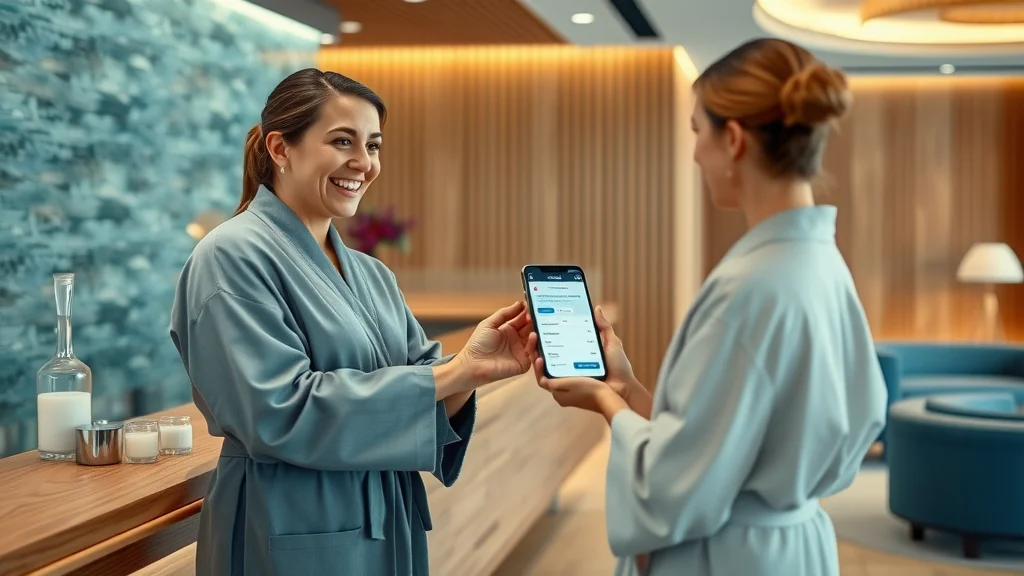
User Experience as Guest Experience: Think Like a Spa, Not a Technician
User experience (UX) refers to how easy and pleasant it is for your guests to interact with your website. In spa terms: If your online flow is confusing, it creates stress, not relaxation.
Think of UX like the way a guest moves through your spa: from check-in to treatment to check-out. If the online process is welcoming and smooth, so is their first impression of your spa web brand.
A responsive spa website means guests don’t have to hunt for your phone number, squint to see your spa services, or struggle to fill out forms.
Everything—booking buttons, directions, secure intake for medical spa clients—should feel obvious and easy. That’s how you build trust and create loyal guests who return for more spa treatments (and bring friends!).
Case Study: A Medical Spa Website Design Before and After Going Responsive
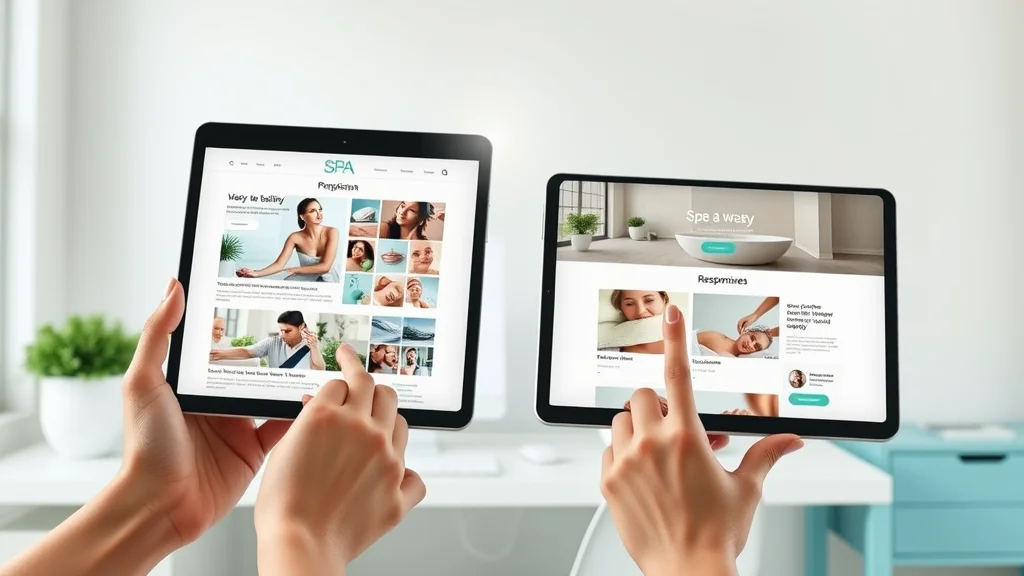
Before updating their med spa website, Serenity Medical Spa saw frequent calls from confused guests and a high rate of abandoned bookings, especially from mobile users.
After a responsive upgrade—bigger buttons, adaptive forms, mobile-optimized images—there was a 35% uptick in appointments and a noticeable improvement in online reviews using phrases like “so easy” and “felt trusted before I arrived.”
Guests no longer called for instructions or complained about forms; the site design spoke for itself.
This is the real ROI of responsive web design: Not just a prettier site, but more bookings, fewer headaches, and a reputation that attracts and retains spa guests in a competitive spa market.
Recognizing (and Fixing) Red Flags: Spa Website Design Self-Check
Does your booking calendar fit on a smartphone without pinching/zooming?
Are text and buttons thumb-friendly (big enough, simple labels)?
Can guests easily find phone, address, and directions from mobile?
Does your site load in less than 3 seconds (especially on Wi-Fi)?
Are images clear, professional, and not distorted on tablets?
Does your main menu adapt (or disappear) on smaller screens?
Is every action guests need easily testable on your own phone?
Simple Ways to Test Your Spa Website Responsiveness—No Developer Needed
"I checked our medical spa website on my daughter’s phone and realized half the menu was missing. No wonder bookings dropped." – Spa Owner

You don’t need to be technical to spot problems. Pull out your phone and try booking a treatment as if you were a new guest. Does anything frustrate you?
If menus vanish, images don’t load, or you can’t find your address quickly, guests feel the same—except they may not tell you. Write down issues, then ask a trusted friend or team member to repeat the test. A responsive spa website will make the process feel easy, welcoming, and reassuring.
Apps like Google’s Mobile-Friendly Test or simply resizing your browser window can also reveal hidden problems, all without hiring a developer.
This “secret shopper” approach keeps your spa web presence sharp and more competitive in the modern spa market.
Choosing the Right Partner for Spa Website Design: What Spa Leaders Should Ask
Does the vendor demonstrate REAL mobile examples for other spas?
How do they explain their approach for med spa or medical spa web?
What ongoing support do they provide if issues arise?
Do they offer site design audits based on spa-industry best practices?

Choosing a partner for your spa website design is about more than pretty layouts. It’s about finding a team that understands both the pace of the spa business and the technical needs of responsive web design.
Ask for real-world mobile examples, look for clear explanations tailored to your type of spa (e.g., medical spa vs. holistic spa), and make sure ongoing support is included. A good partner will listen to your frustrations and guide you calmly—never making you feel behind or overwhelmed.
Audit your current site together, compare before-and-after examples, and ensure that every promise about guest experience is backed up by how their mobile sites actually perform in the hands of real spa guests.
Walkthrough: Booking a Service on Mobile (From Search to Confirmation)
This quick walkthrough takes you step-by-step through a guest’s eyes: searching “med spa near me,” tapping through a sticky booking button, scrolling clear spa services with thumb-friendly menus, and receiving instant, reassuring feedback after securing an appointment—no matter the device or time of day.
When everything feels “alive” and made for the guest’s hand, your conversion rates climb—and guests feel valued before they ever set foot in your spa.
Q&A: People Also Ask About Responsive Spa Websites
Why is having a responsive spa website important?
Responsive spa websites ensure every guest, no matter what device they use, can easily access information, book appointments, and trust your brand. Mobile users now account for more than 60% of all spa website traffic, and failing to optimize these experiences directly costs you bookings and revenue.
What features should a responsive spa website include?
Key features include: mobile-optimized booking forms, prominently displayed contact details, fast-loading images, clear menu navigation, and secure data handling for medical spa guests. Each element is tailored to ensure guests have a stress-free experience on any device.
How does site design for spas affect conversion and guest trust?
A well-designed, responsive spa website builds immediate trust. Guests are more likely to book when they encounter a professional, seamless online experience that reflects the quality and care of your spa itself. Poor design signals neglect and can result in lost revenue.

FAQs on Responsive Spa Websites
Can my existing spa website become responsive without a total redesign?
How often do I need to update or check site design?
What’s the difference between mobile-friendly and truly responsive spa websites?
Are responsive designs different for medical spa web versus traditional spa sites?
Can my existing spa website become responsive without a total redesign?
Many sites can be retrofitted for responsiveness with smart updates to layout, images, and menus, but sometimes a deeper site design refresh ensures a smoother, more trustworthy guest journey on all devices.
How often do I need to update or check site design?
Quarterly self-checks and annual professional reviews are ideal. As mobile technology and guest habits change, a regular review keeps your spa website ahead of guest expectations.
What’s the difference between mobile-friendly and truly responsive spa websites?
Mobile-friendly sites may simply shrink content to fit small screens, often resulting in missing features and hard-to-navigate layouts. Truly responsive spa websites adapt every element—images, buttons, menus—to ensure guests have a seamless experience from any device.
Are responsive designs different for medical spa web versus traditional spa sites?
Yes, medical spa websites often require secure forms and compliance considerations, but both types must prioritize guest experience and ease of booking. Responsive design is non-negotiable for both.
Testimonial Montage: Spa Owners on Embracing Responsive Design
“After upgrading to a responsive design, our no-shows dropped and staff spent less time answering questions. The investment paid for itself within a few months.”
“Guests regularly comment on how easy our med spa website is to book from any device now—it’s helped us keep younger and older guests engaged alike.”
These testimonials are proof: Responsive spa website design isn’t just about looks. It’s about business growth, loyal guests, and lasting reputation in the spa web world.
Key Takeaways: Responsive Spa Websites in Today’s Spa Market
Your spa website is an extension of your guest experience; mobile matters most.
Responsive spa websites protect and grow your reputation and bookings.
Simple changes—clear CTAs, thumb-friendly menus—make immediate impact.
Choosing the right design partner and ongoing evaluation are essential for success.
Next Steps: Bring Confidence to Your Spa Website Decisions
If you’d like help applying this to your own spa website—or you just want clarity before making changes—you’re welcome to reach out. There’s no pressure. Just a conversation to help you move forward with confidence.
Conclusion:
A seamless mobile experience on your spa website is a guest’s first taste of your hospitality. Start with simple checks, invest in responsive spa web design, and watch your bookings and guest trust rise together.




Write A Comment