Add Row
Add Element
cropper
update

[Company Name]

update
Add Element
  • Homepage
  • Subscribe
  • Contact Us
  • Media
  • Blog
  • Next-Gen Marketing
  • Spa Marketing & Business Growth
  • All Posts
  • Reputation Marketing
  • Social Media Marketing
  • Website Retargeting
  • Website Design
  • Sales Funnels
  • Brand Voice
  • Market Opposition Research
  • Content Marketing
  • Digital Marketing
  • Local SEO & Search Visibility
  • Next-Gen Marketing
  • Spa Marketing & Business Growth
December 03.2025
9 Minutes Read

Spa Instagram Strategy: How to Use Reels, Stories, and Carousels

Calm spa reception at sunset with owner in scrubs considering Instagram's value.

Are you wondering if Instagram is truly worth it for your spa, or if you’ll ever feel confident posting online?

Discover how the right Instagram marketing for spas can be simple, calming, and surprisingly effective—even for busy owners who feel unsure where to start.

This guide will help you turn Instagram from a source of stress into a steady engine for client trust and bookings, using easy Reels, Stories, and Carousels. Let’s bring the serenity of your spa to your Instagram feed—without overwhelm.

What You'll Learn About Instagram Marketing for Spas

  • Understand Instagram marketing for spas in simple terms

  • How Reels, Stories, and Carousels boost bookings for spas and salons

  • Easy steps for Instagram posts that work, even if you're camera shy

  • Best practices for med spa and spa or salon posts

  • How to use hashtags and highlights to get discovered

  • Tips to help your social media create lasting client trust

Feeling Overwhelmed? Instagram Marketing for Spas Can Be Simple

“You don’t need to go viral — you just need to reach the right guest today.”


Serene spa reception for instagram marketing for spas, with calm, welcoming staff and natural light.

Instagram marketing for spas doesn’t have to be stressful or confusing. Even busy spa and med spa owners can make meaningful Instagram posts using Reels, Stories, and Carousels. Here’s how to start, even if you’ve never posted before.

You don’t need expensive equipment, perfect lighting, or to show your face if you’re shy. Consistency and authenticity matter more than perfection.

Let’s explore simple social media marketing steps to attract new clients and keep regular guests engaged with your spa business, whether you’re a massage therapist, esthetician, med spa leader, or spa owner juggling multiple roles.

1. Instagram Reels for Spas and Salons: Capturing Relaxation and Results

What Are Instagram Reels? A Gentle Explanation for Spas and Salons

Instagram Reels are short, vertical videos—up to 90 seconds—you can create directly from your phone.

For the wellness industry, they’re the perfect way to show your spa’s atmosphere, a calming hair color transformation, or a quick glimpse of a med spa treatment.

Thanks to Instagram’s algorithm (just a fancy way of saying “what gets shown first”), Reels often get your spa or salon’s story seen by more people in your city and beyond.

These easy, authentic Reels offer potential clients a sense of your style, values, and the relaxing experience you create—building real trust faster than static photos alone.

Relaxing modern spa treatment scene with gentle massage in soft lighting.

How to Make Instagram Reels That Attract More Bookings

  • Film a behind-the-scenes look at a soothing massage session in your med spa

  • Show your hair color process or a glow-up moment (with client consent)

  • Share an inspirational quote about well-being as a simple, calming video

You don’t have to film your face to engage your audience. A Reel focusing on your hands massaging, pouring herbal tea, or setting up a tranquil room is compelling and builds trust.

Incorporate gentle background music, a calming voiceover about spa benefits, or overlay inspirational quotes to encourage clients. Using relevant hashtags like #YourCitySpa or #MedSpaTips helps people discover you.

Simple, real content often outperforms fancy marketing strategies because your target audience wants an honest glimpse behind your spa doors.

Easy Instagram Reel Ideas for Spa or Salon Owners

  • 10-second Reel: Pouring herbal tea for a client

  • Your therapist prepping a relaxing spa room

  • Med spa quick tips: Skincare step in under 15 seconds

Reels help introduce new faces to your calming style, give regular clients a peek at your expertise, and create buzz around your services.

Whether highlighting a med spa facial, showing a before/after hair color, or simply capturing a soothing treatment lamp, each short Reel gently reminds viewers of your spa’s unique charm.

Over time, these videos build authentic brand awareness, attract new clients, and become a reliable part of your spa’s digital marketing strategy.

Watch: How to Film Your First Instagram Reel in a Spa (Step-by-Step Example)

2. Instagram Stories: Booking in Real Time for Spas and Med Spas

What Are Instagram Stories and Why Do They Matter for Social Media?

Instagram Stories are quick photos or videos that last 24 hours. They’re the ideal way for spa or salon owners to post special offers, last-minute openings, or a glimpse into daily life at a med spa without pressure for perfection.

Stories bring your spa’s energy to life—welcoming your audience in with a sense of immediacy that regular instagram posts can’t match.

Guests expect “imperfect” here: whether you’re showing off a new aromatherapy diffuser or a clean, calming lounge, what matters most is genuine content that invites viewers behind the scenes.
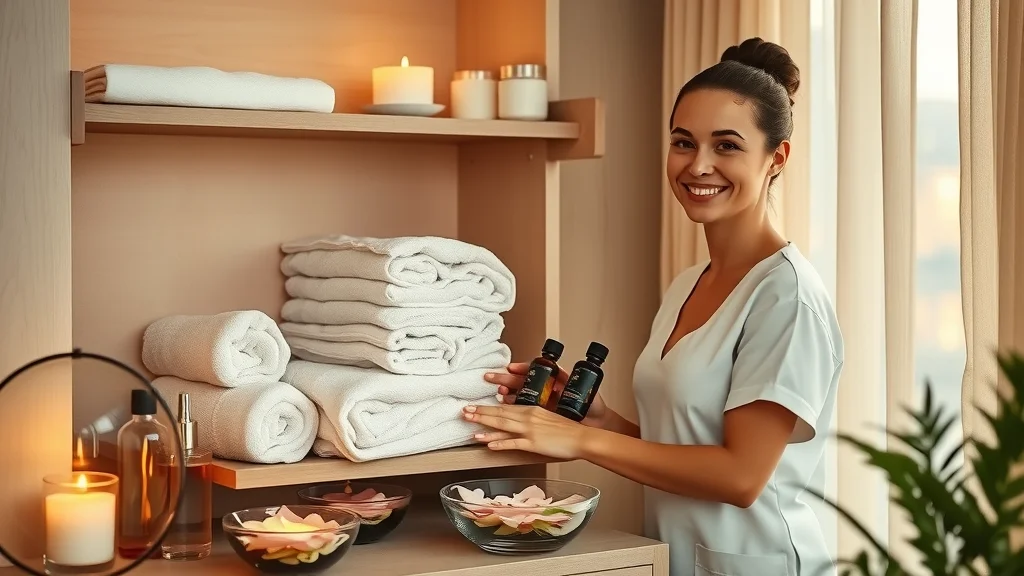
Inviting spa product display for social media marketing, with staff arranging towels and oils for a spa instagram post.

How to Use Instagram Stories for Bookings and Engagement

  • Announce a same-day availability for facials or massages in your spa

  • Share a ‘before/after’ transformation photo (ask permission!)

  • Highlight a product special offer or spa package discount

Want to fill last-minute gaps in your schedule? Instagram Stories are perfect for on-the-fly updates. Got a cancellation?

Post about it, add a quick “swipe up to book” (if available), or DM for a slot—these create instant opportunities.

You can also post reminders of seasonal spa specials or encourage clients with quick inspirational quotes about relaxation and wellness.

Use location and service hashtags, and don’t hesitate to tag your city or neighborhood for extra reach among local businesses and potential clients.

Creative Instagram Story Templates for Spa or Salon Business

  • Swipe-up Booking Link for med spa appointments

  • Poll: “Which skin concern do you want help with?”

  • Behind-the-scenes: Setting up the aromatherapy diffuser

Stories aren’t just promotional—they’re a two-way street for starting conversations. The interactive features—polls, questions, and quizzes—let you learn about your target audience and show you care.

Share daily wellness tips, spotlight staff, or show the unpacking of gift card orders. As you post more, clients see your spa or salon not just as a business, but as a warm, welcoming community hub.

Over time, these natural, engaging social posts foster repeat bookings and online reviews that further boost your reputation.

3. Instagram Carousels: Educate and Reassure Prospective Guests

What Is a Carousel Instagram Post? Clear Tips for Spas and Salons

A Carousel post lets you share several photos or graphics in one swipeable post. For spa and med spa accounts, this is a dream for delivering step-by-step skin care guides, educating clients about treatments, or sharing “before/after” transformations without overwhelming your viewers.

Carousel instagram posts boost engagement because users spend longer swiping, reading, and saving—meaning the Instagram algorithm views your content as helpful for your niche and shares it with a wider audience. The result: better brand awareness and more bookings without any pushiness.

Peaceful skincare demonstration by an esthetician, perfect example of a carousel instagram post for spa marketing.

Carousel Ideas That Drive More Bookings

  • Turn a top FAQ (“How often should I get a facial?”) into a step-by-step advice post

  • Show ‘before and after’ med spa results in a swipeable series

  • Explain a spa treatment in simple visuals

  • Highlight special offers with clear, promo slides

Each Carousel can feature a soothing sequence: the setup of a tranquil room, visuals of skincare product application, a testimonial from an online review, or an illustrated how-to for self-care.

These posts reduce client uncertainty, answer common questions, and encourage clients to trust your expertise.

Creative Carousels are ideal for spa owners who want to highlight the beauty and wellness results their med spa delivers—without needing a polished, ultra-produced look.

Using Carousels to Build Community and Trust

Consistent, honest education through carousels makes your Instagram marketing for spas more welcoming and builds loyalty and confidence among potential clients.

Share stories of real guests (with permission), team highlights, and details about your services as a multi-image post.

Over time, clients come to see your spa or salon as the go-to expert in the wellness industry. Your Instagram profile becomes a living library of support and inspiration—growing trust and bookings with every post.

4. Instagram Highlights: Make Your Best Social Media Moments Last

What Are Instagram Highlights for Spas and Salons?

Highlights are saved Stories you pin on your Instagram profile. For spa or salon owners, Highlights make it super simple for new clients to find key info: “Book Now,” “Meet the Team,” “Client Reviews,” “FAQ,” or “Special Offers.”

This gives your Instagram marketing for spas long-term value, even after Stories expire. The best Highlights answer new guest questions before they ask, show potential results, and direct visitors to book instantly—making them a gentle, effective marketing strategy for any spa or med spa business.

Elegant Instagram profile mockup showcasing spa owner with smartphone, joyful expressions.

Building Effective Highlights that Drive Bookings for Med Spa, Spa, and Salon

  • Add a ‘Book Now’ Highlight linking directly to your online scheduler

  • Create a ‘New Guests Start Here’ Highlight with a quick intro and top Instagram posts

  • Compile honest testimonials and before/after carousels in a ‘Results’ Highlight

  • “Meet Your Therapists” Highlight showing short, friendly video clips

Highlights turn fleeting Stories into lasting resources for your instagram followers and guests.

Each category can include Reels, Carousels, and inspirational quotes tailored to client interests.

Over time, this friendly approach reassures clients, encourages bookings, and differentiates your beauty and wellness brand from others in the spa and med spa market.

5. Practical Tips: Starting Instagram Marketing for Spas Today

  • Don’t wait for perfection — post a calming spa moment today

Minimalist spa workspace with essential oils, warm lighting, and relaxed expressions.
  • Start with one Instagram Reel, one Story, and one Carousel this week

  • Use simple, clear hashtags (like #SacramentoSpa or #NYCFacials) to get found in your city

  • Ask an esthetician or team member to appear in a short Story — no polish needed

  • Turn each Instagram post into a Highlight for long-term results

  • Remind yourself: small steps add up to big Instagram marketing wins for spas or salons

Don’t let worries about being camera-shy, not having time, or lacking fancy equipment hold you back. Use natural light and your phone.

Combine gentle shots of your team, spaces, and services. Slow, steady efforts compound into authentic online reviews, more bookings, and a stronger bond with your community. Remember—spa Instagram marketing is about trust-building, not chasing quick trends.

Table: Quick Instagram Content Types for Spa Owners

Format

Description

Easy Example

Booking Impact

Reels

Short Video

Pouring tea or facial prep

Builds trust fast

Stories

24hr Photo/Video

Announce cancellations

Fills openings fast

Carousels

Multi-photo Post

Step-by-step skincare

Educates and reassures

Highlights

Saved Stories

'Book Now' button

Easy bookings

Quote: Your Instagram Marketing for Spas Can Be Calm and Confident

“Your calm, patient approach is exactly what your community is searching for on social media.”


People Also Ask: Expert Answers About Instagram Marketing for Spas

How to do marketing for spa?

Start with gentle, helpful Instagram posts showing your spa’s atmosphere, daily moments, and client results. Use local hashtags, Stories, and Reels for authentic connections. To go deeper, see our complete spa social media strategy guide for practical steps.

What to post on Instagram as an esthetician?


Modern spa facial moment showing esthetician applying moisturizer during a spa instagram post for engagement.

Share video Reels of calming facials, post before/after results, Stories about your daily work, inspirational quotes, and Carousels explaining simple skincare tips.

Showcase special offers, honest online reviews, and team highlights to invite meaningful connections from your Instagram followers.

What is the best strategy for Instagram marketing?

Focus on booking-oriented posts with Reels, Stories, and Carousels. Use relevant hashtags, stay consistent (not perfect), and share real, behind-the-scenes moments.

Tell honest stories and highlight both your team and your results. Check out our full Instagram guide for spas for a step-by-step approach.

What to post on social media as a massage therapist?

Show serene treatment spaces, quick relaxation Reels, client testimonials (with permission), self-care tips, and last-minute openings in Stories. Carousels can explain the benefits of massage and answer common questions in a simple, reassuring way.

Peaceful spa waiting area with clients relaxing, capturing client trust built through spa instagram marketing.

Top FAQs on Instagram Marketing for Spas and Salons

  • How often should spas and salons post on Instagram?

Aim for 3-5 posts a week—quality over quantity. Mix up Reels, Stories, and Carousels to keep your content fresh and helpful.

  • Can you do Instagram marketing for spas without showing your face?

Yes! Highlight your hands, the spa environment, relaxing rooms, or peaceful video backgrounds overlaid with inspirational quotes. Many spa owners are camera-shy; focus on stories that feel genuine and stress-free.

  • What hashtags should I use for my spa?

Start with geographic tags like #YourCitySpa, service tags like #Facials or #Massage, and see which hashtags work for similar local businesses. A few focused hashtags ensure potential clients find your posts in a crowded space.

  • Is it worth adding the Instagram “Book Now” button?

Absolutely! The “Book Now” button makes scheduling seamless for guests, helping to fill your calendar directly from your Instagram profile. Add it to your bio and Highlight it in Stories for consistent bookings.

Key Takeaways: Making Instagram Marketing for Spas Manageable

  • Small, consistent posts matter more than perfection

  • Show your spa or salon’s heart—people book with brands they trust

  • Learn one new post style at a time; don’t rush

  • Save your best Instagram posts in Highlights

Encouragement: Instagram Marketing for Spas Gets Easier with Every Post

Feeling stuck? Even one new Instagram post today can help your spa connect with the right clients. The best time to start is… now!

Ready for Calm, Effective Instagram Marketing for Spas? Let’s Talk!

If Instagram has been stressing you out more than helping, don’t hesitate to reach out. We'd be glad to walk you through what actually matters and what you can safely ignore.

Spa Marketing & Business Growth

5 Views

0 Comments

Write A Comment

*
*
Related Posts All Posts
02.09.2026

Local SEO for spas: Secrets to Attract More Clients Today

Local SEO for spas examines how location-based search visibility actually drives bookings by connecting nearby clients with the services they’re already looking for. This article breaks down why many spas misunderstand local SEO as just “being on Google,” when in reality it’s a mix of relevance, proximity, reputation, and consistency that determines who shows up first. As local search behavior shifts toward maps, mobile, and reviews, understanding how these pieces work together has become essential for steady, competitive growth. Ready to unlock the secret to steady growth and success?Unlocking the Power of Local SEO for SpasLocal SEO for spas is essential for any spa owner aiming to increase bookings and gain an edge over competitors.Nowadays, when potential customers search for wellness treatments or beauty therapies, they turn to Google search and local search engines on their smartphones. If your spa doesn’t appear at the top of these local search results, you miss out on valuable traffic and income.Getting started with spa SEO helps ensure your services, location pages, and business profile are visible right where clients are searching.By optimizing your Google Business Profile and leveraging customer reviews, you not only boost your standing on Google Maps but also build trust in your community.Local SEO highlights your expertise, reliability, and customer care, making your spa the destination for relaxation and wellness in your area. Let's dive into the strategies that truly move the needle for local business growth.Why Local SEO for Spas Matters Now More Than EverSpa owners face fierce competition—not just from other spas, but from salons, wellness centers, and massage clinics. With more clients depending on their smartphones for choices, getting noticed in local search is crucial.Local SEO places your spa front and center on Google Maps, increasing both walk-in and online bookings. For the spa industry, this means your business stays top-of-mind when someone nearby is looking for treatments like massages or facials, making local optimization a must-have in today’s digital landscape.Your business profile acts as your digital handshake. An optimized profile, complete with attention-grabbing images and consistent contact information, quickly reassures potential customers they’re making the right choice.High visibility in local search leads to increased credibility, more positive reviews, and ultimately more bookings—which is the foundation of a thriving spa business.How Local Search Influences Your Spa Business GrowthLocal search is more than just a digital phonebook. It connects clients to spas at the very moment they are ready to book.Appearing higher in local search results means every person searching for “spa near me” is more likely to see your business first. These searches result in real bookings—you’re not just getting clicks, you’re getting clients who are ready to visit.Additionally, ranking high for local SEO for spas keeps your business growing through recommendations, increased foot traffic, and brand recognition.Clients who find you locally are more likely to leave positive reviews, refer friends, and return for new services. By investing in the right SEO tactics today, you pave the way for consistent, long-term business growth.“Local SEO for spas is the most effective way to capture your nearby audience, converting online searches into real bookings.”What You'll Learn in This Comprehensive GuideThe fundamentals of local SEO for spasOptimizing your Google Business ProfileBuilding high-converting service pagesLeveraging social media and local linksTracking performance and adapting strategiesUnderstanding Local SEO for Spas: Key Concepts BreakdownWhat Is Local SEO for Spas?Local SEO for spas is a specialized form of search engine optimization focused on helping your business appear at the top of search results when people nearby look for spa services.This means targeting searches like “spa near me” or “best massage in [your city]” so that your business shines on Google Maps and in local search engine results.Unlike traditional SEO, which often targets a broader, sometimes global audience, local SEO zeroes in on your community, giving you a powerful way to compete against both large and small competitors within your service area.A strong local SEO strategy combines optimizing your Google Business Profile, cultivating positive online reviews, maintaining accurate business information across web directories, and creating content that speaks directly to the needs of your local clients.Whether you own a boutique spa or manage a larger wellness center, these techniques help populate your business profile and service pages at the top of search results, putting you in front of more ready-to-book potential customers. Difference Between Local SEO and Traditional Search Engine OptimizationTraditional search engine optimization aims to make websites rank higher for relevant keywords on a national or even global scale.This includes general keyword research, content creation, and technical SEO fixes. Local SEO for spas, on the other hand, goes further by targeting potential customers specifically in your area—people who are actively looking for spa services within a certain distance from your business.This means optimizing not only your website, but also your business profile on Google, local citations, and client-driven reviews.By focusing on geographical relevance, local SEO ensures that your spa stands out in Google Maps and in the coveted “Google Map Pack”—the top three local business listings that appear when someone conducts a service-related query in their vicinity.Optimizing for location-specific keywords, properly formatted location pages, and reviewing how your business appears across various platforms makes all the difference in attracting walk-ins and appointments.Local SEO for SpasTraditional SEOFocuses on nearby clientsTargets a global or national audienceEmphasizes Google Maps and local searchPrioritizes organic resultsOptimizes business profiles and location pagesOptimizes general website contentHow Search Engines Rank Spas in Local SearchSearch engines like Google prioritize businesses that are both relevant and proximate to the searcher. For spas, ranking high in local search depends heavily on three things: relevance, distance, and prominence.Relevance is determined by how closely your business matches what the user is searching for—using targeted keywords and detailed service descriptions.Distance is calculated based on how close the searcher is to your spa’s address, as listed on your Google Business Profile and location pages. Prominence involves your reputation, which means reviews, ratings, and overall online presence play a major role.When you optimize your site with service and location-specific keywords, encourage positive client reviews, and ensure your name, address, and phone details (NAP) are correct everywhere, you send strong signals to search engines.This leads your spa to appear at the top of local search results, directly in the Google Map Pack, and even sometimes before paid ads.Good local search rankings lead to more website visits, calls, and walk-ins—helping you turn online searches into new appointments every day. Getting Started: Essential Steps in Local SEO for SpasGoogle Business Profile Optimization for SpasNothing impacts your local SEO more than a well-optimized Google Business Profile. The first step is to claim or create your listing. Ensure every detail is correct—your name, address, phone number (NAP), website, and business hours must all be accurate and consistent across the web.Select the best categories for your spa (“Day Spa,” “Massage Spa,” etc.) so Google knows precisely what services you offer.Setting up your Google Business ProfileAccurate business information: name, address, phone (NAP)Choosing the right categories for your spaAdding attractive images and service descriptionsDon’t underestimate the power of visuals and descriptive, keyword-rich content on your business profile.Upload high-quality images of your space, staff, treatments, and happy clients to attract engagement. Write unique descriptions of your signature services, and add features clients love—like online booking, appointment links, or instant messaging options.This gives Google more information to work with and entices people to choose your spa in search results. Building a Strong Online Presence for Your SpaA compelling online presence is more than just a website. It’s about maintaining a consistent, attractive identity across all digital channels.Think of your online presence as the collective impression your spa leaves—whether on Google maps, social media, Yelp, or local business directories.Each mention, profile, or review acts as a signal boosting your local SEO and helping you rank higher in search engine results.Ensure your business information is identical everywhere. Use the same NAP details on every platform, and maintain active, up-to-date listings.Share regular updates, post new photos, and engage with followers to keep your brand fresh. Build trust and familiarity by highlighting awards, featuring client testimonials, and showcasing your unique atmosphere.The more complete and interconnected your online identity, the more likely search engines are to reward you with top local rankings.Location Pages: Make it Easy for Clients to Find YouIf you operate in more than one city—or even several neighborhoods—dedicated location pages are your secret weapon.Each page should have unique content tailored to the specific local audience, including clear driving directions, parking info, nearby landmarks, and location-specific service details.Incorporate relevant keywords for each area, and remember to add your address, phone number, and a clickable Google Maps embed for easy access.Not only do location pages boost your visibility in local search, but they also improve the user experience, making it seamless for clients to book the right location.These pages serve as landing zones for searches like “spa in [city]” or “massage near [neighborhood],” drawing more targeted traffic and increasing booking rates for each branch or service area.Keyword Research for Local SEO for SpasHow to Find the Best Keywords for Your Spa’s Local SEOEffective keyword research is the cornerstone of local SEO for spas. Start by identifying your core service keywords—these are the words clients use to find treatments you offer, such as “massage,” “facial,” “aromatherapy,” or “spa packages.”Then, add local modifiers like “near me,” “in [city],” or neighborhood names to zero in on nearby searches.Use keyword research tools (like Google Keyword Planner or SEMrush) to discover what your target audience is actually typing, prioritizing keywords with high volume and clear local intent.Identify core service keywords (e.g., massages, facials, wellness)Add location modifiers (e.g., near me, in [city])Use keyword research tools for local insightsAnalyzing competitors’ websites and business profiles can also spark ideas for additional keywords you might be missing.Look at the language they use on their service pages, location pages, and Google listings. Prioritize phrases that mix your top services with geographical tags, and keep updating your research as search trends evolve. Incorporating Keywords into Service Pages and Location PagesOnce you’ve found your target keywords, it’s time to put them to work. Integrate these phrases naturally into your service pages—in headings, short descriptions, meta descriptions, and throughout your content.For example, a massage page for a Boston spa should include phrases like “deep tissue massage in Boston” or “relaxation massage near Back Bay.”Extend this strategy to your location pages, making sure each one targets relevant local keywords without repeating the same exact phrasing across multiple pages.Avoid keyword stuffing—write for real people, not just for search engines. Each page should focus on the user’s intent, offering clear explanations of your services, booking options, and tailored benefits.Use schema markup and localized title tags for an extra visibility boost. This method helps search engines understand your business, which in turn improves your local search ranking and makes your site more helpful for potential clients ready to book.Optimizing Service Pages for Enhanced Local Search ResultsWhat Should a High-Converting Service Page Include?A high-converting service page is designed to answer all the questions a client might have before booking.Each page should clearly explain what the service involves, who it’s for, and what makes your spa’s offering unique.Add tempting calls-to-action (like “Book Now” or “Call Us Today”), service-specific keywords for your local SEO for spas strategy, and display easy-to-spot contact details.Clear descriptions of spa servicesCall-to-action buttons (book now, call us)Service-specific keywords for local seo for spasCustomer reviews and testimonialsClient testimonials and online reviews are especially effective here. Including real feedback builds trust, gives your page credibility, and supports your search engine ranking for local queries.Engaging images, detailed pricing, and information about your team also make your service pages stand out among competitors.Best Practices: Local SEO for Spas on Service PagesWhen writing service pages for spa seo, focus on both clarity and localization. Use headings that incorporate location-specific keywords, include frequently asked questions, and make booking simple with visible buttons.Keep your information up to date and ensure your business address and phone number are always correct.Take advantage of structured data formats, like schema markup, for services and local business—making it easier for search engines to read and display your site in enhanced results like map packs and featured snippets.Regularly add new content to your service pages, such as blog posts about trending treatments, seasonal offers, or educational wellness tips.This signals to search engines that your website is active and relevant—boosting your rankings further.Don’t forget those all-important reviews—organic, positive feedback directly on your service pages reinforces your reputation as a trusted provider in your local search area.“Well-optimized service pages not only improve local search rankings but also increase bookings and walk-in clients.”Mastering Google Maps and Local Search for Spas How Google Maps Determines Spa RankingsGoogle Maps uses a specialized algorithm when displaying local businesses, including spas. It analyzes relevance (how closely your business matches the searcher’s query), proximity (distance from the searcher), and prominence (how established your business looks online).These factors are influenced by your Google Business Profile, reviews, and consistency in your business information across the web.Maintaining accurate NAP (name, address, phone number) details across every platform solidifies your presence.High-quality images, frequent client reviews, and active engagement on your Google profile all play into your spa’s odds of ranking in the Google Map Pack—a highly visible section that can drive a sudden increase in foot traffic and bookings when you land there.Tips to Appear Higher in Google Map Pack for Local SEOEncourage client reviews and respond promptlyUse consistent NAP details across the webOffer updated and rich visual contentAsk satisfied customers for feedback, monitor and respond to reviews, and update your photos seasonally. These actions show Google—and your prospective clients—that your spa is active, attentive, and engaged.Over time, these small steps result in higher Google Maps positioning, increased credibility, and improved visibility in local search results.Reputation Management: Leverage Reviews for Local SEO for SpasCollecting and Showcasing Google ReviewsGoogle reviews are a powerful trust signal for your spa. The more positive, recent reviews your business has, the higher it will rank in local search and on Google Maps.Make it easy for happy customers to leave feedback by giving them direct links after appointments or mentioning it in person. Actively showcase your best reviews on your website and social media for added credibility. Building a robust review profile also means responding to all feedback, positive or negative. Thank clients for their comments, and personalize your replies to build community trust.This attention reinforces your reputation and signals to search engines that your business is not only relevant but also active and valued in your area.Addressing Negative Feedback ProfessionallyEvery business receives occasional negative reviews. The key is to address them promptly and professionally. Respond respectfully, apologize when necessary, and offer to resolve the issue offline whenever possible.This not only reassures the original reviewer but also shows potential clients that you care about every guest’s experience.Google and other search engines view your interactions as part of your overall business quality.A thoughtful response can help turn a negative experience into a future positive review and demonstrates your commitment to exceptional service—both online and offline.Promoting Your Spa with Social Media and Local LinksHow Social Media Supports Local SEO for SpasActive social media profiles do more than keep your current clients engaged—they also amplify your local SEO efforts.Posting updates, before-and-after treatment pics, staff spotlights, and promotions increases your visibility online, encouraging shares and driving new visitors to your website and business profile.Social signals (likes, shares, comments) may also help your site appear more reputable in the eyes of search engines.Tag your location, collaborate with local influencers, and use hashtags that combine your services with your city or neighborhood (#SpaNYC, #RelaxBoston).This local focus turns casual browsers into future bookings, while also strengthening your spa’s connection with the wider wellness community. Creating Local Partnerships and BacklinksBuilding relationships with other local businesses, charities, and influencers is a tried-and-true way to earn high-value local backlinks.These links tell search engines that your business is part of the community and improve your authority in local search.Host events, cross-promote with gyms or health food stores, and sponsor local wellness fairs or charity events.Every collaboration or mention online creates new pathways for potential customers to find your spa—and every backlink adds another signal boosting your search engine position.TacticBenefit for Local SEO for SpasCo-hosting with local wellness influencersIncreases visibility and authoritySponsoring community eventsEarns mentions and links from local sourcesCross-promotions with other local businessesExpands client base and enhances trustTechnical SEO for Spas: Easy Fixes that WorkMobile Optimization for Spa WebsitesMost local searches for spas now happen on mobile devices. If your site is slow or difficult to use on smartphones, you risk losing clients before they even get to your booking page.Ensure your website is fully responsive—meaning it looks great and works smoothly no matter the screen size. Prioritize fast load times, easy navigation, and visible calls-to-action like “Book Now” or “Call.” Optimizing your site for mobile also means compressing images, simplifying forms, and limiting pop-ups. When search engines crawl your site, they pay attention to user experience—and a seamless mobile page sends strong positive signals for local search rankings.Speed and Accessibility: Keeping Visitors HappyA fast, accessible site leads to happier visitors—and better rankings in both local and global search engine results.Compress images, use simple navigation, and ensure your content is readable for everyone, including those with disabilities (add alt tags for all images, clear font, and sufficient contrast). Implement caching and optimize page structure to cut down on loading times.Google rewards user experience. The easier it is for people to use your website on any device, the more likely it is to show up at the top of search results when they need a spa service near them.Tracking Local SEO for Spas: Metrics and ProgressKey Performance Indicators for Spa Local SEOKnowing what’s working (and what isn’t) is essential to growing your spa with local SEO. Track your most important metrics to measure progress and fine-tune your approach over time.These include insights from your Google Business Profile (like views, calls, and clicks), increases in website traffic from local searches, and the number of booking or call conversions generated from local search campaigns.Google Business Profile insightsWebsite traffic from local searchesPhone call and booking conversionsRegular reviews of these KPIs help you identify which strategies attract the most clients. Adjust your approach based on the data and keep an eye on trends—like increased searches for certain treatments or rising demand in particular neighborhoods.The better your tracking, the smarter your future marketing decisions will be.Adapting Your Local SEO Strategy for Continuous GrowthLocal SEO is never “set and forget.” Monitor your performance, solicit ongoing feedback from clients, and stay updated on search engine changes.Adjust your Google Business Profile, service pages, and location pages as you expand or refine your services.Engage with the community both online and offline, and always look for new keywords, content ideas, and collaboration opportunities.Consistent updates and a willingness to adapt keep your spa at the top of local search results—ensuring you don’t just get more clients, but that you build loyalty and recognition that lasts for years. Case Studies: Successful Local SEO for SpasReal-World Examples: Spas That Achieved Higher Search Engine RankingsConsider a local wellness spa in Atlanta that struggled to attract walk-in customers. After optimizing their Google Business Profile with updated information, fresh photos, and regular posts, they saw a 40% increase in map views within three months.They also launched updated service pages targeting high-volume local keywords and encouraged clients to leave reviews, landing them in the Google Map Pack for “spa near me.”Another example—a small spa in Portland—partnered with a neighboring yoga studio to offer cross-promotions and earned valuable backlinks from local event listings.This drove a surge in referral traffic to their website and higher rankings for both general and specific service searches, like “facial near me” and “spa day in Portland.”Step-by-step walkthrough video demonstrating Google Business Profile optimization for a spa, including real interface navigation and practical tips.People Also Ask About Local SEO for SpasHow can local SEO for spas increase client bookings?[Answer Paragraph]Local SEO for spas puts your business directly in front of people searching for treatments nearby, making it more likely they’ll book with you.By appearing in the top spots of Google search and Google Maps, your spa captures high-intent clients who are ready to make a reservation.As you build more positive reviews and keep your information accurate, trust in your brand grows—resulting in higher booking rates both online and through walk-ins.What is the best way to set up a Google Business Profile for a spa?[Answer Paragraph]Start by claiming your Google Business Profile and filling in every field—name, address, phone number (NAP), website, hours, and services.Choose the most relevant categories (like “Spa,” “Massage Spa,” or “Facial Spa”). Upload high-quality photos and write unique descriptions for your treatments.Add booking options if possible, and encourage happy clients to leave reviews. This ensures your spa appears correctly in local search results and on Google Maps.How important are online reviews in local SEO for spas?[Answer Paragraph]Online reviews are crucial for local SEO for spas. Positive client feedback helps your business rank higher on Google Maps and in the local search pack.Reviews also build credibility and trust, influencing new clients to choose your spa over competitors.Regularly collect, showcase, and respond to both positive and negative reviews to keep your reputation strong and your search ranking high.Can social media influence local SEO for spas?[Answer Paragraph]Absolutely. Engaging social media profiles increase your online presence and can drive traffic to your website and Google Business Profile.Tagging your location, using local hashtags, and sharing regular posts help your spa appear more relevant in local searches.Social media activity can also attract new reviews and backlinks, both of which strengthen your local SEO for spas strategy.Essential FAQs: Local SEO for SpasWhat platforms help most with local SEO for spas?How often should you update your local business profile?Do images impact local SEO for spas?Is technical SEO necessary for small spas?How long does it take to see results from local SEO for spas?Key Takeaways for Boosting Spa Visibility with Local SEOAccurate and consistent business information is crucialStrong Google Business Profile drives search and map visibilityClient reviews make or break local SEO for spasEffective service pages attract and convert new clientsOngoing strategy adapts to ever-changing local SEO trendsReady to Transform Your Spa Business?If reviewing your Google Business Profile or local listings brings up questions, guidance is available from our team to help clarify what matters most and where small changes can improve local visibility.

01.11.2026

Google Business Profile tips You Can’t Afford to Miss

This article examines why Google Business Profile tips play a decisive role in whether a local business is visible, trusted, or overlooked in search results. It addresses the common assumption that simply claiming a profile is enough, when in reality visibility is shaped by accuracy, activity, and consistency across Google Search and Maps. Understanding how these signals work together explains why some businesses dominate local results while others remain invisible despite offering the same services."Your brand is a story unfolding across all customer touchpoints." Embracing Google Business Profile tips ensures your story reaches the right audience effectively. Discover essential strategies to boost your visibility and connect with customers like never before.Why Mastering Google Business Profile Tips Matters for Local SearchWhether you’re a small business owner, spa manager, or local entrepreneur, understanding and applying the best Google Business Profile tips is essential for improving your local search ranking. With more people turning to Google Maps and search to find businesses “near me,” your Google Business Profile is your digital storefront.A well-optimized listing can propel your business to the top of local search results, making you the first choice for potential customers. If your information isn’t complete, accurate, or engaging, you risk being overshadowed by your competition.Mastering these tips goes beyond just claiming your business profile. It means actively managing your business info, collecting Google reviews, and showcasing your products and services to keep your profile fresh and trustworthy.Proper optimization not only helps Google trust your business but also boosts your credibility with potential customers.By making smart updates, promptly responding to customer reviews, and utilizing Google Maps features, you can influence how often your business shows up in local results and drive real, measurable growth. "Your brand is a story unfolding across all customer touchpoints." How Google Business Profile Tips Define Your SuccessEvery action you take with your Google Business Profile conveys part of your business story. Each updated photo, accurate phone number, timely response to customer reviews, or revised business hour builds trust.In today’s digital-first world, these profiles influence where and how you appear in the local pack—the top spots of Google’s search results and Google Maps. Following the right Google Business Profile tips means your business is not only findable but memorable, welcoming, and preferred.“A well-optimized Google Business Profile is your digital storefront. It welcomes, informs, and convinces at a glance.” – Local SEO ExpertWhat You'll Learn About Google Business Profile Tips and Local RankingHow to optimize your Google Business Profile for better local rankingEssential steps to improve your business listing and Google reviewsTactics to enhance your online presence using business info and customer reviewsCommon mistakes to avoid and best practices for Google My BusinessHow Google Maps influences your visibility and conversions Understanding Google Business Profile Tips: The Foundation for Local SEOTo truly harness the power of local SEO, you must master the details behind an effective Google Business Profile. A Google Business Profile is a free tool that allows you to share vital business info, such as your address, business hours, and contact information, directly on Google Search and Google Maps.When optimized, this profile can help customers discover you in local search results, especially when they’re ready to purchase or visit.A well-maintained profile ensures your business listing stands out when customers search for businesses like yours. It also enables you to respond to customer reviews, showcase products and services, and update important details in real time.By focusing on Google Business Profile tips, you lay the groundwork for better search rankings, greater visibility, and enhanced trust in your brand.What is a Google Business Profile and Why It’s Key for Local Ranking?A Google Business Profile is your business’s official presence on Google. It displays crucial details such as your location, phone number, business hours, and more. This information appears in local pack search results, making it easier for nearby customers to find you.The completeness and accuracy of your business profile directly influence your local ranking within Google’s search algorithms.Customers trust Google business profiles that are up-to-date and filled with real content, like photos and reviews. For service businesses like spas, having accurate info about your offerings and location can mean the difference between a new booking and a missed opportunity.Google rewards profiles with regular changes and prompt responses, viewing them as more credible resources for searchers. As a result, these profiles are more likely to be shown in the local pack and on the first page of search results.How Google My Business, Google Maps, and Local SEO Work TogetherThe power of Google My Business (now Google Business Profile), Google Maps, and local SEO are intertwined. Google uses your profile data to display your business in Maps and local search packs whenever someone looks for services nearby.When your business appears at the top of Google Maps or in prominent search results, you attract more clicks, calls, and visits—which increases overall revenue.Regularly updating your business info, responding to customer reviews, and using the latest features ensures your profile stays competitive. Integrating keywords relevant to your offerings and local community also helps Google match your business to relevant local queries.The consistency of your information across Google Maps and other business directories supports your overall search rankings, driving even more potential customers to your business.Step-by-Step Guide: Setting Up and Verifying Your Google Business ProfileReady to make your business discoverable? Here’s a practical guide to setting up your Google Business Profile for optimal local impactCreating your Google Business Profile account:Visit the Google Business Profile website and sign in with your Google account. Follow the prompts to add your business, ensuring you enter the correct name exactly as it appears on signage and other directories.Adding accurate business info and location for Google Maps:Input your business address, phone number, website link, and hours of operation. Make sure these details match other listings to avoid confusion and help Google confirm your legitimacy.Verifying your business for trust and visibility:Google will prompt you to verify your business via postcard, phone, or email. Completing this step is crucial—verification unlocks features like responding to reviews and appearing in maps.Tips to optimize your Google business profile from the start:Upload high-quality photos, select the most relevant business category, and fill out descriptions with primary keywords such as "spa" or "wellness center." Encourage your first customers to leave authentic positive reviews.Meticulous setup and verification form the baseline for long-term success. It’s the difference between your business being lost in the crowd versus standing out in every relevant local search.Optimizing Your Google Business Profile for Local Search PerformanceOptimizing your Google Business Profile is about more than just filling in the basics. It requires continual attention, data-driven decisions, and a focus on the details that set you apart in local search. Here’s how you can elevate your business above the competition for lasting impact in your neighborhood and beyond.From refining your service categories to regularly posting updates and responding to customer feedback, the little things add up.Google’s algorithms reward active profiles with increased visibility in search results and the coveted local pack. Let’s dive into practical google business profile tips that drive measurable improvements.Essential Google Business Profile Tips for Profile CompletenessCompleteness is the cornerstone of a top-performing Google Business Profile. Fill out all sections: business name, address, phone number, website, business hours, and description.Don’t skip attributes like wheelchair access, payment options, or amenities relevant to spas. Google highlights businesses with comprehensive details over those with sparse or outdated information.Add a broad array of high-quality photos—showcase your storefront, interior, staff, products, and services.Fresh images keep your profile engaging and show customers exactly what to expect. Categorize your business precisely (e.g., “Spa,” “Massage Therapy,” “Wellness Center”) so Google matches your profile to the most relevant local search results.Consider updating your business description with locally targeted keywords to capture nearby audiences actively seeking spa services.Business Info and Consistency: Why Every Detail Affects Your Local RankingConsistency across all listings is key to strong local ranking. Your business info—including name, address, and phone number (NAP)—should be identical on your Google Business Profile and every directory where you’re listed. Even minor differences (like "St" vs. "Street") can confuse Google and dilute your search ranking.Double-check all locations, ensure hours are current (including holiday hours), and keep your service offerings up to date.Consistency builds trust with both Google and potential customers. Inconsistent listings, outdated phone numbers, or inaccurate categories may result in your business being outranked by competitors with more reliable data.Make a habit of reviewing and updating information monthly or whenever changes occur in your business operations. Using Google Maps to Boost Your Local SEO and Attract CustomersGoogle Maps is often the first touchpoint for local customers searching for spas and wellness businesses.To maximize exposure, ensure your Google Business Profile is accurately pinned on the map. Double-check your physical location and service area so that users see you in the right local results.Optimize your maps listing by uploading interior and exterior photos, updating attributes, and using the booking button if relevant.Encourage regular check-ins and reviews—activity signals to Google that your business is relevant and active. Add short posts about current promotions, events, or specials directly onto your profile.These posts not only provide up-to-date info to searchers but can also help your listing surface more often in “near me” and related local queries. Your presence on Google Maps bridges the online and physical experiences customers expect today.Comparison Table: Key Elements for Optimizing Your Google Business Profile vs. Common MistakesOptimization Best PracticesCommon MistakesComplete all profile fields (name, address, phone number, hours, description, categories, photos)Leaving info blank or incompleteKeep info up-to-date and consistent across all platformsMismatched or outdated info between Google and other listingsRespond promptly and positively to all customer reviewsIgnoring negative reviews or failing to acknowledge customer feedbackRegularly post updates, offers, and events on your profileNever updating profile or posting new photosStrategic use of keywords in the business descriptionKeyword stuffing or using irrelevant keywordsGoogle Reviews and Customer Interaction: Building Trust and ReputationThe influence of Google reviews on your local ranking can’t be overstated. Customer feedback acts as social proof and a key ranking factor in both Google Maps and search results.How you collect, respond to, and leverage reviews signals to both Google and potential customers that your business is trustworthy, responsive, and customer-centric.Building genuine interactions and resolving concerns promptly helps to maintain an excellent online reputation.Even a single negative review—if left unaddressed—can affect your authority and visibility. Proactive engagement with customer reviews transforms them into an asset for your local business.Collecting and Managing Google Reviews: Proven Google Business Profile TipsAsk satisfied customers to leave a review right after their visit by sharing a direct link to your Google Business Profile.Train front-line staff to request feedback and consider small incentives for review submissions. Monitor new reviews daily and flag those that violate Google’s guidelines—like spam or inappropriate content.Encouraging honest feedback not only increases your review count but also boosts your trustworthiness in the eyes of future customers and Google’s algorithms.Address negative reviews in a calm, helpful manner, and use their feedback as an opportunity to show your commitment to service.The more authentic, varied, and recent your reviews, the higher your likelihood of standing out in the local pack. Responding to Customer Reviews to Boost Your Local RankingGoogle rewards businesses that actively engage with customer reviews. Respond promptly, whether the feedback is positive or negative. Thank customers for their input, address specific comments, and offer solutions if the experience could be improved.Consistent response patterns show potential customers you value their experience and demonstrate accountability—two traits that build loyalty and lasting relationships.When responding to negative reviews, avoid defensiveness and focus on resolving the issue or inviting the customer to discuss further offline.This public display of professionalism reassures other searchers, while also positively influencing your local ranking. Businesses that regularly respond to reviews often see more conversions from their Google Business Profile traffic.Maintaining a Positive Online Presence Through Business ListingsYour digital footprint extends beyond just your Google Business Profile. Make sure your business info is current on all major directories, including Yelp, TripAdvisor, Facebook, and industry-specific sites.The more consistent and positive your online presence, the more likely Google will view your business as authoritative in local SEO.Regularly audit your business listings to correct mistakes, update services, and standardize branding.This unified approach builds trust with customers who often check multiple sources before making a decision and helps prevent confusion between listings.Showcasing Products and Services in Your Google Business ProfileListings that actively feature products and services enjoy increased engagement and higher conversion rates.By using your Google Business Profile to highlight your unique offerings—whether it’s specialty spa treatments or exclusive packages—you draw the attention of ready-to-buy customers scanning local results.Keep your offerings organized, well-described, and updated as your menu changes. Including pricing, professional photos, and detailed service descriptions differentiates your profile from competitors who don’t take full advantage of these sections.Adding Products, Services, and Special Offers for Maximum VisibilityFrom the profile dashboard, use the "Products" and "Services" tabs to add individual treatments, packages, retail items, and special promotions.Use descriptive names and include keywords naturally—think “deep tissue massage,” “detox facial,” or “spa day package.” Update these regularly to reflect new offerings and seasonal specials.Special offers and callouts—like “First Visit Discount” or “Mother’s Day Packages”—stand out on your listing and often influence customer decisions.Use high-resolution photography to showcase products on shelves or highlight the relaxing ambience of your space. The more information customers have before arriving, the more likely they are to choose your business—over and over again. Videos: How to Make the Most of Your Google Business ProfileModern searchers love visual content. Videos can demonstrate the quality and ambiance of your spa or showcase unique experiences far better than static photos.Adding videos to your Google Business Profile increases customer time spent on your listing and may influence both search ranking and engagement metrics.Share short clips introducing your staff, offering a tour of your space, or explaining services. These human touches foster connection and set accurate expectations for potential visitors, leading to greater trust and higher conversion rates.Video Tutorial: Step-by-Step Setup and Optimization of Google My Business ProfileWatch our in-depth explainer video for a visual walkthrough. Get clear, easy-to-follow instructions as we demonstrate creating a Google Business Profile, adding detailed business info, uploading photos, and using the dashboard for daily management.This step-by-step tutorial will empower you to optimize your profile with confidence, even if you’re new to local SEO.People Also Ask: How do I make my Google Business Profile better?Improving Your Google Business Profile with Actionable TipsTo improve your Google Business Profile, focus on completeness, accuracy, and consistency. Start by filling every section, including hours, address, website, and service area.Upload recent, high-quality photos showcasing your space, staff, and offerings. Encourage customer reviews and respond to every piece of feedback—positive or negative.Post regular updates, feature seasonal specials, and share events directly on your profile to keep content fresh.Monitor your business listing across all platforms and ensure your info matches everywhere. By doing these things, you’ll create a more visible, credible, and engaging listing that drives real results in local search.People Also Ask: What are the 3 C's of SEO?Understanding and Applying the 3 C's of SEO for Your Google Business ProfileThe 3 C's of SEO—Content, Consistency, and Citations—apply directly to your Google Business Profile.Content refers to the descriptive text, photos, and updates you share; keep them relevant and keyword-rich. Consistency means your business info is the same everywhere online, from Google Maps to your website to third-party directories.Citations are listings on other trusted sites mentioning your business name, address, and phone number. The more accurate, widespread, and authoritative your citations, the higher your profile is likely to rank in local search.Focus on these three aspects and you’ll build a robust digital presence that helps Google and potential customers find and trust you.People Also Ask: What are common Google Business Profile mistakes?Top Google Business Profile Mistakes to Avoid for Better Local RankingCommon Google Business Profile mistakes can undermine your search visibility and customer trust.These include providing incomplete or inconsistent business info, failing to update hours (especially during holidays), and leaving customer reviews unaddressed.Some businesses use irrelevant categories or overuse keywords—an approach Google penalizes as spammy.Neglecting to verify your business, using low-quality or outdated photos, and failing to leverage posts or offers means missed opportunities to outperform competitors in local results.Avoid these pitfalls by maintaining an accurate, engaging, and actively managed profile at all times.People Also Ask: How to properly set up a Google Business Profile?Best Practices for Setting Up Your Google Business Profile from ScratchBegin by claiming your Google Business Profile and verifying your location to access all core features. Use a business name that matches your signage and other listings exactly.Fill out every section—address, hours, website, phone number, and service offerings. Select the most relevant business category and add secondary categories if they fit your services.Upload clear, professional photos and, if possible, videos that capture your brand’s spirit. Write an engaging business description using keywords relevant to your local services (“spa in [city],” “therapeutic massage,” etc.).Prompt the first wave of customers to leave honest reviews and commit to regular updates. By following these Google Business Profile tips, you’ll set a foundation for strong local rankings and customer engagement. FAQs About Google Business Profile Tips and Local SEOWhat information should I always include in my Google Business Profile?Always list your business name, physical address, main phone number, accurate opening hours, website link, categories, and a clear description. Add photos and highlight your products or services for a richer profile that captures attention.How often should I update my business info or photos?Review and update your profile at least once a month, or any time there are changes to your hours, offerings, staff, or events. Adding new photos regularly keeps your profile fresh and appealing to both Google and customers.Can a well-optimized profile improve my local ranking significantly?Yes! Consistent updates, complete business info, frequent positive reviews, and timely responses can dramatically improve your search presence in local results—driving more traffic and real-world visits.Key Takeaways: Optimizing Your Google Business Profile for Maximum Local ImpactOptimizing your Google Business Profile with complete info, frequent updates, and active review engagement can dramatically improve your local search visibility and attract more customers.Get Expert Guidance to Improve Your Google Business Profile and Local Listing ResultsIf reviewing your Google Business Profile or local listings brings up questions, guidance is available from our team to help clarify what matters most and where small changes can improve local visibility.

01.08.2026

Google Business Profile optimization: Boost Your Visibility Fast

Google Business Profile optimization explains why some local businesses consistently appear in search and Maps while others remain invisible. This article clarifies how incomplete or unmanaged profiles quietly limit local visibility, despite common assumptions that simply claiming a listing is enough.Did you know that 86% of consumers search online for local businesses before making a decision? If your business isn’t showing up in those searches, you’re already falling behindStartling Google Business Profile Optimization Fact: Why 86% of Consumers Search Online for Local Businesses FirstThe online world is now the first stop for most shoppers. Whether looking for a spa, a café, or a pet groomer, today’s consumers turn to the internet—specifically to Google Business Profiles—before they ever step foot inside a store. That staggering 86% statistic highlights just how important a Google Business Profile optimization strategy is for local rank and staying visible in search results. If your business info isn’t current or complete, you risk losing out on real-life traffic, phone calls, and growth opportunities. In this fast-paced digital landscape, an unoptimized business profile can mean being overlooked both on the results page and in the real world. Optimizing your Google Business Profile isn’t just for big companies—anyone, with the right steps, can get noticed and gain new local customers. Let’s break down how. What You'll Learn About Google Business Profile OptimizationUnderstand the basics of Google Business Profile optimization and why it mattersLearn how to optimize your Google Business Profile for local searchDiscover insider tips from the Google Business Profile for Spas masterclassStep-by-step strategies for profile optimizationHow Google Business Profile optimization can improve your local rank & local rankingAnswers to commonly asked questions about Google Business ProfilesWhy Google Business Profile Optimization is Crucial for Local Rank and Local Ranking"A well-optimized Google Business Profile is often the difference between thriving locally and falling off the map entirely." – Industry ExpertIn today’s search-driven world, Google Business Profile optimization is the secret to dominating your local marketplace. When a potential customer in your neighborhood types in “spa near me” or “best local business,” the profiles that appear at the very top aren’t there by accident—they’re there because their business owner invested time in profile optimization. By providing accurate business info, up-to-date business hours, and inviting photos, your profile sends trust signals to both Google and local shoppers. This optimization directly influences your local rank, meaning you’ll show up more frequently and more prominently in search and maps. Appearing in the coveted "local pack"—the top three results in Google Maps and Google Search—can transform foot traffic, call volume, and bookings. With steps like requesting customer reviews and keeping your profile detailed, you not only improve visibility but also build credibility that turns online searches into real customers.The Basics: What Is Google Business Profile Optimization? Google Business Profile optimization means making your profile as complete, accurate, and appealing as possible so your business stands out in Google search results and on Google Maps. Unlike regular online listings, Google Business Profiles allow you to control what potential customers see: your business description, phone number, products and services, images, business hours, and more. Keeping this information up to date isn’t just a “nice to have”—it’s a core ranking factor for local SEO. Without optimization, your business risks appearing lower in search results or not at all, while your competitors take the spotlight. Let’s explore how each step impacts your local ranking and why no detail is too small to ignore.Understanding Google My Business and Google Business ProfilesIf you’re confused by the terms, here’s the simple explanation: Google My Business is the old name for what is now called Google Business Profile. This free tool lets you create or claim a listing for your business on Google—and it’s the single most powerful, free thing you can do to boost your local search visibility. Your Google Business Profile is what appears when someone searches for your business or for businesses like yours via Google Search and Google Maps. This profile includes your business information such as address, phone number, website, reviews, business hours, and business description. Every detail you enter helps Google understand what you offer, making it easier to connect your business to relevant searches in your area.Profile Optimization: How Google Business Profile Optimization Impacts Search ResultsWhy go the extra mile for profile optimization? Because Google wants to present the most relevant, trustworthy businesses at the top of local search resultsKey Google Business Profile Elements vs. Impact on Local Search RankingsProfile ElementImpact on Local RankingBusiness Name, Address, Phone Number (NAP)High — Must be accurate for trust and map placementBusiness HoursModerate — Current hours improve relevance in time-based searchesBusiness Description & CategoriesHigh — Helps Google connect your business to relevant searchesPhotos & VideosModerate — Builds trust and engagement with searchersReviews & ResponsesVery High — Major ranking factor for credibility and visibilityPosts, Events, and OffersModerate — Signals activity and encourages clicksStep-by-Step Google Business Profile Optimization1. Claim and Verify Your Google My Business ProfileThe first step in Google Business Profile optimization is claiming your profile. If you haven’t done this yet, go to business.google.com, sign in with your Google Account, and search for your business. If it already exists, claim it; if not, create a new one. Verification is critical. Google may ask to send you a postcard, place a phone call, or verify by email. Follow the instructions closely, as verification unlocks the ability to edit and optimize your profile. A verified business is more likely to appear in local search results and Google Maps—boosting your local rank from the start.2. Fill Out Business Info and Business Information CompletelyOnce your profile is verified, fill in every bit of your business info: name, physical address, main phone number, website, business hours, and your service area. These details must be accurate and match your information elsewhere online (like your website or directory listings)—inconsistencies confuse Google and can lower your local ranking. Don’t leave any section blank. Add products and services, accessibility features, and payment options, as these details all help your business appear in more relevant searches. The more comprehensive your business information, the more confident Google will be in recommending your business to local customers.3. Optimize Your Business Description for Local SearchesYour business description is your one chance to explain, in about 750 characters, why someone should choose your business. Use clear language that describes what you do, your unique selling points, and the areas you serve. Sprinkle in keywords like “spa in [city]” or “best [business type] near me” naturally to boost your relevance in local search. Make this section friendly and informative, reflecting your brand’s style. For spas, mention specialties (massage, facials, aromatherapy), your ethos, and positive outcomes clients can expect. An optimized business description not only helps with local ranking but also convinces shoppers that you’re the best choice.4. Select the Right Categories for Better Search ResultsOne of the most overlooked steps in Google Business Profile optimization is selecting precise categories. Categories help Google understand what your business offers and decide when to show your profile in search results and on Google Maps. Choose a primary category that closely matches your business (e.g., “Day Spa,” “Massage Therapist”), then add secondary categories as needed. Don’t stuff your profile with irrelevant categories, as this can dilute your ranking. Instead, pick the most accurate matches—this increases your chances of showing up in relevant searches and outranking competitors who use generic or incorrect categories.5. Add and Manage Business Hours and Phone NumberKeep your business hours and phone number up to date—these details affect whether customers find you open and call your shop. Google now lets you set “special hours” for holidays or events, so make sure to use this feature. An outdated schedule can frustrate customers and result in lower rankings, as Google measures the accuracy and freshness of this data. Testing your phone number by making a quick call ensures it works and routes to the right place. Listings with active business hours and contact details are proven to show up more on search results. This simple step minimizes missed opportunities and bad first impressions.6. Upload Quality Photos and Videos to Your Google Business Profile Adding high-quality, up-to-date photos and videos helps your business profile stand out. Visuals build trust by showing prospective customers what to expect—your team, your space, your services, and even happy clients (with permission). Google rewards actively updated profiles with better search and maps rankings. Aim for a mix of exterior and interior images, staff at work, products and services, and pictures that highlight what makes your business special. Even short video tours or customer testimonials can increase engagement. Profiles with rich visuals not only appear more appealing in search results but also show up more often, according to Google’s own studies.Watch this animated walkthrough: Step-by-step screen recordings demonstrate every part of Google Business Profile optimization, including where to click, how to upload photos, and what each section means. Before/after effects show how a fully optimized profile instantly becomes more attractive—turning browsers into customers.Advanced Tips for Optimizing Your Google Business ProfileEncourage and Respond to Reviews (Local Ranking Signals) One of the most powerful local ranking signals on your Google Business Profile is the volume and quality of customer reviews. Ask happy clients to leave honest feedback, and respond to every review—positive or negative. Thank your satisfied customers, and address concerns calmly for those less pleased. Reviews boost your credibility and make it more likely you’ll appear at the top of local search. Google’s algorithm recognizes active businesses that engage with customer feedback. The more timely, thoughtful responses you provide, the better your standing in the "local pack" and overall local ranking.Regular Updates: Posts, Events, and OffersGoogle Business Profile lets you publish posts about new products and services, announcements, limited-time offers, or upcoming events. Frequent updates tell Google—and your customers—that your business is active and engaged. Treat your profile like a social media page: post at least once a week to keep your listing relevant. Use photos, links, and calls-to-action in your posts. Whether you’re offering a seasonal discount or announcing a new facial treatment, these updates drive clicks from the search results page and keep your profile top-of-mind for shoppers. Regular activity is a ranking factor and can make the difference in customer selection.Google Business Profile Optimization Service vs. Do-It-Yourself (DIY)Many small business owners start with DIY profile optimization, following Google’s built-in suggestions. As your business grows or competition increases, you may want to consider a profile optimization service. These experts tackle every detail—ensuring consistency across dozens of listings, identifying ranking factors, and monitoring performance. If time or expertise is limited, a business profile optimization service can be a smart investment. They bring insider knowledge of local search trends and can provide tailored strategies for things like advanced categorization, AI-driven review management, and competitive local rank monitoring. For many, the boost in visibility pays for itself in new customer acquisition.Common Google Business Profile Mistakes to AvoidInconsistent business informationMissing phone number or business hoursNeglecting reviews and customer feedbackFailing to update content regularlyIgnoring profile optimization service optionsPeople Also Ask: How do I optimize my Google Business Profile?Optimizing your Google Business Profile involves accurate business info, high-quality images, current business hours, and encouraging reviews. Update your profile regularly and respond to all customer feedback for better local ranking. People Also Ask: How to optimize Google Business Profile 2025?Google Business Profile optimization in 2025 focuses on new features: more video content, advanced Q&A use, detailed service menus, and AI-driven review management strategies.People Also Ask: How much does Google Business Profile optimization cost?Google Business Profile optimization can range from free (DIY) up to several hundred dollars per month if you use a profile optimization service—costs depend on your market and business needs.People Also Ask: How to rank GMB fast?To rank your Google My Business profile fast, focus on filling every profile section, getting frequent reviews, adding location-specific keywords, and posting regularly. See real businesses transform their visibility and attract more customers after completing Google Business Profile optimization. Watch before/after analytics, profile screenshots, and customer feedback that prove how a few simple changes can boost local rank and drive new business:Frequently Asked Questions (FAQs) About Google Business Profile OptimizationIs Google Business Profile optimization really necessary for small businesses? Absolutely. No matter your size, optimizing your GBP ensures higher visibility in both Google Search and Google Maps, helping local customers find you faster and trust your business.How often should I update my Google Business Profile? Ideally, you should review and update your profile monthly. Post news and offers weekly, and always update right away if your business information changes.How do reviews impact my local ranking? Reviews are one of the most important ranking factors. More positive, recent reviews—and your replies—help your business rise in search results.What if my business info changes—will it hurt my ranking? Not if you update your profile everywhere online right away. Consistent, up-to-date info keeps your profile trustworthy in Google’s eyes.Should I pay for a profile optimization service or do it myself? If you have the time and willingness to learn, DIY works for most small businesses. If you’re ready for more growth or don’t have the time, professional help can be worth the cost for flawless updates and advanced local SEO tactics.Key Takeaways for Google Business Profile OptimizationComplete every section of your Google Business Profile for best local rankingUse accurate business information across all listingsEncourage reviews and respond promptlyConsider an optimization service if time or expertise is limitedKeep your content fresh and engagingReady to Take Action on Your Google Business Profile Optimization?If reviewing your Google Business Profile or local listings brings up questions, guidance is available from our team to help clarify what matters most and where small changes can improve local visibility.Now is your chance to unlock more business by perfecting your Google Business Profile—no experience required. Reach out to our team for expert help, or use the tips above to take the first step in boosting your local rank today!

Terms of Service

Privacy Policy

Core Modal Title

Sorry, no results found

You Might Find These Articles Interesting

T
Please Check Your Email
We Will Be Following Up Shortly
*
*
*