Add Row
Add Element
cropper
update

[Company Name]

update
Add Element
  • Homepage
  • Subscribe
  • Contact Us
  • Media
  • Blog
  • Next-Gen Marketing
  • Spa Marketing & Business Growth
  • All Posts
  • Reputation Marketing
  • Social Media Marketing
  • Website Retargeting
  • Website Design
  • Sales Funnels
  • Brand Voice
  • Market Opposition Research
  • Content Marketing
  • Digital Marketing
  • Local SEO & Search Visibility
  • Next-Gen Marketing
  • Spa Marketing & Business Growth
December 18.2025
17 Minutes Read

Unlock spa website UX/UI Tips for Irresistible User Feel

Unlocking spa website UX/UI means designing your site so it feels calm, intuitive, and effortless to use—just like the experience you want clients to have in your spa. When visitors can easily find services, understand what to expect, and book without friction, trust builds naturally. That ease of use turns casual visitors into confident clients before they ever walk through your door.

Startling Statistic: Did you know that 75% of users judge a spa’s credibility based on website design in seconds? For spas and wellness businesses, how your website looks and feels isn’t just a digital detail—it’s the difference between a lost visitor and a loyal, booking guest

Why Spa Website UX/UI Is the Missing Link to Better Bookings and Happier Guests

Picture this: A new guest lands on your spa website. Within seconds, their eyes scan the layout, the colors, the flow.

If your spa website UX/UI feels clunky, outdated, or confusing—even if your treatments are outstanding—visitors may never book or even call. User experience acts just like your spa lobby: warm, seamless, and inviting, or cold and indifferent.

Most spa owners want more bookings, but miss the vital role website design plays in winning that trust. A thoughtful, guest-centered spa website UX/UI can turn hesitant browsers into confident, long-term clients—no coding skills required.

This article is built as a practical roadmap: every tip draws from real spa websites and speaks directly to your everyday challenges as an owner or manager, keeping jargon at bay and results in focus.

From booking flows that follow your guest’s natural journey, to the subtle visual details that spark instant trust, these strategies are designed for real business impact, not just digital window dressing.

Calm spa-inspired workspace showcasing a modern spa website on laptop and phone.

What You'll Learn: Transform Spa Website UX/UI Without Speaking Tech

  • How spa website UX/UI influences guest trust and bookings

  • Plain-language explanations of user experience, interface, and site design

  • Practical spa web and site design tips you can act on—even if you’re not a designer

  • Ways luxury spa, medical spa, and wellness sites use UX/UI to boost conversion

  • What to look for in luxury spa website and spa website design improvements


Comparison Table: Good vs. Poor Spa Website UX/UI

Feature

Good Spa Website UX/UI

Poor Spa Website UX/UI

Booking Flow

1–2 clicks to book
Clear, inviting buttons

Complex steps
Missing or hidden booking options

Spa Services Display

Organized, easy to scan
Includes real photos

Scattered or jumbled
No context or generic images

Navigation

Simple, logical menus
Fast to find essentials

Confusing labels
Menus with too many choices

Mobile Experience

Optimized for phones
Quick load, big touch zones

Text overlaps, slow loading
Unusable on small screens

Visual Trust Cues

Testimonials, badges, real team photos

Stock images, outdated logos, no social proof

1. Create a Spa Web Experience That Feels Like Your Real Reception Area

  • Use visuals and spa colors for instant emotional connection (luxury spa website, medical spa)

  • Before/after scenario: Cold first impression vs. welcoming user experience

Imagine your spa lobby. You’ve invested in plush seating, gentle music, calming aromas, and attentive team members—all to help guests unwind even before their treatment begins. Your spa website UX/UI should evoke that same feeling online.

Leveraging your actual spa color scheme, textures, and images (think soft greens, natural woods, gentle lighting) forms an immediate, emotional bond with potential clients. When your site design mirrors your physical space, trust builds before there’s ever a handshake. Even if your spa is modern or minimalist, ensure the online atmosphere feels soothing, not sterile.

Compare: One spa’s website loads with stock photos and random colors—guests click away, feeling no connection. Another spa’s homepage features a large, welcoming photo of the real reception area with gentle spa branding.

Guests feel right at home and more likely to book. Remember: your spa web presence is your digital reception. As one guest told us, “I booked my facial because the site felt as welcoming as the spa itself.”

Inviting spa reception area with warm, welcoming staff member greeting a guest in a tranquil, natural, and elegantly decorated spa lobby, featuring a palette of soothing neutrals and spa greens — spa website UX/UI

“Just as your lobby sets the tone for every guest, your spa website UX/UI is the digital front door to your brand.”

2. Make Booking Effortless: Streamline Your Spa Site Flow

  • Spa website UX/UI tip: Remove booking obstacles

  • Why clear call-to-action buttons increase bookings for all spa web styles

Put yourself in the shoes of a potential client: is the booking button visible without scrolling? Is it labeled with inviting language (“Book Your Escape” instead of “Submit”)? Remove unnecessary steps—no one has the patience for a 5-step appointment wizard

Real-world spa web audits show that when spas simplify their booking flows and use friendly, direct CTAs, conversion rates can rise by 30% or more. Especially on a luxury spa website or medical spa, this isn’t just about ease—it’s a signal that you value guests' time.

Small details, such as progress bars or confirming messages after a booking, make your spa website UX/UI feel smooth and trustworthy, reducing last-minute drop-offs.

3. Prioritize Mobile UX/UI for On-the-Go Guests

  • Site design adaptation for smaller screens

  • How mobile-first thinking raises conversion rates (spa websites, luxury spa)

Over half of spa website visitors now browse and book appointments on their phones, not desktops. If your site isn’t mobile-friendly—with oversized menu buttons, easy scrolling, and clickable phone numbers—you’re missing out on bookings.

Great spa website UX/UI considers mobile design from the start: text is legible, images resize properly, and all booking buttons stay visible when guests scroll. Don’t make them pinch and zoom, or they’ll simply leave.

Major spas report up to a 50% drop in online bookings if their mobile experience is slow or confusing even for a moment.

A luxury spa website often uses responsive site design, which automatically adapts to any device, and checks that forms are as easy to use on a phone as on a full laptop. Offering a quick tap-to-call or text chat option is not just a mobile bonus—it’s a must.

In spa web user testing, owners are often surprised by how different their ‘beautiful’ desktop site feels on a guest’s phone. Always step into your target audience’s shoes and test every page from a mobile device before going live.

User experience testing in a serene, spa-like setting with a smartphone.

4. Design With Accessibility and Inclusion in Mind

  • Ensure your spa website UX/UI supports all users

  • Contrast, font size, and accessible navigation for spa site design

Accessibility isn’t just good practice—it’s vital hospitality. Your spa welcomes all guests, and so should your website.

Accessible spa website UX/UI means high-contrast text (no pale fonts on white backgrounds), type that’s easy to read (at least 16px), and navigation menus that guests using screen readers or keyboard-only input can move through without frustration.

Add aria labels and descriptive image text for assistive tools, and use real button elements (not just clickable images) for booking flows.

This signals care for every guest and expands your spa’s reach to people with different abilities or temporary impairments (think: a guest with a broken wrist, or a new mother holding a baby).

When medical spas and luxury spa sites ignore inclusion, they miss the opportunity to foster loyalty well beyond the first booking. Simple accessibility checklists and free online tools can help your team improve inclusion without design expertise—and may help you comply with local digital accessibility laws.

5. Use Real Spa Images, Not Stock (Build Trust Instantly)

  • How authentic photography supports spa experience and website design

  • Examples from leading spa websites that showcase real spaces and teams

Guests want to see your actual space—not generic palm stones or faceless models. Using real, well-lit photos of your actual spa reception, treatment rooms, staff, and even the view out your window conveys instant authenticity.

It transforms the guest’s first impression from “generic website” to “I can see myself relaxing there.” If you run a medical spa, showing your team (with credentials) and real treatment spaces builds confidence in safety and professionalism.

Research shows that spa sites with real images see up to 40% more bookings than those relying on stock images.

Investing in one afternoon with a local photographer can elevate your entire brand online. Even staff photos taken with good smartphone cameras, provided they are clear and natural, give potential clients a genuine sense of your hospitality.

In the world of luxury spa website design, authenticity always outshines staged perfection. Trust grows with every well-chosen image.

Relaxed spa team member in natural light, embodying authenticity and warmth.

6. Highlight Spa Services Clearly—No Guessing Games

  • Accessible lists for spa services on every spa website

  • Simple site design for clear package/service navigation

Have you ever lost patience trying to find what services a business actually offers? Your spa website UX/UI must present your full suite of spa services—massage, facials, body treatments, and more—in plainly labeled, organized lists

Leading luxury spa websites use landing pages for each main service, making it simple to learn more or book directly from the service detail page.

Whether for wellness seekers or medical spa clients, making your service list clear and inviting turns curiosity into real appointments—without extra calls or emails. Testing this with real customers will prove how clarity boosts bookings.

7. Tell a Spa Story Visually: Use Relaxation-Focused UX/UI

  • Espa life: using gentle transitions and calming colors in your spa website design

  • Scenario: From cluttered modern web to serene, inviting layout

Think of the mood you set onsite at your spa: soft music, fluid transitions from room to room, and a color scheme that soothes. Your spa website should mirror this “espa life” visually, with gentle page transitions, muted backgrounds, and a consistent, calming palette (think soft blues, warm taupes, gentle greens).

Too many spa sites are cluttered with flashing banners, competing button colors, or harsh pop-ups. The best user experience is seamless, guiding guests like a gentle host through relaxation, not stress.

Try closing your eyes, visiting your site, and asking: “Does this bring calm, or chaos?”

Video #1: Walkthrough—How Small UX/UI Tweaks Improve Spa Websites

8. Keep Menus Simple: Logical Spa Website Navigation Tips

  • Minimize confusion with clear labels (main keyword: spa website UX/UI)

  • Real-world examples where better site design increased guest engagement

Long menus with too many choices leave guests overwhelmed; short, clear navigation lets them find what they need—fast. For best spa website UX/UI, limit main menu options to 5–7 (e.g., Home, Services, Packages, About Us, Book Now, Contact).

Each should use everyday language—think “Book a Massage,” not “Initiate User Booking Flow.” Avoid hiding key information in submenus. When one medical spa changed ‘Our Services’ to individual links (like ‘Botox,’ ‘Body Contouring’), their online consultation requests tripled.

Your site design should make the guest journey as obvious as possible. For luxury spa sites, try mapping out the five most common guest tasks, then adjust your main navigation to shorten those journeys. When menus are clear, engagement and time-on-site both rise—proven in every spa web conversion study.

9. Feature Guest Testimonials Prominently On Your Spa Web Home

  • Social proof in spa website UX/UI: Where to place reviews for trust

  • Before/after: Medical spa site with/without testimonials

Nothing builds trust faster than the words of other happy guests. Prominently place client testimonials near your homepage headline, in booking flows, and on every main service page—don’t hide them on a second “Testimonials” tab.

Positive reviews—especially with full names, photos, or video clips—are powerful social proof. For medical spa sites, including client testimonials mentioning safety, results, and staff expertise is essential.

Consider a recent overhaul of a luxury spa website: once they displayed real guest stories up front, their bounce rate plummeted.

In today’s skeptical world, seeing genuine feedback is often the final nudge a potential client needs to trust your spa experience. Whenever possible, add a headshot or short staff reply beneath each review, making the human connection feel authentic.

Genuine spa guest testimonial scene, with happy spa guests sharing feedback with a team member in a cozy, softly decorated lounge, representing social proof in spa web UX/UI

10. Avoid Tech Jargon—Use Plain, Spa-Friendly Language Everywhere

  • Copywriting example: Turning ‘user experience’ into ‘guest flow’

  • Why removing 'marketing-speak' improves user feel (user experience, spa site)

Have you ever read something like “Intuitive UX/UI for seamless navigation” and immediately tuned out? You’re not alone

Always read your web copy aloud and ask: Would I say this to a guest at the front desk?

11. Give Guests the Information They Want in One Click

  • Fast facts: Hours, address, parking, cancellation policy (spa web)

  • How to use spa website design for essential info above the fold

Your guests are busy. They need to quickly find your hours, address, parking options, contact information, and cancellation policies—no hunting required. Place these essentials up top, ideally “above the fold” (the first screen before scrolling) or in a sidebar.

This improves their user experience and reduces lost bookings from frustrated web searchers. For luxury spa websites and medical spa sites alike, showing contact info and FAQs on every page keeps your spa web feel transparent and guest-centric.

Put yourself in a potential client’s shoes who wants to confirm drop-in hours before booking.

If they can find information in one click, they’ll convert much more often—and they won’t need to interrupt your team with repetitive phone calls. Even adding small map widgets, quick-contact buttons, and at-a-glance treatment hours can set your spa web experience apart.

12. Speed Matters—Optimize Load Times for Every Spa Website

  • Practical steps to make spa website UX/UI lightning-fast

  • Correlation: site speed and appointment conversions

Every second your web page takes to load, you lose impatient visitors—often before they even see your space or offers. Optimize image sizes, reduce unnecessary scripts, and choose reliable hosting.

Aim for under 3 seconds per page. For medical spa websites, where trust and security are paramount, laggy site design can cost you valuable clients and bookings. Google reports that slow sites drop conversion rates by 20% for every extra second of load time.

Ask your web team for a speed check, or use free online tools like Google PageSpeed Insights.

Simple tweaks—like compressing hero images, or using fewer website plugins—can mean the difference between an empty and full schedule. Don’t worry about technical details: your goal is to make sure every guest can browse, learn, and book with no frustrating delays.

13. Use Consistent Branding for a Cohesive Spa Experience

  • Branded colors, logos, and fonts for memorable luxury spa websites

  • Simple brand style checks for non-technical spa teams

Your spa website is an extension of your in-person brand. Cohesive branding—matching website color scheme, fonts, and logo use—builds instant recognition and signals professionalism.

It’s the digital version of walking into your spa and seeing branded towels and signage, not mismatched flyers in assorted colors. If you tweak anything in your physical spa (like introducing a new logo or palette), update your spa web visuals too.

Even without a designer, you can check each page for match: Does it feel like your spa, or is it generic? Visual consistency in your spa site design helps guests remember and recommend you
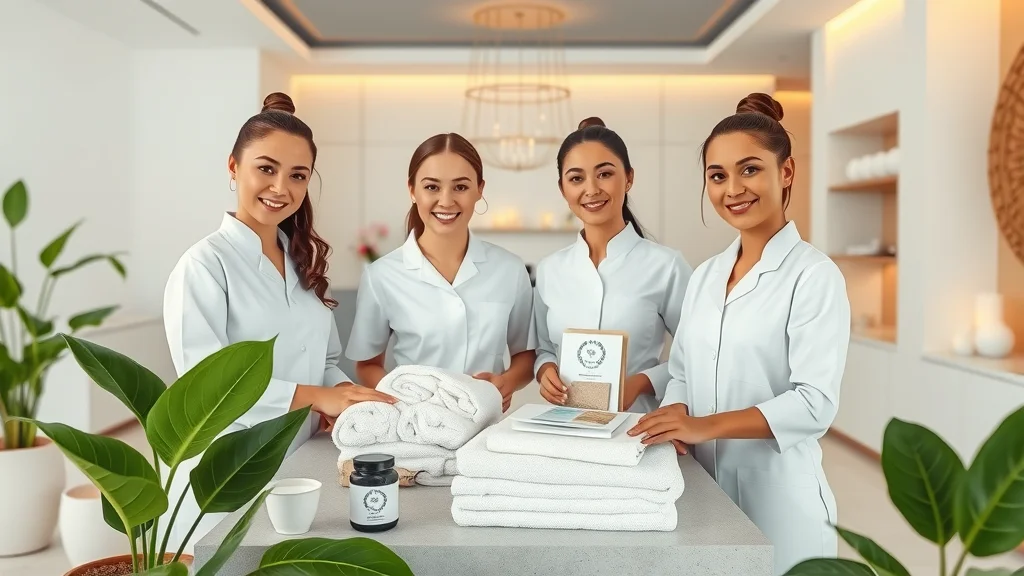
Cohesive spa brand visuals: confident spa team arranging branded materials in a minimalist, coordinated green and gold reception area — luxury spa website design

14. Add an Intuitive Booking System—Not Just a Contact Form

  • How booking system UX/UI affects guest follow-through

  • Best practices from high-converting spa website design

Too many spa sites only offer a basic “Contact Us” page for appointments, leading to missed bookings and extra admin for your team. Instead, add a clear, intuitive online booking system.

Let guests choose their spa treatment, staff member, and time—all in a few clicks. A strong booking system should confirm via email/text and let users reschedule online. Not only does this help fill your calendar, but it also reassures guests their appointment is secure (especially vital for medical spa or busy luxury spa websites).

Look for booking options that tie directly into your website design and don’t require guests to jump between platforms.

After switching from a simple form to an integrated booking system, many spas report a 25–50% increase in immediate bookings. The easier it is for guests to book, the more likely they’ll follow through—helping your spa site work 24/7.

15. Let Your Spa Team Shine: Personal Touches for Your Site

  • Photos/bios build guest confidence (luxury spa, medical spa)

  • Stories from staff: human connection in spa websites

Guests often hesitate to book with strangers. Give your spa web a personal feel by showcasing real team photos, short bios, and even “Meet Our Therapists” stories.

Seeing warm, smiling faces (not stock models) gives potential clients reassurance and starts real trust. For a medical spa, listing credentials adds professionalism; for luxury spas, staff stories showcase what makes your team unique.

One spa that added staff profiles saw a jump in repeat bookings—guests chose therapists who matched their style.

This also celebrates your team, boosting morale and word-of-mouth referrals. Spa website design is ultimately about human connection. When your site feels less like a brochure and more like a warm welcome, guests book more—and come back more often.

Friendly spa team portrait with warm, natural smiles, diverse staff together in a calming, plant-filled treatment room — spa website UX/UI for authenticity

16. Layer On Calm: Sound, Movement, and Spa Web Micro-Interactions

  • Gentle animations, movement, background sound for spa website UX/UI (use judiciously)

  • Scenario: From static site design to experiential spa web

The goal? Reinforce the calming, sensory feel of your real spa—without overwhelming guests

When a luxury spa website updated their site to use these micro-interactions, guests described it as “peaceful, not showy.” If you’re unsure, test new features with both longtime and new guests—and always offer a mute or pause option for any sound. The most effective spa website UX/UI works just like your best staff: guiding, not pushing.

17. Keep Language Warm, Inclusive, and Guest-Centered

  • User experience tip: mirror real spa conversations

  • Copywriting for clarity vs. confusion in spa website design

When your copy mirrors real conversations (“What can we help you relax today?”), your spa website UX/UI instantly feels more approachable and caring

Real guest feedback often mentions how calming or welcoming a website feels—far more than the number of treatments offered.

For spa owners and directors, reviewing all website content through the lens of hospitality, not just marketing, is the easiest way to set a tone that drives both trust and bookings.

18. Allow Appointment Booking from Multiple Pages, Not Just One

  • Booking accessibility: tidbits from leading luxury spa website audits

  • Where UX/UI shortcut buttons make the biggest difference

If a potential client reads about a new spa treatment or finds a special offer, don’t make them hunt for the booking button. Place “Book Now” links at the top, bottom, and within service description pages.

Wellness leaders report higher conversions when guests can move from information to reservation instantly—from the home page, service details, or even your team bio pages.

This spa website UX/UI shortcut is a true win-win: it removes obstacles for guests, and fills your calendar with less friction.

On many luxury spa and medical spa sites, adding contextual booking buttons (“Reserve Your Massage,” “Book with Jenna”) increases both single service and bundled package bookings. It also helps you track which services are most popular online—and where to focus marketing efforts.

19-29. Quick Spark Tips for Instant Spa Website UX/UI Wins

19-Use soft, calming ‘book now’ buttons

20-Show trust badges (like BBB or wellness affiliations)

21-Add live chat or callback offers

22-Use white space for a clean look

23-Group related spa services together

24-Offer easy gift card purchase

25-Use soft imagery instead of sharp edges

26-Add an FAQ section linked from key pages

27-Feature spa site location map

28-Let guests preview your space through virtual tours

29-Include a blog or news section for updated stories

30. Measure, Test, and Evolve: How to Keep Your Spa Website UX/UI Fresh

  • Real-world KPIs (Key Performance Indicators) relevant to spa owners

  • Simple tools to track guest behavior and booking conversion

Schedule quarterly check-ins to ask front desk staff and clients, “Was the site easy to use? Was anything confusing?”

Medical spa and luxury spa owners who measure these numbers consistently—then update their spa web based on findings—see better retention, more bookings, and a reputation for caring about guest satisfaction. Remember, your digital hospitality journey is ongoing.

Spa owner thoughtfully reviewing notes in a serene, modern office space.

31. Tie It All Together: Spa Website UX/UI as a Cornerstone of Business Growth

  • Why UX/UI is not a one-off project but an ongoing part of spa site and guest experience

  • How this topic strengthens the whole high-converting spa website strategy

Much like keeping your spa space spotless and welcoming, high-performing spa website UX/UI is a continual process.

It’s not a one-off fix, but an ongoing investment in guest happiness and business growth. Every digital decision—from buttons to photos to copy—either leads guests closer to booking, or sends them away.

The most successful spas treat their spa website UX/UI as a living extension of their guest care philosophy, adapting as customer needs and digital habits change.


Reference Table: 31 Spa Website UX/UI Tips Checklist for Non-Designers

#

Action Step

Status

1

Match web visuals to real spa space

[ ]

2

Streamline booking into 1-2 clicks

[ ]

3

Test all pages on mobile devices

[ ]

4

Use accessible fonts and high contrast

[ ]

5

Feature real team photos

[ ]

6

Organize services with clear, clickable lists

[ ]

7

Apply calming colors and soft transitions

[ ]

8

Keep main menu simple and guest-focused

[ ]

9

Add testimonials to crucial pages

[ ]

10

Avoid industry jargon, use ‘spa voice’

[ ]

11

Show hours and location above the fold

[ ]

12

Optimize images/site for fast loading

[ ]

13

Check page colors/fonts for branding consistency

[ ]

14

Implement a true online booking system

[ ]

15

Highlight team with pictures and stories

[ ]

16

Add gentle site animations or sounds

[ ]

17

Review language for warmth and inclusion

[ ]

18

Place book buttons on every major page

[ ]

19-29

See Quick Spark Tips (above) for instant wins

[ ]

30

Schedule site review and analytics check quarterly

[ ]

31

Commit to ongoing UX/UI upgrade mindset

[ ]

“Choosing the right spa website UX/UI is an act of hospitality—online and off.”

People Also Ask: Spa Website UX/UI Questions Answered

What is spa website UX/UI and why does it matter for bookings?

Spa website UX/UI means how your website looks, feels, and works—from layout and colors to booking flow and navigation. For bookings, it's the “digital journey” that makes guests comfortable, just like a welcoming reception area does in person.

If your booking system is smooth and the information is easy to find, users feel safe to reserve. Poorly designed spa web pages leave guests confused or anxious, so they don’t book at all.

Serene spa reception featuring digital ease and comfort, showcasing natural textures.

How can a small spa improve its website UX/UI on a budget?

Start with what matters: use real spa photos, declutter menus, and add a clearly labeled booking button on every main page. Write site content in plain language and group your spa services logically.

Use a website builder with clean, calming templates. Ask guests for feedback—many will gladly point out confusing parts. These quick fixes require little to no tech knowledge, but can drastically lift bookings and impression.

What are common UX/UI mistakes in spa web design?

Frequent issues include: using stock images instead of real spa photos, hiding essential info like hours or location, cluttered or too-complex menus, slow-loading pages, tiny booking buttons, and technical jargon in copy.

On luxury spa website or medical spa sites, mismatched branding or ambiguous service lists also hurt credibility and guest trust.

How does spa website UX/UI affect first impressions and guest trust?

Just like a guest sizing up your lobby, your website’s feel, speed, and layout create an instant impression—good or bad. Data shows guests decide to trust (or not trust) your spa web in under 7 seconds.

If your site is clean, authentic, and easy to navigate, trust grows and guests relax—making them much more likely to become loyal clients.

FAQs: Spa Website UX/UI Practical Advice

  • What’s the difference between spa website UX and UI?
    UX (“user experience”) is like your overall spa experience—it’s how guests feel moving through your site, just as they would in-person. UI (“user interface”) is the visuals—colors, buttons, fonts—just like your decor and branding. Both work together for the best results.

  • How often should I update my spa website design?
    Review every 1–2 years, or anytime you change branding, add services, or get guest feedback about issues. Frequent small updates (like new images or testimonials) keep your spa web feeling fresh.

  • Is it worth hiring a specialist for our spa site UX/UI?
    For many spas, yes—especially if you lack time, or bookings aren’t where you want them. A spa/UX consultant can quickly spot gaps that may be costing you clients. Just be clear on your goals: more bookings, easier navigation, or better branding.

Key Takeaways: Spa Website UX/UI Essentials Recap

  • Website clarity and guest comfort directly drive conversions and bookings

  • Most improvements—better photos, cleaner navigation, real testimonials, and mobile-ready design—are within reach, even with limited time or technical know-how

  • The best spa website UX/UI makes guest experience feel as smooth online as in person

Ready to Elevate Your Spa Website UX/UI? Reach Out with Confidence

If you’d like help applying this to your own spa website—or you just want clarity before making changes—you’re welcome to reach out. There’s no pressure. Just a conversation to help you move forward with confidence.

Conclusion: Thoughtful, guest-focused spa website UX/UI puts your business ahead—one simple, practical improvement at a time.

Spa Marketing & Business Growth

1 Views

0 Comments

Write A Comment

*
*
Related Posts All Posts
01.11.2026

Google Business Profile tips You Can’t Afford to Miss

This article examines why Google Business Profile tips play a decisive role in whether a local business is visible, trusted, or overlooked in search results. It addresses the common assumption that simply claiming a profile is enough, when in reality visibility is shaped by accuracy, activity, and consistency across Google Search and Maps. Understanding how these signals work together explains why some businesses dominate local results while others remain invisible despite offering the same services."Your brand is a story unfolding across all customer touchpoints." Embracing Google Business Profile tips ensures your story reaches the right audience effectively. Discover essential strategies to boost your visibility and connect with customers like never before.Why Mastering Google Business Profile Tips Matters for Local SearchWhether you’re a small business owner, spa manager, or local entrepreneur, understanding and applying the best Google Business Profile tips is essential for improving your local search ranking. With more people turning to Google Maps and search to find businesses “near me,” your Google Business Profile is your digital storefront.A well-optimized listing can propel your business to the top of local search results, making you the first choice for potential customers. If your information isn’t complete, accurate, or engaging, you risk being overshadowed by your competition.Mastering these tips goes beyond just claiming your business profile. It means actively managing your business info, collecting Google reviews, and showcasing your products and services to keep your profile fresh and trustworthy.Proper optimization not only helps Google trust your business but also boosts your credibility with potential customers.By making smart updates, promptly responding to customer reviews, and utilizing Google Maps features, you can influence how often your business shows up in local results and drive real, measurable growth. "Your brand is a story unfolding across all customer touchpoints." How Google Business Profile Tips Define Your SuccessEvery action you take with your Google Business Profile conveys part of your business story. Each updated photo, accurate phone number, timely response to customer reviews, or revised business hour builds trust.In today’s digital-first world, these profiles influence where and how you appear in the local pack—the top spots of Google’s search results and Google Maps. Following the right Google Business Profile tips means your business is not only findable but memorable, welcoming, and preferred.“A well-optimized Google Business Profile is your digital storefront. It welcomes, informs, and convinces at a glance.” – Local SEO ExpertWhat You'll Learn About Google Business Profile Tips and Local RankingHow to optimize your Google Business Profile for better local rankingEssential steps to improve your business listing and Google reviewsTactics to enhance your online presence using business info and customer reviewsCommon mistakes to avoid and best practices for Google My BusinessHow Google Maps influences your visibility and conversions Understanding Google Business Profile Tips: The Foundation for Local SEOTo truly harness the power of local SEO, you must master the details behind an effective Google Business Profile. A Google Business Profile is a free tool that allows you to share vital business info, such as your address, business hours, and contact information, directly on Google Search and Google Maps.When optimized, this profile can help customers discover you in local search results, especially when they’re ready to purchase or visit.A well-maintained profile ensures your business listing stands out when customers search for businesses like yours. It also enables you to respond to customer reviews, showcase products and services, and update important details in real time.By focusing on Google Business Profile tips, you lay the groundwork for better search rankings, greater visibility, and enhanced trust in your brand.What is a Google Business Profile and Why It’s Key for Local Ranking?A Google Business Profile is your business’s official presence on Google. It displays crucial details such as your location, phone number, business hours, and more. This information appears in local pack search results, making it easier for nearby customers to find you.The completeness and accuracy of your business profile directly influence your local ranking within Google’s search algorithms.Customers trust Google business profiles that are up-to-date and filled with real content, like photos and reviews. For service businesses like spas, having accurate info about your offerings and location can mean the difference between a new booking and a missed opportunity.Google rewards profiles with regular changes and prompt responses, viewing them as more credible resources for searchers. As a result, these profiles are more likely to be shown in the local pack and on the first page of search results.How Google My Business, Google Maps, and Local SEO Work TogetherThe power of Google My Business (now Google Business Profile), Google Maps, and local SEO are intertwined. Google uses your profile data to display your business in Maps and local search packs whenever someone looks for services nearby.When your business appears at the top of Google Maps or in prominent search results, you attract more clicks, calls, and visits—which increases overall revenue.Regularly updating your business info, responding to customer reviews, and using the latest features ensures your profile stays competitive. Integrating keywords relevant to your offerings and local community also helps Google match your business to relevant local queries.The consistency of your information across Google Maps and other business directories supports your overall search rankings, driving even more potential customers to your business.Step-by-Step Guide: Setting Up and Verifying Your Google Business ProfileReady to make your business discoverable? Here’s a practical guide to setting up your Google Business Profile for optimal local impactCreating your Google Business Profile account:Visit the Google Business Profile website and sign in with your Google account. Follow the prompts to add your business, ensuring you enter the correct name exactly as it appears on signage and other directories.Adding accurate business info and location for Google Maps:Input your business address, phone number, website link, and hours of operation. Make sure these details match other listings to avoid confusion and help Google confirm your legitimacy.Verifying your business for trust and visibility:Google will prompt you to verify your business via postcard, phone, or email. Completing this step is crucial—verification unlocks features like responding to reviews and appearing in maps.Tips to optimize your Google business profile from the start:Upload high-quality photos, select the most relevant business category, and fill out descriptions with primary keywords such as "spa" or "wellness center." Encourage your first customers to leave authentic positive reviews.Meticulous setup and verification form the baseline for long-term success. It’s the difference between your business being lost in the crowd versus standing out in every relevant local search.Optimizing Your Google Business Profile for Local Search PerformanceOptimizing your Google Business Profile is about more than just filling in the basics. It requires continual attention, data-driven decisions, and a focus on the details that set you apart in local search. Here’s how you can elevate your business above the competition for lasting impact in your neighborhood and beyond.From refining your service categories to regularly posting updates and responding to customer feedback, the little things add up.Google’s algorithms reward active profiles with increased visibility in search results and the coveted local pack. Let’s dive into practical google business profile tips that drive measurable improvements.Essential Google Business Profile Tips for Profile CompletenessCompleteness is the cornerstone of a top-performing Google Business Profile. Fill out all sections: business name, address, phone number, website, business hours, and description.Don’t skip attributes like wheelchair access, payment options, or amenities relevant to spas. Google highlights businesses with comprehensive details over those with sparse or outdated information.Add a broad array of high-quality photos—showcase your storefront, interior, staff, products, and services.Fresh images keep your profile engaging and show customers exactly what to expect. Categorize your business precisely (e.g., “Spa,” “Massage Therapy,” “Wellness Center”) so Google matches your profile to the most relevant local search results.Consider updating your business description with locally targeted keywords to capture nearby audiences actively seeking spa services.Business Info and Consistency: Why Every Detail Affects Your Local RankingConsistency across all listings is key to strong local ranking. Your business info—including name, address, and phone number (NAP)—should be identical on your Google Business Profile and every directory where you’re listed. Even minor differences (like "St" vs. "Street") can confuse Google and dilute your search ranking.Double-check all locations, ensure hours are current (including holiday hours), and keep your service offerings up to date.Consistency builds trust with both Google and potential customers. Inconsistent listings, outdated phone numbers, or inaccurate categories may result in your business being outranked by competitors with more reliable data.Make a habit of reviewing and updating information monthly or whenever changes occur in your business operations. Using Google Maps to Boost Your Local SEO and Attract CustomersGoogle Maps is often the first touchpoint for local customers searching for spas and wellness businesses.To maximize exposure, ensure your Google Business Profile is accurately pinned on the map. Double-check your physical location and service area so that users see you in the right local results.Optimize your maps listing by uploading interior and exterior photos, updating attributes, and using the booking button if relevant.Encourage regular check-ins and reviews—activity signals to Google that your business is relevant and active. Add short posts about current promotions, events, or specials directly onto your profile.These posts not only provide up-to-date info to searchers but can also help your listing surface more often in “near me” and related local queries. Your presence on Google Maps bridges the online and physical experiences customers expect today.Comparison Table: Key Elements for Optimizing Your Google Business Profile vs. Common MistakesOptimization Best PracticesCommon MistakesComplete all profile fields (name, address, phone number, hours, description, categories, photos)Leaving info blank or incompleteKeep info up-to-date and consistent across all platformsMismatched or outdated info between Google and other listingsRespond promptly and positively to all customer reviewsIgnoring negative reviews or failing to acknowledge customer feedbackRegularly post updates, offers, and events on your profileNever updating profile or posting new photosStrategic use of keywords in the business descriptionKeyword stuffing or using irrelevant keywordsGoogle Reviews and Customer Interaction: Building Trust and ReputationThe influence of Google reviews on your local ranking can’t be overstated. Customer feedback acts as social proof and a key ranking factor in both Google Maps and search results.How you collect, respond to, and leverage reviews signals to both Google and potential customers that your business is trustworthy, responsive, and customer-centric.Building genuine interactions and resolving concerns promptly helps to maintain an excellent online reputation.Even a single negative review—if left unaddressed—can affect your authority and visibility. Proactive engagement with customer reviews transforms them into an asset for your local business.Collecting and Managing Google Reviews: Proven Google Business Profile TipsAsk satisfied customers to leave a review right after their visit by sharing a direct link to your Google Business Profile.Train front-line staff to request feedback and consider small incentives for review submissions. Monitor new reviews daily and flag those that violate Google’s guidelines—like spam or inappropriate content.Encouraging honest feedback not only increases your review count but also boosts your trustworthiness in the eyes of future customers and Google’s algorithms.Address negative reviews in a calm, helpful manner, and use their feedback as an opportunity to show your commitment to service.The more authentic, varied, and recent your reviews, the higher your likelihood of standing out in the local pack. Responding to Customer Reviews to Boost Your Local RankingGoogle rewards businesses that actively engage with customer reviews. Respond promptly, whether the feedback is positive or negative. Thank customers for their input, address specific comments, and offer solutions if the experience could be improved.Consistent response patterns show potential customers you value their experience and demonstrate accountability—two traits that build loyalty and lasting relationships.When responding to negative reviews, avoid defensiveness and focus on resolving the issue or inviting the customer to discuss further offline.This public display of professionalism reassures other searchers, while also positively influencing your local ranking. Businesses that regularly respond to reviews often see more conversions from their Google Business Profile traffic.Maintaining a Positive Online Presence Through Business ListingsYour digital footprint extends beyond just your Google Business Profile. Make sure your business info is current on all major directories, including Yelp, TripAdvisor, Facebook, and industry-specific sites.The more consistent and positive your online presence, the more likely Google will view your business as authoritative in local SEO.Regularly audit your business listings to correct mistakes, update services, and standardize branding.This unified approach builds trust with customers who often check multiple sources before making a decision and helps prevent confusion between listings.Showcasing Products and Services in Your Google Business ProfileListings that actively feature products and services enjoy increased engagement and higher conversion rates.By using your Google Business Profile to highlight your unique offerings—whether it’s specialty spa treatments or exclusive packages—you draw the attention of ready-to-buy customers scanning local results.Keep your offerings organized, well-described, and updated as your menu changes. Including pricing, professional photos, and detailed service descriptions differentiates your profile from competitors who don’t take full advantage of these sections.Adding Products, Services, and Special Offers for Maximum VisibilityFrom the profile dashboard, use the "Products" and "Services" tabs to add individual treatments, packages, retail items, and special promotions.Use descriptive names and include keywords naturally—think “deep tissue massage,” “detox facial,” or “spa day package.” Update these regularly to reflect new offerings and seasonal specials.Special offers and callouts—like “First Visit Discount” or “Mother’s Day Packages”—stand out on your listing and often influence customer decisions.Use high-resolution photography to showcase products on shelves or highlight the relaxing ambience of your space. The more information customers have before arriving, the more likely they are to choose your business—over and over again. Videos: How to Make the Most of Your Google Business ProfileModern searchers love visual content. Videos can demonstrate the quality and ambiance of your spa or showcase unique experiences far better than static photos.Adding videos to your Google Business Profile increases customer time spent on your listing and may influence both search ranking and engagement metrics.Share short clips introducing your staff, offering a tour of your space, or explaining services. These human touches foster connection and set accurate expectations for potential visitors, leading to greater trust and higher conversion rates.Video Tutorial: Step-by-Step Setup and Optimization of Google My Business ProfileWatch our in-depth explainer video for a visual walkthrough. Get clear, easy-to-follow instructions as we demonstrate creating a Google Business Profile, adding detailed business info, uploading photos, and using the dashboard for daily management.This step-by-step tutorial will empower you to optimize your profile with confidence, even if you’re new to local SEO.People Also Ask: How do I make my Google Business Profile better?Improving Your Google Business Profile with Actionable TipsTo improve your Google Business Profile, focus on completeness, accuracy, and consistency. Start by filling every section, including hours, address, website, and service area.Upload recent, high-quality photos showcasing your space, staff, and offerings. Encourage customer reviews and respond to every piece of feedback—positive or negative.Post regular updates, feature seasonal specials, and share events directly on your profile to keep content fresh.Monitor your business listing across all platforms and ensure your info matches everywhere. By doing these things, you’ll create a more visible, credible, and engaging listing that drives real results in local search.People Also Ask: What are the 3 C's of SEO?Understanding and Applying the 3 C's of SEO for Your Google Business ProfileThe 3 C's of SEO—Content, Consistency, and Citations—apply directly to your Google Business Profile.Content refers to the descriptive text, photos, and updates you share; keep them relevant and keyword-rich. Consistency means your business info is the same everywhere online, from Google Maps to your website to third-party directories.Citations are listings on other trusted sites mentioning your business name, address, and phone number. The more accurate, widespread, and authoritative your citations, the higher your profile is likely to rank in local search.Focus on these three aspects and you’ll build a robust digital presence that helps Google and potential customers find and trust you.People Also Ask: What are common Google Business Profile mistakes?Top Google Business Profile Mistakes to Avoid for Better Local RankingCommon Google Business Profile mistakes can undermine your search visibility and customer trust.These include providing incomplete or inconsistent business info, failing to update hours (especially during holidays), and leaving customer reviews unaddressed.Some businesses use irrelevant categories or overuse keywords—an approach Google penalizes as spammy.Neglecting to verify your business, using low-quality or outdated photos, and failing to leverage posts or offers means missed opportunities to outperform competitors in local results.Avoid these pitfalls by maintaining an accurate, engaging, and actively managed profile at all times.People Also Ask: How to properly set up a Google Business Profile?Best Practices for Setting Up Your Google Business Profile from ScratchBegin by claiming your Google Business Profile and verifying your location to access all core features. Use a business name that matches your signage and other listings exactly.Fill out every section—address, hours, website, phone number, and service offerings. Select the most relevant business category and add secondary categories if they fit your services.Upload clear, professional photos and, if possible, videos that capture your brand’s spirit. Write an engaging business description using keywords relevant to your local services (“spa in [city],” “therapeutic massage,” etc.).Prompt the first wave of customers to leave honest reviews and commit to regular updates. By following these Google Business Profile tips, you’ll set a foundation for strong local rankings and customer engagement. FAQs About Google Business Profile Tips and Local SEOWhat information should I always include in my Google Business Profile?Always list your business name, physical address, main phone number, accurate opening hours, website link, categories, and a clear description. Add photos and highlight your products or services for a richer profile that captures attention.How often should I update my business info or photos?Review and update your profile at least once a month, or any time there are changes to your hours, offerings, staff, or events. Adding new photos regularly keeps your profile fresh and appealing to both Google and customers.Can a well-optimized profile improve my local ranking significantly?Yes! Consistent updates, complete business info, frequent positive reviews, and timely responses can dramatically improve your search presence in local results—driving more traffic and real-world visits.Key Takeaways: Optimizing Your Google Business Profile for Maximum Local ImpactOptimizing your Google Business Profile with complete info, frequent updates, and active review engagement can dramatically improve your local search visibility and attract more customers.Get Expert Guidance to Improve Your Google Business Profile and Local Listing ResultsIf reviewing your Google Business Profile or local listings brings up questions, guidance is available from our team to help clarify what matters most and where small changes can improve local visibility.

01.08.2026

Google Business Profile optimization: Boost Your Visibility Fast

Google Business Profile optimization explains why some local businesses consistently appear in search and Maps while others remain invisible. This article clarifies how incomplete or unmanaged profiles quietly limit local visibility, despite common assumptions that simply claiming a listing is enough.Did you know that 86% of consumers search online for local businesses before making a decision? If your business isn’t showing up in those searches, you’re already falling behindStartling Google Business Profile Optimization Fact: Why 86% of Consumers Search Online for Local Businesses FirstThe online world is now the first stop for most shoppers. Whether looking for a spa, a café, or a pet groomer, today’s consumers turn to the internet—specifically to Google Business Profiles—before they ever step foot inside a store. That staggering 86% statistic highlights just how important a Google Business Profile optimization strategy is for local rank and staying visible in search results. If your business info isn’t current or complete, you risk losing out on real-life traffic, phone calls, and growth opportunities. In this fast-paced digital landscape, an unoptimized business profile can mean being overlooked both on the results page and in the real world. Optimizing your Google Business Profile isn’t just for big companies—anyone, with the right steps, can get noticed and gain new local customers. Let’s break down how. What You'll Learn About Google Business Profile OptimizationUnderstand the basics of Google Business Profile optimization and why it mattersLearn how to optimize your Google Business Profile for local searchDiscover insider tips from the Google Business Profile for Spas masterclassStep-by-step strategies for profile optimizationHow Google Business Profile optimization can improve your local rank & local rankingAnswers to commonly asked questions about Google Business ProfilesWhy Google Business Profile Optimization is Crucial for Local Rank and Local Ranking"A well-optimized Google Business Profile is often the difference between thriving locally and falling off the map entirely." – Industry ExpertIn today’s search-driven world, Google Business Profile optimization is the secret to dominating your local marketplace. When a potential customer in your neighborhood types in “spa near me” or “best local business,” the profiles that appear at the very top aren’t there by accident—they’re there because their business owner invested time in profile optimization. By providing accurate business info, up-to-date business hours, and inviting photos, your profile sends trust signals to both Google and local shoppers. This optimization directly influences your local rank, meaning you’ll show up more frequently and more prominently in search and maps. Appearing in the coveted "local pack"—the top three results in Google Maps and Google Search—can transform foot traffic, call volume, and bookings. With steps like requesting customer reviews and keeping your profile detailed, you not only improve visibility but also build credibility that turns online searches into real customers.The Basics: What Is Google Business Profile Optimization? Google Business Profile optimization means making your profile as complete, accurate, and appealing as possible so your business stands out in Google search results and on Google Maps. Unlike regular online listings, Google Business Profiles allow you to control what potential customers see: your business description, phone number, products and services, images, business hours, and more. Keeping this information up to date isn’t just a “nice to have”—it’s a core ranking factor for local SEO. Without optimization, your business risks appearing lower in search results or not at all, while your competitors take the spotlight. Let’s explore how each step impacts your local ranking and why no detail is too small to ignore.Understanding Google My Business and Google Business ProfilesIf you’re confused by the terms, here’s the simple explanation: Google My Business is the old name for what is now called Google Business Profile. This free tool lets you create or claim a listing for your business on Google—and it’s the single most powerful, free thing you can do to boost your local search visibility. Your Google Business Profile is what appears when someone searches for your business or for businesses like yours via Google Search and Google Maps. This profile includes your business information such as address, phone number, website, reviews, business hours, and business description. Every detail you enter helps Google understand what you offer, making it easier to connect your business to relevant searches in your area.Profile Optimization: How Google Business Profile Optimization Impacts Search ResultsWhy go the extra mile for profile optimization? Because Google wants to present the most relevant, trustworthy businesses at the top of local search resultsKey Google Business Profile Elements vs. Impact on Local Search RankingsProfile ElementImpact on Local RankingBusiness Name, Address, Phone Number (NAP)High — Must be accurate for trust and map placementBusiness HoursModerate — Current hours improve relevance in time-based searchesBusiness Description & CategoriesHigh — Helps Google connect your business to relevant searchesPhotos & VideosModerate — Builds trust and engagement with searchersReviews & ResponsesVery High — Major ranking factor for credibility and visibilityPosts, Events, and OffersModerate — Signals activity and encourages clicksStep-by-Step Google Business Profile Optimization1. Claim and Verify Your Google My Business ProfileThe first step in Google Business Profile optimization is claiming your profile. If you haven’t done this yet, go to business.google.com, sign in with your Google Account, and search for your business. If it already exists, claim it; if not, create a new one. Verification is critical. Google may ask to send you a postcard, place a phone call, or verify by email. Follow the instructions closely, as verification unlocks the ability to edit and optimize your profile. A verified business is more likely to appear in local search results and Google Maps—boosting your local rank from the start.2. Fill Out Business Info and Business Information CompletelyOnce your profile is verified, fill in every bit of your business info: name, physical address, main phone number, website, business hours, and your service area. These details must be accurate and match your information elsewhere online (like your website or directory listings)—inconsistencies confuse Google and can lower your local ranking. Don’t leave any section blank. Add products and services, accessibility features, and payment options, as these details all help your business appear in more relevant searches. The more comprehensive your business information, the more confident Google will be in recommending your business to local customers.3. Optimize Your Business Description for Local SearchesYour business description is your one chance to explain, in about 750 characters, why someone should choose your business. Use clear language that describes what you do, your unique selling points, and the areas you serve. Sprinkle in keywords like “spa in [city]” or “best [business type] near me” naturally to boost your relevance in local search. Make this section friendly and informative, reflecting your brand’s style. For spas, mention specialties (massage, facials, aromatherapy), your ethos, and positive outcomes clients can expect. An optimized business description not only helps with local ranking but also convinces shoppers that you’re the best choice.4. Select the Right Categories for Better Search ResultsOne of the most overlooked steps in Google Business Profile optimization is selecting precise categories. Categories help Google understand what your business offers and decide when to show your profile in search results and on Google Maps. Choose a primary category that closely matches your business (e.g., “Day Spa,” “Massage Therapist”), then add secondary categories as needed. Don’t stuff your profile with irrelevant categories, as this can dilute your ranking. Instead, pick the most accurate matches—this increases your chances of showing up in relevant searches and outranking competitors who use generic or incorrect categories.5. Add and Manage Business Hours and Phone NumberKeep your business hours and phone number up to date—these details affect whether customers find you open and call your shop. Google now lets you set “special hours” for holidays or events, so make sure to use this feature. An outdated schedule can frustrate customers and result in lower rankings, as Google measures the accuracy and freshness of this data. Testing your phone number by making a quick call ensures it works and routes to the right place. Listings with active business hours and contact details are proven to show up more on search results. This simple step minimizes missed opportunities and bad first impressions.6. Upload Quality Photos and Videos to Your Google Business Profile Adding high-quality, up-to-date photos and videos helps your business profile stand out. Visuals build trust by showing prospective customers what to expect—your team, your space, your services, and even happy clients (with permission). Google rewards actively updated profiles with better search and maps rankings. Aim for a mix of exterior and interior images, staff at work, products and services, and pictures that highlight what makes your business special. Even short video tours or customer testimonials can increase engagement. Profiles with rich visuals not only appear more appealing in search results but also show up more often, according to Google’s own studies.Watch this animated walkthrough: Step-by-step screen recordings demonstrate every part of Google Business Profile optimization, including where to click, how to upload photos, and what each section means. Before/after effects show how a fully optimized profile instantly becomes more attractive—turning browsers into customers.Advanced Tips for Optimizing Your Google Business ProfileEncourage and Respond to Reviews (Local Ranking Signals) One of the most powerful local ranking signals on your Google Business Profile is the volume and quality of customer reviews. Ask happy clients to leave honest feedback, and respond to every review—positive or negative. Thank your satisfied customers, and address concerns calmly for those less pleased. Reviews boost your credibility and make it more likely you’ll appear at the top of local search. Google’s algorithm recognizes active businesses that engage with customer feedback. The more timely, thoughtful responses you provide, the better your standing in the "local pack" and overall local ranking.Regular Updates: Posts, Events, and OffersGoogle Business Profile lets you publish posts about new products and services, announcements, limited-time offers, or upcoming events. Frequent updates tell Google—and your customers—that your business is active and engaged. Treat your profile like a social media page: post at least once a week to keep your listing relevant. Use photos, links, and calls-to-action in your posts. Whether you’re offering a seasonal discount or announcing a new facial treatment, these updates drive clicks from the search results page and keep your profile top-of-mind for shoppers. Regular activity is a ranking factor and can make the difference in customer selection.Google Business Profile Optimization Service vs. Do-It-Yourself (DIY)Many small business owners start with DIY profile optimization, following Google’s built-in suggestions. As your business grows or competition increases, you may want to consider a profile optimization service. These experts tackle every detail—ensuring consistency across dozens of listings, identifying ranking factors, and monitoring performance. If time or expertise is limited, a business profile optimization service can be a smart investment. They bring insider knowledge of local search trends and can provide tailored strategies for things like advanced categorization, AI-driven review management, and competitive local rank monitoring. For many, the boost in visibility pays for itself in new customer acquisition.Common Google Business Profile Mistakes to AvoidInconsistent business informationMissing phone number or business hoursNeglecting reviews and customer feedbackFailing to update content regularlyIgnoring profile optimization service optionsPeople Also Ask: How do I optimize my Google Business Profile?Optimizing your Google Business Profile involves accurate business info, high-quality images, current business hours, and encouraging reviews. Update your profile regularly and respond to all customer feedback for better local ranking. People Also Ask: How to optimize Google Business Profile 2025?Google Business Profile optimization in 2025 focuses on new features: more video content, advanced Q&A use, detailed service menus, and AI-driven review management strategies.People Also Ask: How much does Google Business Profile optimization cost?Google Business Profile optimization can range from free (DIY) up to several hundred dollars per month if you use a profile optimization service—costs depend on your market and business needs.People Also Ask: How to rank GMB fast?To rank your Google My Business profile fast, focus on filling every profile section, getting frequent reviews, adding location-specific keywords, and posting regularly. See real businesses transform their visibility and attract more customers after completing Google Business Profile optimization. Watch before/after analytics, profile screenshots, and customer feedback that prove how a few simple changes can boost local rank and drive new business:Frequently Asked Questions (FAQs) About Google Business Profile OptimizationIs Google Business Profile optimization really necessary for small businesses? Absolutely. No matter your size, optimizing your GBP ensures higher visibility in both Google Search and Google Maps, helping local customers find you faster and trust your business.How often should I update my Google Business Profile? Ideally, you should review and update your profile monthly. Post news and offers weekly, and always update right away if your business information changes.How do reviews impact my local ranking? Reviews are one of the most important ranking factors. More positive, recent reviews—and your replies—help your business rise in search results.What if my business info changes—will it hurt my ranking? Not if you update your profile everywhere online right away. Consistent, up-to-date info keeps your profile trustworthy in Google’s eyes.Should I pay for a profile optimization service or do it myself? If you have the time and willingness to learn, DIY works for most small businesses. If you’re ready for more growth or don’t have the time, professional help can be worth the cost for flawless updates and advanced local SEO tactics.Key Takeaways for Google Business Profile OptimizationComplete every section of your Google Business Profile for best local rankingUse accurate business information across all listingsEncourage reviews and respond promptlyConsider an optimization service if time or expertise is limitedKeep your content fresh and engagingReady to Take Action on Your Google Business Profile Optimization?If reviewing your Google Business Profile or local listings brings up questions, guidance is available from our team to help clarify what matters most and where small changes can improve local visibility.Now is your chance to unlock more business by perfecting your Google Business Profile—no experience required. Reach out to our team for expert help, or use the tips above to take the first step in boosting your local rank today!

01.08.2026

Online presence for spas: How to Stand Out Instantly

An effective online presence for spas is what determines whether a business is discovered, trusted, and chosen in an increasingly crowded local market. This article examines how visibility across search, reviews, websites, and social platforms actually works—and why many spas remain unseen despite offering excellent services. It clarifies the gap between simply “being online” and building a credible, connected digital presence that clients recognize instantly and trust before they ever book.In today’s digital age, your spa’s online presence isn't just a luxury—it's a lifeline. Feeling invisible online means missing out on clients who desperately need your care. Mastering your digital footprint can transform your business and make your spa the go-to sanctuary everyone trusts. This guide will give you practical, step-by-step advice to help your spa shine brighter online, attract more local clients, and stand out from the competition—even if you’re starting from scratch.Why Online Presence for Spas Is Non-Negotiable in Today’s MarketIn the competitive spa industry, having a robust online presence for spas isn’t just a smart idea—it’s mandatory. A spa’s visibility online influences nearly every decision a potential client might make. From searching "spa near me" on their phone, comparing reviews, to browsing services on social media, digital touchpoints shape their journey. Without a strong digital presence, you’re simply invisible to the majority of local customers actively seeking relaxation, self-care, or beauty and wellness services. Online presence for spas serves as your virtual front door and often delivers that crucial first impression.“A modern spa’s online presence is often the first touchpoint for new clients—and your clearest differentiator.”Attract more local clientsBuild trust and credibilityShowcase services and ambianceEncourage word-of-mouth through online reviews The Role of Search Engine Optimization in Online Presence for SpasSearch engine optimization (SEO) is a critical foundation of every spa’s online presence. When someone enters “med spa” or “medical spa near me,” your ability to rank high in search engine results can determine whether you gain a new client or lose them to a competitor. SEO isn’t just about keywords; it’s about making your content easy to find and understand by both search engines and clients. This means ensuring your spa’s website is informative, mobile-friendly, and packed with details about your services, team, and unique value—while also targeting key terms related to beauty and wellness.A well-optimized online presence for spas also involves maintaining consistency across business directories, optimizing your Google Business Profile, and using local schema markup. This amplifies your digital presence, allows clients to find you easily, and builds trust before they even book. Ultimately, the better your spa ranks in search engines, the more likely you are to build loyal clients who appreciate your services.Impact of Social Media on Online Presence for SpasSocial media has revolutionized spa marketing and is now essential for cultivating your spa’s online presence. Platforms like Instagram, Facebook, and TikTok allow spas to tell their story, showcase treatments, and connect with potential clients. These platforms create a visual diary of your spa’s ambiance and expertise, encouraging word-of-mouth and social proof via online reviews and shares. A well-managed social media account builds trust, establishes brand awareness, and keeps your med spa top of mind for your audience.Effective use of social media platforms also lets spas interact directly with clients. Answer questions, feature staff and client testimonials, and announce special offers to boost engagement. When combined with local SEO strategies and a polished website, social media builds a powerful, holistic online presence for spas that consistently converts new clients.What You’ll LearnCritical components of online presence for spasHow to optimize your digital footprint step by stepBest practices for spa marketing and local SEOEffective use of business profiles and content marketingTips to harness social media platforms and online reviewsUnderstanding Online Presence for Spas: Key Concepts and ComponentsBuilding a compelling online presence for spas starts with understanding the core areas where your spa can connect with clients online. Each digital touchpoint, from your spa's website to social media profiles and listings on search engines, plays a unique role in winning over potential clients. Let’s break down these essential pieces and see how they create a connected, effective digital footprint:Key Elements of Online Presence for SpasComponentWhy It MattersWebsiteConversion & brand experienceSocial mediaReach & engagementReviewsTrust & reputationSearch engineVisibility & trafficBusiness profileLocal discovery Med Spa and Medical Spa Online Presence—What’s Trending?Med spa and medical spa businesses are setting digital marketing trends by prioritizing educational content, high-quality before-and-after photos, and expert-led video content. Clients searching for advanced beauty and wellness treatments—like laser facials, injectables, or massage therapy—gravitate toward spas with transparent, up-to-date websites and active social media feeds. Online presence for spas in the med spa space targets credibility through peer reviews, online consultation options, and detailed staff bios.What sets today’s successful medical spa online presences apart are real client results, professional imagery, and offers that are easy to claim online. Top competitors in this area routinely update their Google Business Profiles, share video walkthroughs of treatments, and cultivate glowing online reviews that build trust. Following these trends helps position your spa as a leader—and establishes enduring relationships with loyal clients.Optimizing Spa Marketing and Content Marketing for Digital SuccessContent marketing fuels spa marketing strategies that engage, educate, and convert visitors. Blogs that answer common client questions, step-by-step treatment guides, and “behind-the-scenes” spa stories help drive traffic and create a sense of trust. Video content on skincare tips, service highlight reels, and wellness demos extend your reach across search engines and social media platforms.Strong spa content marketing should be integrated with your broader digital marketing strategy: post regularly to your website and social channels, repurpose content across different media platforms, and use your online reviews as testimonials in your marketing emails or posts. The goal is to educate and inspire, making your spa the top-of-mind choice for both new and loyal clients while solidifying an unmatched online presence for spas.Types of Online Presence for Spas (People Also Ask)What are different types of online presence?A spa’s online presence is made up of several interconnected types. The most important are your website, which acts as your digital storefront; your social media profiles, which allow for real-time engagement and brand awareness; review sites like Google and Yelp, where online reviews help build trust; search engine listings for local discovery; and business directories to expand reach. Each serves a unique purpose: delivering information, building relationships, and increasing visibility to ensure you’re found by your ideal clients.A rounded digital presence also means taking advantage of platforms like Instagram and Facebook for visual storytelling, Google Business Profile for location-based searches, and specialty health and beauty sites to connect with potential clients looking for trusted spa and wellness services. Proactive management across all these types of online presence ensures you control your brand and guide the client journey to a seamless booking. Foundational Steps: Building an Online Presence for Spas from ScratchStarting from zero? The basics of a solid online presence for spas are easy to tackle and often freeCreating a user-friendly websiteEstablishing a Google Business ProfileListing on major spa business directoriesStarting social media accountsClaim and Optimize Your Google Business Profile for SpasYour Google Business Profile is a cornerstone of visibility and local SEO for spas. To start, claim your business, verify your details, and ensure your name, address, and phone number (NAP) are consistent everywhere. Add high-quality photos to show off your facilities, highlight your most popular treatments, and post updates or short offers to engage potential clients. Monitor and reply to online reviews regularly, as this builds credibility and improves your search engine ranking. A fully optimized business profile will set your spa apart from less proactive competitors.Taking these steps turns your business profile into a powerful marketing tool. Incorporate descriptive keywords such as “med spa,” “medical spa,” “spa marketing,” and your specialty services. This helps search engines connect the right potential clients to your spa, improving your local search engine results and ensuring your brand is found first when people are ready to book.Business Profiles and Local SEO: What Spas Must KnowLocal SEO (search engine optimization) is all about making it easy for local clients to discover your spa online. Make sure your business profiles on platforms like Google and Yelp are detailed, accurate, and updated with vital information like your hours, website, and unique selling points. Showcase positive testimonials and keep your photos refreshed so every potential client sees your most welcoming side. Managing your business listing and encouraging happy clients to leave online reviews are crucial steps in your ongoing spa marketing strategy.Remember, search engines favor active, consistent, and well-reviewed businesses for top placement in search engine results. Investing time into updating your business profiles, posting regular news or tips, and responding to clients ensures you’re boosting both discoverability and trust.Designing Websites That Build Trust and ConvertYour spa’s website is more than a brochure—it must instantly build trust and encourage visitors to book. Use simple navigation, soothing images, and professional branding that reflect your spa’s ambiance. Include clear menus for products and services, an easy online booking system, and an About page with bios and affirmations of your expertise. Don’t forget testimonials and a robust FAQ: clients want to know you’re credible and attentive to their needs.To convert more visitors into loyal clients, be sure your site is mobile responsive and loads quickly. Add structured data (schema markup) to help search engines find your important info—like hours and location—so you rank higher in search results. With these best practices, your online presence for spas will quickly set you apart in a crowded digital marketplace.Enhancing Online Presence for Spas via Social MediaSocial media is a non-negotiable part of modern spa marketing. Platforms like Facebook, Instagram, TikTok, and Pinterest are ideal for reaching local clients and showcasing your unique value. The key is to be authentic—post relatable, inspiring content that illustrates your spa’s personality, professionalism, and results. Highlight staff expertise, happy clients, and immersive spa experiences to drive engagement, increase trust, and attract bookings.FacebookInstagramTikTokPinterestBefore/after photosTreatment walkthroughsCustomer testimonialsWellness tips Leveraging Video Content for Spa MarketingVideo content is one of the most powerful ways to showcase your spa’s offerings and atmosphere. Short Instagram Reels or TikTok clips showing treatment walkthroughs, facility tours, and staff interactions can humanize your brand and encourage viewers to book. Video content allows you to demonstrate expertise, highlight real results from your products and services, and introduce your team to the community. Embedding video clips in your website further boosts your search engine optimization and keeps visitors engaged longer.Mix in client testimonials, behind-the-scenes glimpses, and educational tutorials to diversify your video strategy. When you consistently share fresh videos across media platforms, you accelerate both brand awareness and loyal client growth, ensuring your spa’s online presence is consistently engaging and relevant.Tips for Growing Engagement on Social Media PlatformsTo make the most of your social media platforms, focus on authenticity, consistency, and interaction. Post regularly—at least a few times a week—with a mix of professional images, client stories, and wellness education. Encourage conversation by asking questions, running polls, and responding to comments or direct messages quickly. Tag local businesses, partner with influencers, and use relevant hashtags to expand your reach. Sharing online reviews and celebrating client milestones also encourages more loyal clients to engage and share your content.Keep an eye on which types of posts get the most engagement, then refine your content marketing accordingly. Platforms like Instagram and Facebook let you analyze performance metrics so you can tweak your approach and consistently grow your audience.Optimizing for Search Engine Visibility—A Key Piece of Online Presence for SpasAchieving strong visibility in search engine results is fundamental to any effective online presence for spas. Success relies on a blend of technical enhancements, keyword strategies, and ongoing content creation focused on what your audience searches for. When your service pages include keyword-rich descriptions, up-to-date local information, and rich photos or videos, your spa becomes easy for potential clients to find—especially on mobile devices where local search dominates decisions.Keyword-rich service pagesConsistent NAP (Name, Address, Phone)Local schema markupPhoto and video optimization for search engineMed Spa and Medical Spa SEO Must-HavesFor med spa and medical spa businesses, SEO must-haves include using precise terminology (ex: “chemical peel,” “laser hair removal,” “injectables”), publishing detailed treatment descriptions, and geo-targeting content for your city or region. Make sure your Google Business Profile is fully completed and your NAP is consistent across all online listings. Implement schema markup to clarify treatments and customer reviews for search engines.Blog posts answering common client questions, optimized photo galleries, and video content highlighting advanced treatments all boost organic search rankings. By focusing on these SEO essentials, your online presence for spas immediately improves, driving both web traffic and appointment bookings.Engine Optimization Checklist for SpasComplete your business listings on all major platformsCreate keyword-rich landing pages for all services offeredConfirm consistency in your business profile (name, address, phone)Add schema markup for services, reviews, and locationOptimize all images and videos with descriptive alt tags and captionsEncourage clients to leave online reviews and regularly respond to feedback“Think of search engine optimization as your spa’s digital welcome mat—it brings clients to your front door.” Winning with Online Reviews: Amplify Online Presence for SpasThere’s no stronger form of marketing than third-party validation. Online reviews on sites like Google, Facebook, and Yelp are crucial to building a trustworthy, credible online presence for spas. They shape first impressions, influence rankings in search engine results, and are often the deciding factor for a new client booking their first appointment. Responding professionally and promoting positive feedback also reinforces your reputation and builds lasting relationships.Request feedback post-visitRespond to all reviewsAddress concerns professionallyPromote positive experiencesHow Online Reviews Impact Medical Spa Trust and BookingsFor any medical spa or med spa, online reviews are directly linked to trust, reputation, and client acquisition. Prospective clients read recent reviews to assess cleanliness, service quality, and staff professionalism. High ratings coupled with prompt, thoughtful responses reassure clients that you value feedback and are committed to excellence. An abundance of positive online reviews also signals to search engines that your spa is reputable, improving your rankings and visibility.Negative reviews, when handled well, can actually boost trust and demonstrate professionalism. Address issues calmly and always thank reviewers for their honesty—it shows that your spa is dedicated to exceptional care. Harnessing the power of online reviews is critical for attracting loyal clients and establishing a superior online presence for spas.Tips to Collect Consistent Online ReviewsAsk every client for feedback right after treatmentsSend follow-up texts or emails linking to review sitesOffer incentives like entry into a monthly giveawayDisplay positive reviews on your website and social mediaTrain staff to encourage reviews naturally during check-out What Are Red Flags to Watch for at a Spa? (People Also Ask)Spotting issues before booking or recommending a spa is a crucial part of consumer safety. Red flags include inconsistent business information online, unanswered negative reviews, vague service descriptions, and outdated or missing photos on your business profile. Lack of transparency regarding pricing or staff qualifications can also signal a problem. In contrast, a trustworthy spa’s online presence will showcase consistent branding, clear communication, and ongoing engagement with loyal clients.Always read recent online reviews, check business licenses or accreditations if available, and ensure the spa’s website and social media are regularly updated. Avoid spas that neglect digital channels—these omissions often mirror lapses in in-person professionalism.Crafting a Spa Marketing Plan to Strengthen Online PresenceA structured marketing strategy is essential to build and maintain a powerful online presence for spas. Start by assessing your current digital presence, defining your target potential clients, and tracking success through specific, measurable goals—such as more bookings or a steady increase in positive online reviews. Select the most effective content marketing channels (your website, Instagram, Google Business Profile, etc.), and continuously monitor your competitors in the med spa and medical spa space for inspiration and differentiation.Assess your current online presenceIdentify target potential clients onlineSet measurable goals (e.g., bookings, reviews)Select content marketing channelsAnalyze competitors’ med spa and medical spa online presence Content Marketing for Spas: Actionable IdeasWant to ramp up your content marketing? Write blog posts on spa wellness trends, create short video testimonials, or share seasonal skincare tips on your social media platformsLeverage content marketing by setting a calendar for regular posts: highlight new treatments, staff certifications, and behind-the-scenes looks at your special protocols. This not only informs and entertains but builds an authentic connection between your spa and both new and returning clients.Why Digital Marketing Shouldn’t Be Overlooked by SpasDigital marketing is the lifeblood of successful spa marketing in today’s hyper-connected world. With competition growing, it’s easy for even the best spas to fade from view without an active digital presence. Consistent investment in digital marketing ensures that your products and services remain accessible to potential clients at all times. Email newsletters, pay-per-click (PPC) ads, and targeted content marketing campaigns amplify your reach far beyond what traditional advertising can provide.Ignoring digital marketing means missing out on crucial audiences and local exposure. Every digital impression—from an Instagram story to a Google Maps click—builds toward lasting growth and a more loyal clientele. To maintain relevance, trust, and a healthy bottom line, smart spas work digital marketing into every aspect of their strategy.How Do I Promote My Spa? (People Also Ask)Promoting your spa goes hand in hand with creating a robust digital presence. Begin by showcasing your unique treatments and serene atmosphere online, using photos, videos, and engaging service descriptions. Encourage satisfied guests to post online reviews and feature their testimonials across your website and social media. Invest in local SEO so your business ranks highly for neighborhood search engine queries. Reach new audiences and encourage loyal clients to refer friends through exclusive online offers and referral incentives.Don’t forget the power of community involvement: partner with local influencers, run joint promotions with nearby businesses, and participate in local wellness or health events that let people experience your spa firsthand. A proactive, multi-channel spa marketing approach will keep you top-of-mind and booked solid.Advanced Techniques: Using Media Platforms and Video Content for Spa GrowthMature spas looking to expand should harness advanced tactics such as cross-promoting on media platforms, creating long-form educational video content, and partnering with wellness influencers. Use media platforms like Instagram Reels, YouTube tutorials, and Facebook Live Q&A to reach different segments of your audience. Regularly upload new videos, engage with viewers in real time, and feature authentic client success stories—these build social proof and encourage shares across digital networks.Instagram ReelsYouTube tutorialsFacebook Live Q&ARegular video content uploadsPartner with local influencersFeature client success storiesThe Power of Video Content for Spa BusinessesVideo content captures attention instantly and creates an emotional connection with viewers. For spa businesses, it allows you to demonstrate skills, highlight real client transformations, and demystify your specialties, such as med spa and medical spa therapies. The story-driven nature of video builds trust and encourages potential clients to book. High-quality video content also has a positive effect on your search engine optimization, as it increases the time visitors spend on your site and boosts rankings in search engines.Start with simple treatments demos or virtual tours, then expand to staff interviews and longer educational clips. Consistency is key—when your media platforms are filled with fresh, engaging video, your spa stands out in the crowded wellness and beauty market.Integrating Media Platforms for Maximum Online Presence for SpasMedia platforms aren’t silos—your best results come from integrating efforts across all channels. Share snippets of YouTube long-form videos on your Instagram stories or Facebook page. Embed social feeds directly on your website. Run cross-platform contests or hashtag challenges to unify your audience. The more your spa marketing content intersects across media platforms, the greater your reach and exposure, cementing a robust online presence for spas that is both dynamic and resilient to digital trends. How to Have an Online Presence? (People Also Ask)To build an online presence, start with the basics: a polished website, active Google Business Profile, and well-curated social media accounts. Claim your spa on key business directories and keep all info updated. Share educational blog posts, high-quality photos, and videos to attract and engage clients. Respond to every review—good or bad—and interact consistently with your online community. Over time, these collective actions compound, giving your spa greater visibility and earning the lasting trust of potential clients.Having an online presence is about being visible, accessible, and authentic across all digital channels. Make every interaction count and never overlook any opportunity to connect with your audience, as each point of contact can foster a loyal client relationship and establish your spa as the local favorite.Online Presence for Spas: Common Mistakes to AvoidEven the best spas can inadvertently undermine their efforts online. The most common errors include incomplete or outdated business profiles, ignoring questions or feedback on social media, neglecting to request and respond to online reviews, and failing to ensure your website is mobile-friendly. These mistakes alienate potential clients and limit your spa’s local exposure, no matter how excellent your in-person services are.Incomplete business profilesIgnoring social media engagementNeglecting online reviewsOverlooking mobile-friendly design“A neglected online presence is like locking your spa’s front door during business hours.”FAQs: Online Presence for SpasQ: How long does it take to improve online presence for spas?A: Results can begin within weeks, but consistent effort yields lasting growth. Focusing on regular updates, encouraging online reviews, and maintaining a fresh, optimized business profile accelerates visibility and builds a steady base of loyal clients.Q: Which platforms matter most for spa marketing success?A: Google Business Profile, Instagram, and reviews platforms are crucial for spas. They offer immediate local discovery, visual appeal, and a space for word-of-mouth marketing—all essential for growing your online presence for spas.Q: Is paid search engine advertising worth it for small spas?A: It can be highly effective when combined with organic digital marketing strategies. Paid ads get immediate attention, while organic spa marketing and content marketing ensure long-term, sustainable growth and higher conversion rates.Key Takeaways: Making Your Spa the Local StandoutOnline presence for spas is essential for attracting and retaining clientsOptimize your Google Business Profile, engage on social media, and collect reviewsInvest in search engine visibility and content marketingAvoid common online marketing pitfallsNext Steps to Amplify Your Online Presence for SpasIf reviewing your Google Business Profile or local listings brings up questions, guidance is available from our team to help clarify what matters most and where small changes can improve local visibility.

Terms of Service

Privacy Policy

Core Modal Title

Sorry, no results found

You Might Find These Articles Interesting

T
Please Check Your Email
We Will Be Following Up Shortly
*
*
*